
Products compared
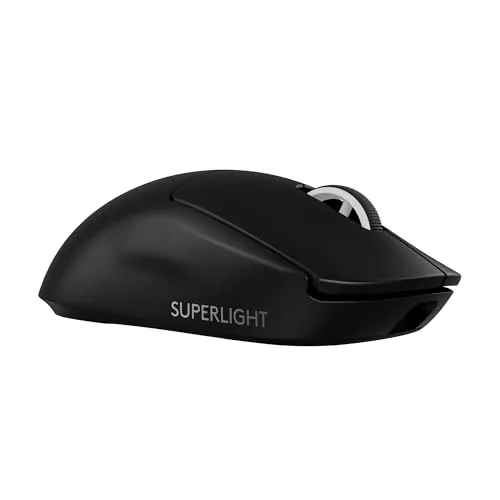
Logitech G
Logitech G PRO X SUPERLIGHT 2 LIGHTSPEED Wireless Gaming Mouse, Black
Black 910-006628 with LIGHTSPEED wireless. Confirm the receiver, cable and extras on the listing.
Model 910-006628
Amazon ASIN B09NBWL8J5
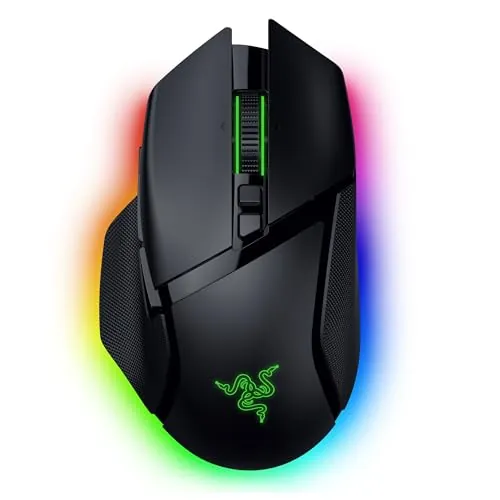
Razer
Razer Basilisk V3 Pro 35K Wireless Ergonomic Gaming Mouse, Black
Black RZ01-05240100-R3U1 with 2.4 GHz, Bluetooth and wired options. Confirm the receiver and cable on the listing.
Model RZ01-05240100-R3U1
Amazon ASIN B0DG837JYP
Differences that matter
What matters most to you?
Choose a priority to see what it changes.
Sources for Published weight and body envelope
Sources for Host connection and receiver placement
Sources for Charging and maker battery figures
Start with the physical envelope and orientation
The Logitech support specification lists the PRO X SUPERLIGHT 2 at 60 g and 125 × 63.5 × 40 mm. Razer’s support page lists the Basilisk V3 Pro 35K at 112 g excluding dongle and cable, with a 130 × 75.4 × 42.5 mm body; Razer describes it as right-handed. The figures make a concrete size filter, but they do not establish comfort, grip fit or gaming performance.
Look for the black 910-006628 Logitech and the black RZ01-05240100-R3U1 Razer. Those part numbers distinguish them from the original PRO X SUPERLIGHT and other Basilisk 35K versions.
Choose controls by what you will actually assign
Logitech lists five buttons and G HUB sensor-calibration settings. Razer’s product page markets 13 customizable controls, while its technical support specification lists 11 programmable buttons and documents a four-way tilt wheel with notched, free-spin and Smart-Reel modes. These sources use different control-count wording; inspect the specific controls you plan to map rather than assuming the counts share one definition.
This is a feature-fit choice only. No comparative aim, latency, tracking or button-test evidence was found for this exact pair.
Check the host port, dongle and charging route
Logitech documents LIGHTSPEED wireless and USB. Razer lists HyperSpeed, Bluetooth and wired modes. Check which ports you have at the desk and where the receiver will sit, then confirm the included cable and receiver on the exact listing.
Razer’s standard included dongle is separate from the optional HyperPolling Wireless Dongle or Mouse Dock Pro required for the maker-stated 8-kHz mode. Logitech’s current product page advertises up to 8 kHz, while its support specification lists a 4,000-Hz maximum wireless report rate at release. Verify the current exact receiver and firmware guidance before paying for a particular polling setup.
Read power claims as setup-specific specifications
Both products list rechargeable USB-C charging paths. Logitech support states 95 hours under constant-motion conditions. Razer states up to 140 hours in HyperSpeed at 1,000 Hz or up to 210 hours in Bluetooth; it also offers optional wireless charging hardware. Those conditions differ, so they are not a head-to-head battery result.
Use the manufacturer software paths for settings: G HUB for Logitech and Synapse 4 for Razer. Check current operating-system support and account/software requirements directly with each maker if customization is important.
Product details
Logitech G PRO X SUPERLIGHT 2 LIGHTSPEED Wireless Gaming Mouse, Black
Logitech lists a 60 g, five-button design and G HUB setup. Its current product page and at-release support specification differ on maximum wireless polling rate; check Logitech’s current compatibility guidance for the exact receiver and firmware rather than assuming either figure applies to every setup.
- Listed weight and body dimensions
- 60 g; published overall dimensions 125 × 63.5 × 40 mm. Source
- Buttons and software path
- 5 buttons; Logitech G HUB is the app listed at release; sensor calibration options are described on the product page Source
- Connection
- LIGHTSPEED wireless or a wired USB connection. Check the exact package for receiver and cable contents. Source
- Polling specification caveat
- Current product page advertises up to 8 kHz; the support specification lists a 4,000 Hz maximum wireless report rate at release Source
Razer Basilisk V3 Pro 35K Wireless Ergonomic Gaming Mouse, Black
Razer’s exact Black 35K model is explicitly right-handed and has a four-way tilt wheel. Its support specification lists 11 programmable buttons, while the sales page uses the broader “13 customizable controls” label; compare the functions you want rather than treating those counts as equivalent.
- Listed weight and body dimensions
- 112 g excluding dongle and cable; 130 × 75.4 × 42.5 mm (L × W × H) Source
- Controls and scroll wheel
- Support specification lists 11 programmable buttons and four-way tilt wheel with notched, free-spin and configurable Smart-Reel modes; product page markets 13 customizable controls Source
- Connection and software path
- HyperSpeed wireless, Bluetooth and wired; Razer Synapse 4 support listed Source
- Power and optional polling accessory
- Up to 140 h HyperSpeed at 1,000 Hz or up to 210 h Bluetooth per maker; 8,000 Hz requires a separately sold HyperPolling Wireless Dongle or Mouse Dock Pro Source
Before you buy
Community discussions
Working out how many buttons you actually use
Razer Basilisk V3 Pro 35K Wireless Ergonomic Gaming Mouse, Black
A Razer Basilisk V3 Pro 35K owner looking at alternatives wanted to keep more than two side buttons and shortcuts near the scroll wheel.
What to check
List the functions you use without taking your hand off the mouse. Compare where the buttons sit and whether you can reach them with your usual grip.
Comparing mouse shape with a relaxed claw grip
Logitech G PRO X SUPERLIGHT 2 LIGHTSPEED Wireless Gaming Mouse, Black
A Basilisk V3 Pro reader who tried the Logitech Superlight 2 said the right side felt cramped for their fingers.
What to check
Check where your ring finger and little finger sit on each shell. If you can, try the shape before trading extra controls for a simpler layout.
Common questions
Which one is lighter?
Logitech lists 60 g. Razer lists 112 g excluding the dongle and cable. These are manufacturer specifications, not independent weigh-ins.Specification - G PRO X Superlight 2 LIGHTSPEED Gaming MouseRazer Basilisk V3 Pro 35K - Product specifications and layout
Are the Razer’s “13 controls” the same as 13 programmable buttons?
Not according to the wording reviewed: Razer’s product page markets 13 customizable controls, while its technical specification lists 11 programmable buttons. The guide preserves both descriptions and does not equate them.Razer Basilisk V3 Pro 35K - BlackRazer Basilisk V3 Pro 35K - Product specifications and layout
Does the standard Basilisk dongle enable 8-kHz polling?
Razer says its advertised 8 kHz mode requires the separately sold HyperPolling Wireless Dongle or Mouse Dock Pro.Razer Basilisk V3 Pro 35K - Black
Which software do I need for configuration?
Logitech lists G HUB for the PRO X SUPERLIGHT 2; Razer lists Synapse 4 for the Basilisk V3 Pro 35K. Verify current support for your computer before relying on software-only settings.Specification - G PRO X Superlight 2 LIGHTSPEED Gaming MouseRazer Basilisk V3 Pro 35K - Product specifications and layout
Can I compare their 8-kHz polling claims directly?
No. Logitech’s current product page says up to 8 kHz, but its support specification gives an at-release 4,000-Hz wireless maximum. Razer requires separately sold hardware for 8 kHz. Confirm current receiver, firmware and accessory requirements; no polling test was conducted here.PRO X SUPERLIGHT 2 LIGHTSPEED Wireless Gaming MouseSpecification - G PRO X Superlight 2 LIGHTSPEED Gaming MouseRazer Basilisk V3 Pro 35K - Black
Sources and scope
Manufacturer-listed specifications and exact-ASIN product details only; no hands-on fit trial, polling measurement, battery test or performance comparison. Logitech’s current sales page advertises up to 8 kHz while its support specification states a maximum wireless report rate of 4,000 Hz at release. Razer markets 13 customizable controls while its technical support specification lists 11 programmable buttons. These labels are not reconciled here.
Related comparisons
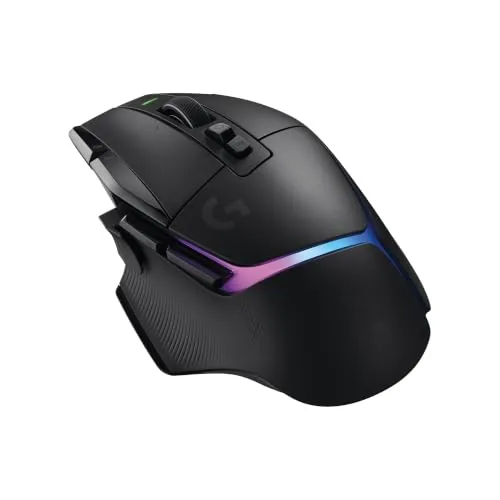
Logitech G502 X PLUS vs Razer Basilisk V3 Pro 35K: Which Fits Your Setup?
This comparison covers the black Logitech G502 X PLUS (910-006160) and black Razer Basilisk V3 Pro 35K (RZ01-05240100-R3U1). The deciding details are the host connection you need, the thumb and scroll controls you prefer, and whether you already own or plan to add a wireless-charging accessory.
Read comparison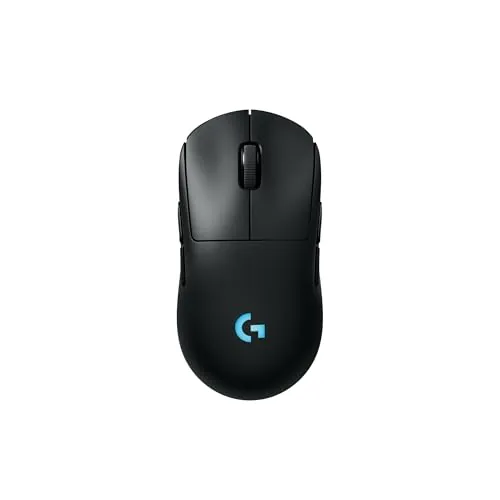
Logitech G PRO 2 LIGHTSPEED vs PRO X SUPERLIGHT 2
The PRO 2 is the clearer fit when you want documented replaceable left- and right-side button options: its exact 910-007246 sheet lists 4–8 buttons. Logitech lists five buttons for the black PRO X SUPERLIGHT 2, but that count alone does not establish their placement or whether its side buttons can be changed. The listed weights are 80 g and 60 g; that is a specification difference, not a comfort or gaming result.
Read comparison