
Products compared
Logitech G
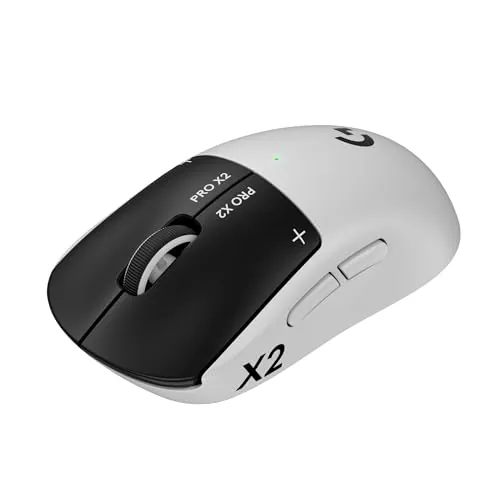
Logitech G PRO X2 SUPERSTRIKE LIGHTSPEED Wireless Gaming Mouse
The PRO X2 SUPERSTRIKE is the 910-007700 model. Its distinguishing feature is HITS, which lets you configure main-button actuation, reset and haptic settings.
Model 910-007700
Amazon ASIN B0G12HGHGM
Logitech G
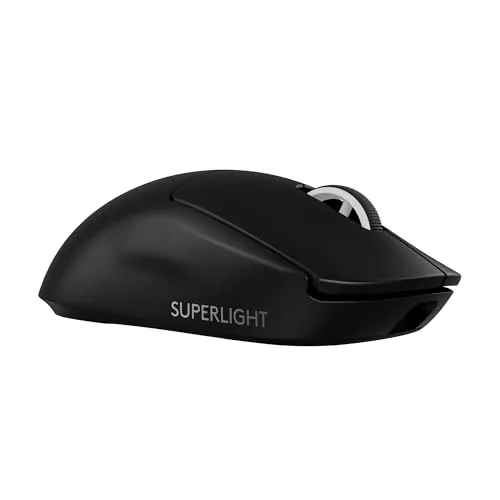
Logitech G PRO X SUPERLIGHT 2 LIGHTSPEED Wireless Gaming Mouse, Black
The black PRO X SUPERLIGHT 2 is part 910-006628. Logitech identifies its switches as LIGHTFORCE hybrid optical-mechanical; its comparison describes fixed click actuation rather than the PRO X2 SUPERSTRIKE's HITS adjustments.
Model 910-006628
Amazon ASIN B09NBWL8J5
Differences that matter
What matters most to you?
Choose a priority to see what it changes.
Sources for Software-dependent click setup
Sources for Receiver, host port and charging
Sources for Published mouse weight and source conflict
Decide whether you will use the click setup
The meaningful split is under the main buttons. Logitech says the SUPERSTRIKE uses HITS, with separate actuation and reset settings plus adjustable click haptics in G HUB. If you are choosing it for those controls, check that G HUB runs on your computer and decide whether you will spend time configuring them. The feature list does not establish a preferred setting or a game-performance gain.
The SUPERLIGHT 2 uses LIGHTFORCE hybrid optical-mechanical switches. Logitech's exact-pair article describes that model's actuation as fixed in contrast with the X2's HITS options. That can make it the straightforward choice when you specifically want the LIGHTFORCE design and are not shopping for adjustable HITS behavior.
Check the receiver and charge route at your desk
Both exact-model support specifications list LIGHTSPEED wireless, a USB-A receiver and a USB-A-to-USB-C charging/data cable. Look at the actual host you will use: confirm a USB-A port for the receiver or identify an adapter you already have, and make sure there is a USB-A charging source available when needed. These documents do not describe Bluetooth for the assigned models.
Do not choose based on the one-gram weight gap. Logitech's direct comparison gives the SUPERSTRIKE as 61 g and the exact-model support specification gives 60 g; the SUPERLIGHT 2 is listed at 60 g. The official X2 figures conflict, and none of these values is a matched handling test.
A short pre-purchase check
1. If you want the SUPERSTRIKE, confirm that the 910-007700 offer is the finish you intend to order and that your host can run G HUB for HITS setup. Logitech's U.S. page uses the finish name Lunar Eclipse; the tracked listing title says Black/White, so compare the SKU and seller's selected option rather than relying on a family name alone.
2. Confirm a USB-A receiver connection for either mouse and a suitable USB-A source for the USB-C charging cable. If your setup relies on a hub or an adapter, verify that accessory independently; it is not a supplied mouse feature established by these sources.
3. Choose by the switch configuration you want to live with: HITS settings to configure on the X2, or the SUPERLIGHT 2's documented LIGHTFORCE hybrid switches. Treat claims about latency, accuracy and game outcomes as unanswered by this feature comparison.
Product details
Logitech G PRO X2 SUPERSTRIKE LIGHTSPEED Wireless Gaming Mouse
- Main-button mechanism
- Haptic Inductive Trigger System (HITS); Logitech describes inductive analog switches replacing traditional microswitches Source
- HITS settings
- 10 actuation levels, five rapid-trigger reset levels, and six click-haptic intensity levels through G HUB Source
- Wireless receiver and charging cable
- LIGHTSPEED wireless; exact-model support lists a USB-A receiver, receiver extension, and USB-A-to-USB-C charging/data cable Source
Before you buy
Community discussions
Choosing between familiar clicks and adjustable HITS controls
Logitech G PRO X SUPERLIGHT 2 LIGHTSPEED Wireless Gaming Mouse, Black
A shopper says their main mouse is a G PRO X SUPERLIGHT 2 and is considering a second mouse for a laptop. They ask whether switching to the SUPERSTRIKE’s HITS clicks would mean missing the sharper conventional click they know. The post asks about preference; it does not report a result.
What to check
Decide whether you want a familiar fixed click or the SUPERSTRIKE’s adjustable actuation and haptic controls. Check whether you would use those settings before treating them as a reason to switch.
Common questions
What can I actually adjust on the PRO X2 SUPERSTRIKE?
Logitech's HITS guide lists 10 actuation levels, five rapid-trigger reset levels, and six click-haptic intensity levels in G HUB. Those are configuration options, not proof of faster play or better aim.G HUB HITS: Advanced Haptic Click Technology — Logitech G U.S.
Does the PRO X SUPERLIGHT 2 use the same HITS click controls?
Logitech does not list HITS controls for the PRO X SUPERLIGHT 2. It identifies the switches as LIGHTFORCE hybrid optical-mechanical; its comparison describes fixed click actuation versus the PRO X2 SUPERSTRIKE's HITS adjustments.PRO X SUPERLIGHT 2 LIGHTSPEED Wireless Gaming Mouse — Logitech G U.S.PRO X2 SUPERSTRIKE vs PRO X SUPERLIGHT 2 — Logitech G comparison article
Will either mouse connect to a computer without a USB-A port?
The exact-model support specifications list a USB-A LIGHTSPEED receiver for both and a USB-A-to-USB-C charging/data cable. Check the ports on your own computer and the adapter you plan to use. The sources reviewed here do not document Bluetooth for these exact models.Specification — PRO X2 SUPERSTRIKE — Logitech SupportSpecification — G PRO X SUPERLIGHT 2 LIGHTSPEED Gaming Mouse — Logitech Support
Which mouse is lighter?
The PRO X SUPERLIGHT 2 is listed at 60 g. For the PRO X2 SUPERSTRIKE, Logitech's support specification says 60 g while its comparison article says 61 g. The conflict is unresolved, so this guide does not treat weight as a deciding advantage.Specification — PRO X2 SUPERSTRIKE — Logitech SupportSpecification — G PRO X SUPERLIGHT 2 LIGHTSPEED Gaming Mouse — Logitech SupportPRO X2 SUPERSTRIKE vs PRO X SUPERLIGHT 2 — Logitech G comparison article
Sources and scope
This is a model-feature and setup comparison, not a controlled gaming, click-response, accuracy, comfort or battery test. Logitech's direct comparison lists the PRO X2 SUPERSTRIKE at 61 g, while its exact-model support specification lists 60 g; that discrepancy is unresolved here and is not used to recommend either mouse. Logitech calls the 910-007700 finish Lunar Eclipse. Use the part number to match the color in the offer.
- PRO X2 SUPERSTRIKE LIGHTSPEED Wireless Gaming Mouse — Logitech G U.S.
- G HUB HITS: Advanced Haptic Click Technology — Logitech G U.S.
- PRO X SUPERLIGHT 2 LIGHTSPEED Wireless Gaming Mouse — Logitech G U.S.
- Specification — PRO X2 SUPERSTRIKE — Logitech Support
- Specification — G PRO X SUPERLIGHT 2 LIGHTSPEED Gaming Mouse — Logitech Support
- PRO X2 SUPERSTRIKE vs PRO X SUPERLIGHT 2 — Logitech G comparison article
Related comparisons

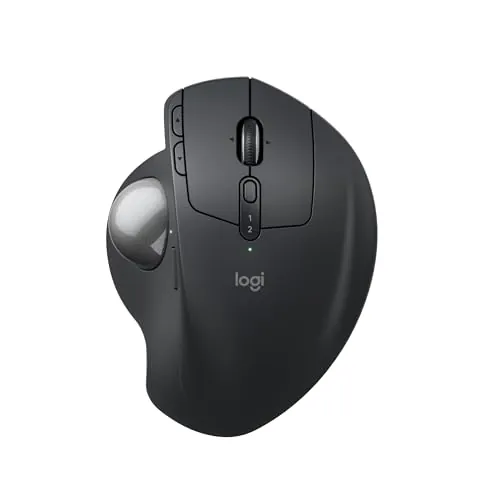
Logitech MX Master 4 vs MX Ergo S: Mouse Movement, Trackball and Switching
Both are rechargeable Logitech pointing devices, but they use different steering methods and switching controls. Compare desk motion, paired-computer count, the MX Master 4's Options+ Haptic Sense Panel, and the MX Ergo S base model's included Logi Bolt receiver before choosing.
Read comparison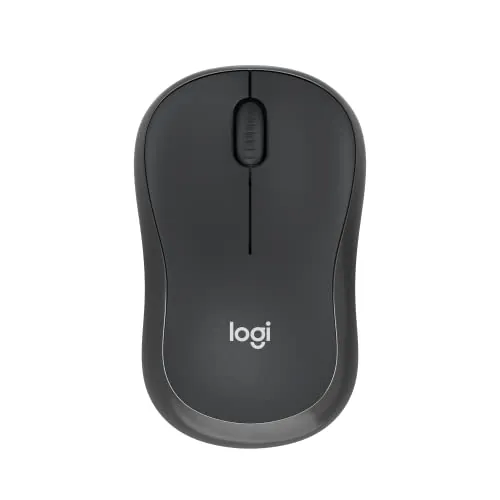

Logitech M240 Graphite vs MX Vertical Graphite: Handedness, Connection and Power
These are different desk setups, not a tested comfort comparison. Logitech describes the M240 Graphite as suitable for left- and right-handed use, with Bluetooth and a replaceable AA battery. MX Vertical Graphite is right-handed and supports Bluetooth, a Unifying receiver or a USB-C cable; Logitech also documents switching among up to three paired computers. Decide first who will use the mouse, then check the host connection you need and whether you prefer replacing an AA or recharging.
Read comparison