
Products compared

Apple
Apple MacBook Neo 13-inch with A18 Pro, 256GB, Indigo
U.S. Indigo, 256GB SSD configuration; macOS laptop with its keyboard and trackpad built in.
Model MHFF4LL/A
Amazon ASIN B0GR6FHGXX
Apple
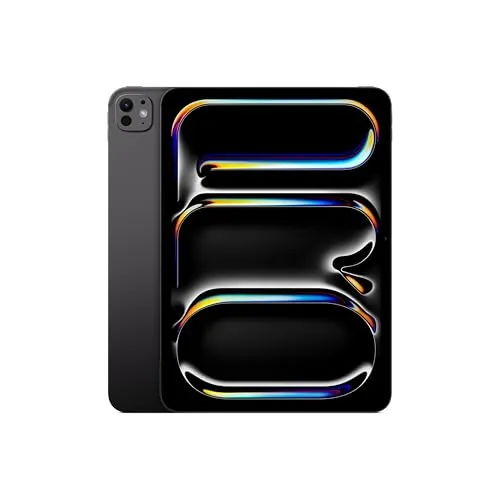
Apple iPad Pro 11-inch (M5), Wi-Fi, 256GB, Space Black
U.S. Wi-Fi-only, Space Black, 256GB configuration; touch-first iPadOS tablet compatible with Apple Pencil Pro and Apple Pencil (USB-C).
Model MDWK4LL/A
Amazon ASIN B0FWCXJVHN
Differences that matter
What matters most to you?
Choose a priority to see what it changes.
Sources for Operating system and ready-to-type input
Sources for Built-in screen and device-only carry dimensions
Sources for USB ports and one-monitor ceiling
Sources for Storage and memory in these exact configurations
Sources for What is included versus added input gear
Start with the input you will use all day
The MacBook Neo is the ready-to-type choice: macOS, a built-in keyboard and trackpad, and the power adapter/cable are listed in the box. The iPad Pro 11-inch M5 starts from touch and iPadOS; Apple also lists Apple Pencil Pro and Pencil (USB-C) compatibility, while its box list contains the tablet, adapter and cable. If you intend to type or write by hand on the iPad, add the exact accessory to your plan and check that your apps support the workflow.
Apple documents movable and resizable windows in iPadOS 26, so the comparison is not simply “computer versus no multitasking.” Confirm the installed iPadOS version and the exact app support; windowing does not establish macOS app compatibility.
Use your real monitor and desk setup as the final check
Both selected devices have 256GB, and both are documented for one external monitor. The MacBook Neo's listed ceiling is 4K/60Hz; its USB 3 USB-C port provides DisplayPort. The iPad Pro M5 lists up to 6K/60Hz or 5K/120Hz over its single Thunderbolt/USB 4 port. These are published maximum modes, not a guarantee for an arbitrary monitor, cable or dock.
Before choosing the iPad, decide whether its single port must serve a display while you also charge and attach other wired devices; confirm the required adapter or hub and the monitor's exact input. For either device, check the display's input and target refresh mode. The Neo is larger and heavier as a bare device; compare the iPad's tablet-only dimensions separately from a keyboard/case you may add.
Product details
Apple MacBook Neo 13-inch with A18 Pro, 256GB, Indigo
- Operating system and input
- macOS; built-in 78-key ANSI or 79-key ISO Magic Keyboard and Multi-Touch trackpad Source
- Listed configuration
- 256GB SSD and 8GB unified memory Source
- Wired display setup
- Two USB-C ports: one USB 3/DisplayPort up to 10Gb/s, one USB 2 up to 480Mb/s; supports one external display up to 4K at 60Hz Source
- Device dimensions and weight
- 29.75 × 20.64 × 1.27 cm; 1.23 kg Source
Apple iPad Pro 11-inch (M5), Wi-Fi, 256GB, Space Black
- Operating system and touch workflow
- iPadOS; Apple lists compatibility with Apple Pencil Pro and Apple Pencil (USB-C) Source
- Listed configuration
- 256GB storage and 12GB unified memory for the 256GB/512GB M5 configurations Source
- Wired display setup
- One Thunderbolt/USB 4 port with DisplayPort; supports one external display up to 6K at 60Hz or 5K at 120Hz Source
- Device dimensions and weight
- 24.97 × 17.75 × 0.53 cm; 444 g for the Wi-Fi model, tablet only Source
Before you buy
Community discussions
Using a tablet as a second display for coursework
Apple MacBook Neo 13-inch with A18 Pro, 256GB, Indigo
A student describes using an iPad Air as an extended screen beside a MacBook Neo while working on R and ChatGPT. They mention moving screenshots and text between the screens; the tablet in the post is an iPad Air, not an iPad Pro.
What to check
Decide whether your work centers on a laptop with a separate tablet screen or on a touch-first tablet with its own keyboard and Pencil workflow. Check the apps and accessories for your exact tablet setup.
Common questions
Can the iPad Pro M5 replace the MacBook Neo for every laptop task?
Not by default. Apple documents multiple movable and resizable app windows on iPad with iPadOS 26 or later, but the iPad runs iPadOS rather than macOS. Check each required app and version on the intended system before choosing it as your only device.iPad Pro 11-inch (M5) - Tech SpecsMultitask on iPad
Are a keyboard and Pencil included with the iPad Pro?
Apple's box list names the iPad Pro, USB-C cable and 20W adapter. Apple lists a Magic Keyboard compatible with iPad Pro 11-inch (M5) and an Apple Pencil Pro compatible with that iPad as separate accessory products.iPad Pro 11-inch (M5) - Tech SpecsMagic Keyboard for iPad Pro 11-inch (M5) - US English - BlackApple Pencil Pro
Which one supports the higher listed external-monitor mode?
Apple lists the MacBook Neo for one external display up to 4K at 60Hz. The iPad Pro 11-inch M5 supports one up to 6K at 60Hz or 5K at 120Hz. Check the monitor's connector and required mode; the iPad's legacy VGA, HDMI, DVI and Thunderbolt 2 paths require separately sold adapters.MacBook Neo - Tech SpecsiPad Pro 11-inch (M5) - Tech Specs
Sources and scope
This is a documentation-based setup comparison, not a hands-on test. It makes no speed, battery-life, display-quality, reliability or universal app-compatibility claim. Confirm essential app versions, exact monitor requirements and any accessory you plan to use.
Related comparisons
MacBook Neo MHFF4LL/A vs ASUS Vivobook Go 15 E1504FA-AS52
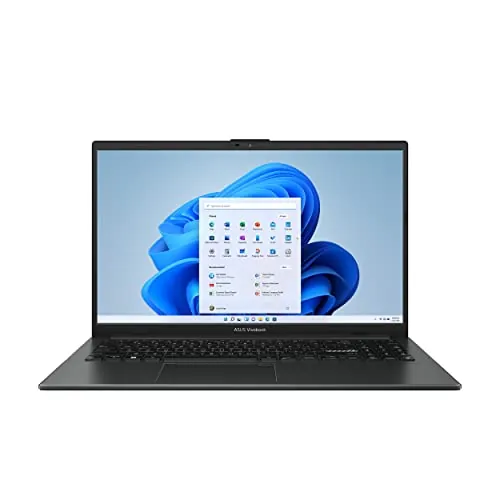
These exact U.S. configurations differ most in operating system, display size and nominal SSD capacity. Apple’s current U.S. list identifies Indigo part MHFF4LL/A as an 8GB/256GB MacBook Neo; Apple’s specs list macOS, a 13-inch display and 1.23kg family weight. ASUS identifies E1504FA-AS52 with Windows 11 Home, a 15.6-inch FHD panel, Ryzen 5 7520U, 8GB memory and 512GB SSD. Verify the apps and peripherals you actually need before choosing an OS, then decide whether 13-inch/256GB or 15.6-inch/512GB better fits your work. No speed, battery or screen-quality winner is established.
Read comparisonMacBook Neo 512GB Touch ID vs 256GB: Choose Storage or a Simpler Keyboard
Choose the Indigo 512GB MacBook Neo if you need more local storage or want its Touch ID keyboard. Choose the 256GB model if your applications and files fit and the standard keyboard suits you. Apple lists the same A18 Pro chip and 8GB unified memory for both configurations. Check the configuration code before ordering.
Read comparison