
Products compared
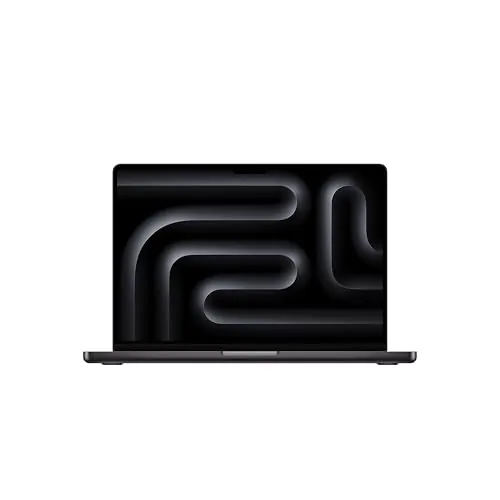
Apple
14-inch MacBook Pro with M5, Space Black, 16GB, 1TB
Apple M5 with 10-core CPU and 10-core GPU; 16GB unified memory; 1TB SSD; Space Black.
Model MDE14LL/A
Amazon ASIN B0FWD623D1
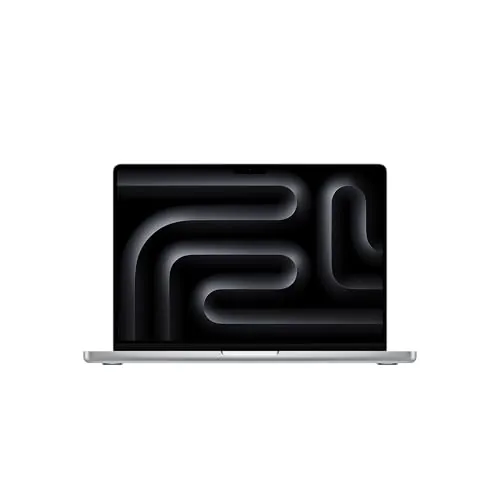
Apple
14-inch MacBook Pro with M5 Pro (15-core CPU, 16-core GPU), Silver, 24GB, 1TB
Apple M5 Pro with 15-core CPU and 16-core GPU; 24GB unified memory; 1TB SSD; Silver.
Model MGDN4LL/A
Amazon ASIN B0GR17YNHL
Differences that matter
What matters most to you?
Choose a priority to see what it changes.
Sources for Exact memory and internal storage
Sources for External displays for a multi-screen desk
Sources for USB-C host link and shared connections
Sources for Chassis and built-in display
Start with the exact 1TB configurations
This comparison is not between a smaller and larger SSD. Apple’s U.S. part-number table identifies MDE14LL/A as the 14-inch M5 with 16GB unified memory and 1TB SSD, and MGDN4LL/A as the 14-inch M5 Pro with 24GB and 1TB. The table lists Space Black for the M5 and Silver for the M5 Pro configuration.
The useful question is how much memory your regular working set needs. Use your own workload and current memory usage to decide whether the 16GB configuration is sufficient; the available manufacturer specifications do not set a universal threshold for a particular editor, browser or development project.
Draw the desk before choosing a display configuration
For a two-screen setup, both models may fit the display count if the exact resolution and refresh combination is on Apple’s list. For three external screens, this M5 Pro is the match in this pair: Apple lists up to three for M5 Pro and up to two for M5. Apple’s support pages state more restrictive combinations at higher resolutions and refresh rates, so a three-screen count by itself is not enough to confirm a particular arrangement.
A practical check is to write each screen’s target resolution and refresh rate, then note the intended HDMI or Thunderbolt port and any dock. Compare that list with Apple’s display support and the dock and monitor manuals. This does not certify third-party adapters or promise that one port chain will support an unlisted combination.
Match Thunderbolt to a peripheral you already plan to use
Both exact models provide three USB-C Thunderbolt ports, HDMI, SDXC, MagSafe 3 and a headphone jack. Apple lists the M5 ports as Thunderbolt 4 up to 40Gb/s and the M5 Pro ports as Thunderbolt 5 up to 120Gb/s. For peripherals, check the required host standard, cable and dock modes rather than assuming a higher interface maximum will change an application’s speed.
The selected models also share a 14.2-inch built-in display and the same listed 12.31 × 8.71 × 0.61-inch chassis dimensions. The published M5 Pro weight is 3.5 lb versus 3.4 lb for M5; allow room for the dock and cable path if the laptop will sit closed or raised at the desk.
Product details
14-inch MacBook Pro with M5, Space Black, 16GB, 1TB
14-inch MacBook Pro with M5 Pro (15-core CPU, 16-core GPU), Silver, 24GB, 1TB
Before you buy
Community discussions
How much memory does your typical workload need?
14-inch MacBook Pro with M5, Space Black, 16GB, 1TB
A 14-inch MacBook Pro owner with the base M5, 16GB of memory and 512GB of storage tried a Windows virtual machine before deciding how much memory they needed.
What to check
List the apps you keep open together. If you use a virtual machine, include it in the same test when comparing memory options.
Common questions
Can the M5 configuration run three external monitors?
Apple lists up to two external displays for the 14-inch M5 configuration and up to three for this M5 Pro family. The maximum supported combination depends on the displays’ resolution and refresh rate, so check the exact setup you plan to connect.MacBook Pro (14-inch, M5) — Tech SpecsMacBook Pro (14-inch, M5 Pro or M5 Max) — Tech Specs
Is storage different in these two configurations?
No. Apple’s U.S. part-number table maps MDE14LL/A to a 1TB SSD and MGDN4LL/A to a 1TB SSD. They differ in memory, chip, color and connectivity, not listed SSD capacity.Apple NASPO PSS Apple-Branded Products — September 2026 U.S. product table
Will Thunderbolt 5 make my current applications faster?
These specifications do not establish that. Thunderbolt 5’s listed interface ceiling can matter for a compatible peripheral or dock, but real transfer rates and application performance depend on the entire device chain and workload; no paired application test is provided here.MacBook Pro (14-inch, M5) — Tech SpecsMacBook Pro (14-inch, M5 Pro or M5 Max) — Tech Specs
What should I check before connecting my display dock?
Match each monitor’s resolution and refresh target to Apple’s supported display modes, then confirm the dock supports the same combination and host connection. A product’s port label alone does not verify every multi-display dock arrangement.MacBook Pro (14-inch, M5) — Tech SpecsMacBook Pro (14-inch, M5 Pro or M5 Max) — Tech Specs
Sources and scope
This is a specifications-based fit guide for the exact U.S. MDE14LL/A and MGDN4LL/A configurations. It does not benchmark applications, estimate how much memory your personal workflow needs, or guarantee a particular third-party dock-and-monitor chain. External-display support depends on resolution, refresh rate, ports and connection setup; check every device in the planned chain.
Related comparisons
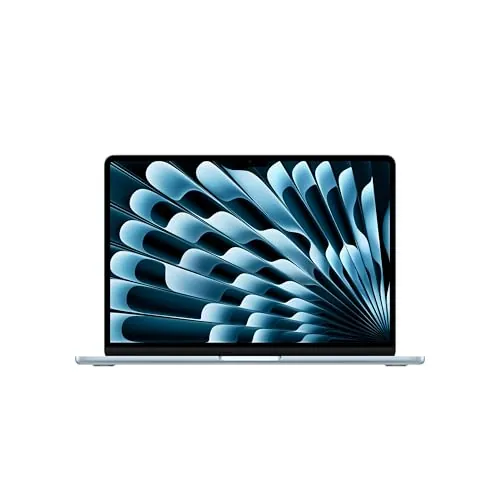
MacBook Pro 14-inch M5 vs MacBook Air 13-inch M5: Ports, Screens, and Carry
For these exact U.S. configurations, the 14-inch MacBook Pro M5 (MDE14LL/A, 16GB/1TB) adds a built-in HDMI port, SDXC slot, and a larger XDR/ProMotion display. The 13-inch MacBook Air M5 (MDHH4LL/A, 16GB/512GB) weighs 0.32 kg less and Apple also lists support for two external displays. Both are base-M5 models; this is a ports, display, storage, and carry choice, not a measured speed comparison.
Read comparison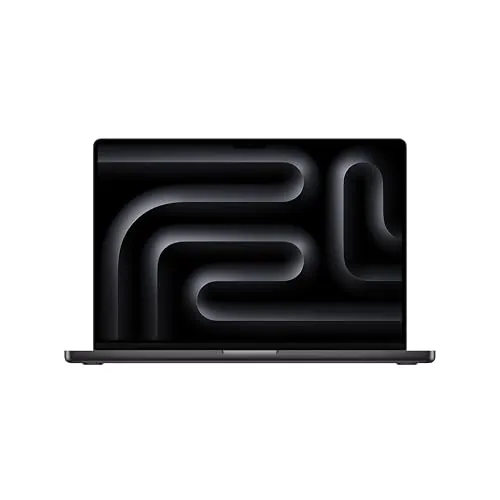
16-inch MacBook Pro M5 Max (MGEE4LL/A) vs 14-inch M5 Pro (MGDN4LL/A): Size and Setup
These exact U.S. configurations pair different screen sizes, chip tiers, memory and SSD capacities: the 16-inch M5 Max has 48GB/2TB and supports up to four external displays; the 14-inch M5 Pro has 24GB/1TB and supports up to three. The 14-inch model is listed at 1.60kg versus 2.15kg for the 16-inch. Choose by the memory/storage and display setup you actually need, then check the footprint against your bag.
Read comparison