
Products compared
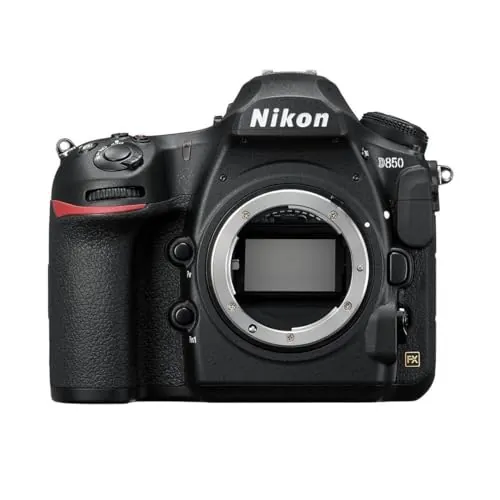
Nikon
Nikon D850 FX-Format Digital SLR Camera Body
45.7MP FX-format DSLR with Nikon F mount, optical pentaprism finder, and XQD plus SD card slots. This selected U.S. listing is a camera body; no lens or accessory bundle is assumed.
Model D850, US model 1585
Amazon ASIN B07524LHMT
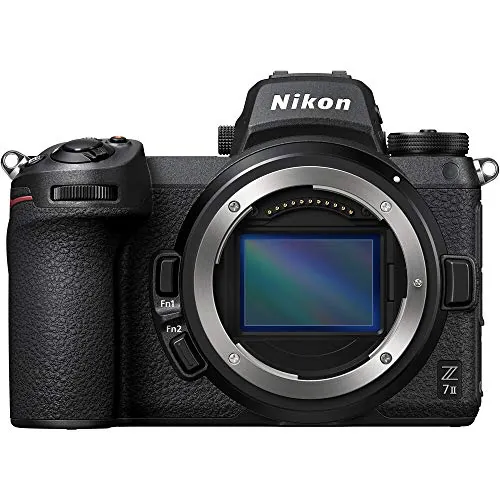
Nikon
Nikon Z 7II Full-Frame Mirrorless Camera
45.7MP FX-format mirrorless body with Nikon Z mount, an electronic viewfinder, and two slots for CFexpress Type B/XQD plus SD media. F lenses require a compatible FTZ adapter, sold separately; check the exact lens and required function.
Model Z 7II, US model 1653
Amazon ASIN B08L614R6K
Differences that matter
What matters most to you?
Choose a priority to see what it changes.
Sources for Card reuse and CFexpress Type B conditions
Start with an inventory of the lenses you actually use
For a photographer already invested in Nikon F glass, a mount name is not enough to choose. The D850 uses F mount directly, while the Z 7II uses Z mount and takes selected F lenses through an optional FTZ adapter. Nikon's FTZ table documents different functions by lens designation: some AF-S, AF-P, and AF-I lenses retain autofocus, while other AF G/D lenses do not autofocus through the adapter. The exact lens model matters, and Nikon also lists incompatible lenses and accessories.
Make a short lens worksheet: exact lens name; autofocus required or not; metering or other camera function required; and the source-table row that confirms it. If a lens is essential and the required behavior does not carry through the Z adapter, that is a concrete reason to stay with a compatible D850 route. If your plan is native Z glass or an individually checked FTZ transition, the Z 7II may fit that system path better.
Decide where you want settings to appear while composing
The D850 gives you a pentaprism optical finder. If you want an exposure preview, Nikon documents a rear-monitor Live View step: press J to preview shutter speed, aperture, and ISO effects. The manual lists exceptions where that preview can differ from the final exposure, including flash and certain settings.
The Z 7II's electronic finder can be configured through d9 to show shooting-display effects such as white balance, Picture Controls, and exposure compensation, or to suppress those effects for a viewing-oriented display. That favors a workflow where you want to inspect selected setting changes without moving to the rear monitor. It is a difference in preview path and configuration, not evidence that one finder produces better photographs.
Include cards and firmware in the system cost and setup check
Both cameras have two slots and accept XQD and SD media, so an existing XQD/SD workflow may carry over at the format level. The Z 7II specification also lists CFexpress Type B. The D850 gained Type B support in C firmware 1.20; Nikon's card-specific support page explains the firmware requirement and enumerates supported card models. For the D850, inspect the installed firmware and the exact card before treating a CFexpress card as reusable.
These are camera-body offers. Verify whether the seller's exact package includes a lens, adapter, card, battery, charger, grip, or other accessories. Moving to the Z system may require an FTZ adapter or native Z lenses; a D850 choice can use compatible F lenses directly. No accessory or kit contents are assumed from the camera family name.
Product details
Nikon D850 FX-Format Digital SLR Camera Body
- Mount and finder
- Nikon F mount; eye-level pentaprism optical single-lens-reflex finder Source
- Media
- One XQD slot and one SD slot; CFexpress Type B support requires C firmware 1.20 or later and the exact card should be checked against Nikon's compatibility list Source
- Resolution
- 45.7 million effective pixels Source
Before you buy
Community discussions
Keeping F-mount lenses when moving to mirrorless
Nikon D850 FX-Format Digital SLR Camera Body
A D850 owner considering the Z 7II and other Nikon Z bodies lists the F-mount lenses and teleconverter they want to keep and asks about using an FTZ II adapter.
What to check
List the exact lenses and teleconverters you plan to keep and look up the focus and other functions you use in Nikon’s adapter compatibility information.
What you would carry after a body swap
Nikon Z 7II Full-Frame Mirrorless Camera
A photographer considers a straight D850-to-Z 7II trade. One person who has used both describes bringing the Z 7II on hikes and trips.
What to check
Compare the weight and size of the complete kit you would pack, including lenses and any adapter.
Common questions
Can I keep using all of my F-mount lenses on the Z 7II?
Do not assume that every F lens retains every function. Nikon says F-mount NIKKOR lenses can be used on Z cameras through an FTZ adapter, but restrictions apply. Its support table separates autofocus-capable lens types from AF G/D types that do not autofocus through the adapter, and lists incompatible equipment. Check the exact lens and function before switching.Z 7II/Z 6II Online Manual — Compatible Lenses and AccessoriesMount Adapter FTZ — Supported Features and Incompatible Lenses
Does the D850 have exposure preview if it uses an optical finder?
Yes, Nikon's D850 manual describes pressing J during Live View to preview exposure on the rear monitor. Nikon also lists conditions—such as flash use and certain image settings—where the preview may not accurately reflect the final result. That is a rear-screen workflow rather than an electronic view through the optical finder.D850 Online Manual — Live View Photography and Exposure PreviewD850 Full Frame Digital SLR Camera — US model 1585 specifications
Can I use the same memory cards in both bodies?
Both Nikon US specifications list XQD and SD media. The Z 7II also lists CFexpress Type B. Nikon added Type B support to the D850 with C firmware 1.20 and publishes a D850-specific supported-card list, so confirm that camera's firmware and the exact card model first.D850 Full Frame Digital SLR Camera — US model 1585 specificationsNikon Z 7II Camera — US model 1653 specificationsD850 Firmware C 1.31 — firmware change history and CFexpress supportNikon Japan Support — memory cards usable with the D850 (CFexpress, XQD, SD)
Do these body-only listings include an FTZ adapter or lens?
This guide compares the two camera bodies, not a specific accessory bundle. Check the exact current listing's box contents for an included lens or adapter; do not assume an FTZ adapter is included with the Z 7II body listing.D850 Full Frame Digital SLR Camera — US model 1585 specificationsNikon Z 7II Camera — US model 1653 specifications
Sources and scope
This is a manufacturer-document comparison of the Nikon U.S. camera bodies listed here, not a hands-on test. It does not establish image quality, autofocus tracking, handling, reliability, or a universal winner. Lens support depends on the exact lens and function; seller bundle contents and installed firmware are not verified.
- D850 Full Frame Digital SLR Camera — US model 1585 specifications
- Nikon Z 7II Camera — US model 1653 specifications
- D850 Compatible Lenses — official online manual PDF
- Mount Adapter FTZ — Supported Features and Incompatible Lenses
- Z 7II/Z 6II Online Manual — Compatible Lenses and Accessories
- Z 7II/Z 6II Online Manual — d9 Apply Settings to Live View
- D850 Online Manual — Live View Photography and Exposure Preview
- D850 Firmware C 1.31 — firmware change history and CFexpress support
- Nikon Japan Support — memory cards usable with the D850 (CFexpress, XQD, SD)
Related comparisons
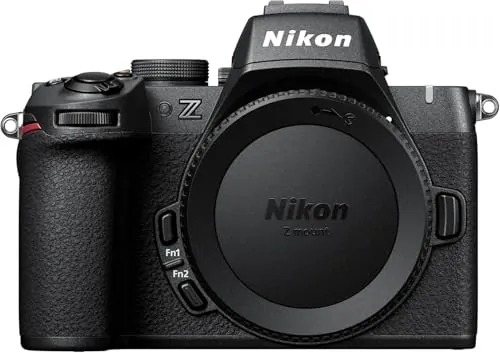
Nikon Z 7II vs Z50II: Choose by Lens Coverage and Framing
The Nikon Z 7II records larger FX Large stills only with an FX-covering lens and the FX image area selected. Attach a DX lens and the Z 7II locks to DX Large at 5408 × 3600 pixels, while the Z50II's DX Large setting records 5568 × 3712. The Z50II also has a monitor that can face forward, with documented control and viewfinder limits in self-portrait mode. Decide from your actual lens, required file dimensions, framing position, and memory-card setup—not sensor labels alone.
Read comparison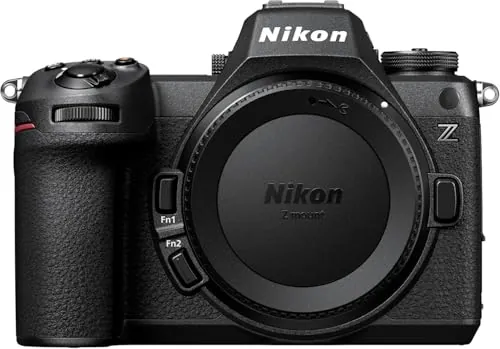
Nikon Z6III vs Z50II: FX, DX, and Internal Video Formats
Both are Nikon Z-mount bodies, but the Z6III uses a 24.5 MP FX sensor and adds internal N-RAW and ProRes options with two different card slots. The 20.9 MP DX Z50II records internal H.265 10-bit, uses one SD slot, and weighs about 175 g less as a body alone. If you already own DX lenses, check the crop: the Z6III fixes still-photo image area to DX with a DX lens. These assigned US selections are body-only, so verify the exact seller package before ordering.
Read comparison