
Products compared
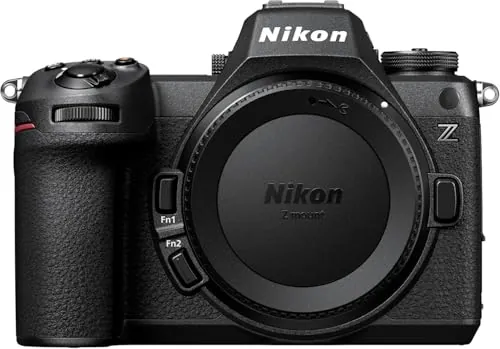
Nikon
Nikon Z6III (US model 1890, body only)
Full-frame FX mirrorless body with Nikon Z mount; assigned selection is body-only.
Model Z6III / 1890
Amazon ASIN B0D77SL8CY
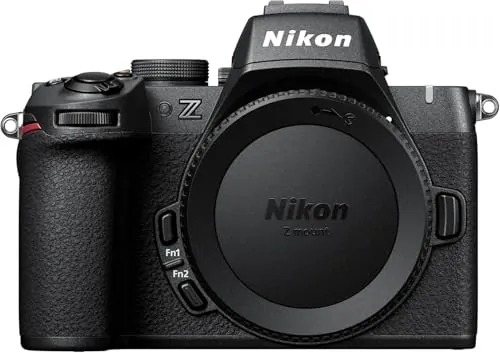
Nikon
Nikon Z50II (US model 1784, body only)
DX-format mirrorless body with Nikon Z mount and one SD-card slot; assigned selection is body-only.
Model Z50II / 1784
Amazon ASIN B0DMJBLQGP
Differences that matter
What matters most to you?
Choose a priority to see what it changes.
Sources for Sensor format and recorded image area
Sources for Internal video file choices
Sources for Body-only carrying weight
Sources for Mount and current lens inventory
Start with your sensor format and lens shelf
The Z6III is a 24.5 MP FX body; the Z50II is a 20.9 MP DX body. Those are different image areas, so compare framing and output dimensions for your own files rather than treating megapixels as a picture-quality score.
If your current lenses are DX, Nikon's Z6III guide says still-photo image area is fixed to DX when a DX lens is attached. Z6III's large DX still is 3984 × 2656 pixels; Z50II's large native DX still is 5568 × 3712. If your kit is mostly FX lenses, both camera bodies use Nikon Z mount, but confirm the exact lens/body functions before relying on every mode. Nikon lists F-mount NIKKOR lenses for both only with an adapter and possible restrictions.
Buy the recording format your edit actually needs
Z6III's video menu adds internal N-RAW 12-bit, ProRes RAW HQ 12-bit and ProRes 422 HQ 10-bit to H.265 10-bit choices. Nikon also warns that RAW choices are intended for later RAW processing and editing on a professional high-performance computer system. That is a workflow commitment, not an image-quality verdict.
Z50II's internal menu includes H.265 10-bit with SDR, HLG or N-Log. If that matches your delivery, it avoids buying the Z6III solely for internal 10-bit or N-Log. Before choosing Z6III RAW, match the specific mode to Nikon's approved-card guidance and your editor's file support.
Plan the cards and the camera-only carry weight
Z6III takes one CFexpress Type B/XQD card and one SD card. Nikon documents photo Backup and Overflow options, while video uses a separate slot Destination. Do not treat two slots or the photo Backup label as an automatic two-card video backup.
Nikon lists 670 g body-only for Z6III and 495 g body-only for Z50II: a 175 g difference from subtracting those published figures. It excludes the lens, battery, card and accessories, so use your actual carry kit for a final decision. Z50II takes one SD-family card, including UHS-II SDHC/SDXC.
Confirm the body-only offer before checkout
These exact comparison selections are body-only. Nikon's Z50II page shows that body-only, one-lens, two-lens and 16–50 mm lens-kit options exist as distinct offers. A camera name in a listing title is not enough to tell you which box is selected.
Open the exact ASIN/retailer option and confirm model 1890 or 1784, body versus lens kit, and the included lens and accessories. If a lens is part of the offer, confirm that its mount and format fit the job you described above. No current price or seller inventory is embedded in this guide.
Product details
Nikon Z6III (US model 1890, body only)
Before you buy
Community discussions
A D800 owner weighed the Z50 II's size against a full-frame workflow
Nikon Z50II (US model 1784, body only)
A photographer considering the Z50 II for hiking and mountaineering said they still valued their D800's RAW workflow and preferred DSLRs, while the smaller APS-C option was appealing for carry. They were seeking advice, not reporting a field comparison.
What to check
Compare the full kit you would take outdoors, including the lenses and any F-to-Z adapter, and check whether its framing and output fit your RAW workflow. This post records one person's priorities, not a weight or image-quality test.
Common questions
Does the Z50II record internal 10-bit video?
Yes. Nikon's Z50II video-file menu lists H.265 10-bit with SDR, HLG, or N-Log. The Z6III distinction in this comparison is its additional internal N-RAW and ProRes options, not basic access to internal 10-bit recording.Z50II Reference Guide: Video file typesZ6III Reference Guide: Video File Types
Will my DX lens use the full FX image area on the Z6III?
No for still photos: Nikon says image-area selection is fixed to DX when a DX lens is attached. Nikon lists a 3984 × 2656 large DX image size for Z6III. Check your exact lens, video mode, and required output before assuming FX coverage or resolution.Z6III Reference Guide: Image Recording Options (Image Area, Quality, and Size)Nikon USA Z6III model 1890 overview and specifications
Does Z6III's two-card setup record duplicate video?
Do not infer video duplication from the photo Backup setting. Nikon's guide describes Backup under still-photo card functions and says video is assigned through a separate Destination setting. Check the exact video workflow you need before a shoot.Z6III Reference Guide: Secondary Slot Function
Does either selected listing include a lens?
The assigned selections are body-only. Nikon's Z50II page separately presents body-only, one-lens, two-lens, and 16–50 mm lens-kit options. Verify the exact selected retailer offer for either model because bundle contents can differ.Nikon USA Z50II model 1784 overview and specifications
Sources and scope
This guide compares Nikon's published model specifications and menus for the assigned US body-only selections. It does not test image quality, autofocus, low-light results, editing speed, or reliability. Recording options and card requirements depend on the selected mode; verify the exact body or kit contents in the live retailer offer.
- Nikon USA Z6III model 1890 overview and specifications
- Nikon USA Z50II model 1784 overview and specifications
- Z6III Reference Guide: Video File Types
- Z50II Reference Guide: Video file types
- Z6III Reference Guide: Specifications
- Z50II Reference Guide: Specifications
- Z6III Reference Guide: Image Recording Options (Image Area, Quality, and Size)
- Z6III Reference Guide: Secondary Slot Function
- Z6III Reference Guide: Approved Memory Cards
Related comparisons
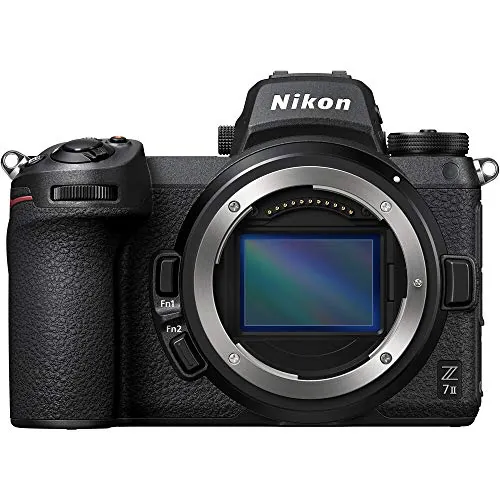
Nikon Z 7II vs Z50II: Choose by Lens Coverage and Framing
The Nikon Z 7II records larger FX Large stills only with an FX-covering lens and the FX image area selected. Attach a DX lens and the Z 7II locks to DX Large at 5408 × 3600 pixels, while the Z50II's DX Large setting records 5568 × 3712. The Z50II also has a monitor that can face forward, with documented control and viewfinder limits in self-portrait mode. Decide from your actual lens, required file dimensions, framing position, and memory-card setup—not sensor labels alone.
Read comparison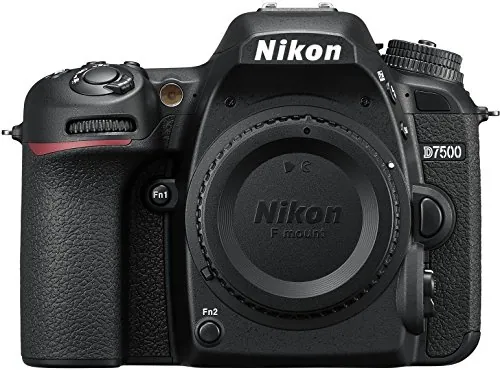
Nikon Z6 III (1890) vs D7500 (1581): Keep Your F Lenses or Move to Z?
For a D7500 owner, the first question is your lens drawer. The D7500 body uses Nikon F mount directly; the Z6 III is Z mount, so F NIKKOR lenses need an FTZ-series adapter and lens-specific checks for autofocus and other functions. The bodies also use different finders, screen movement, sensor formats, card slots and EN-EL15 battery versions. Choose by your exact lenses and shooting workflow, not an unmeasured image-quality claim.
Read comparison