
Products compared
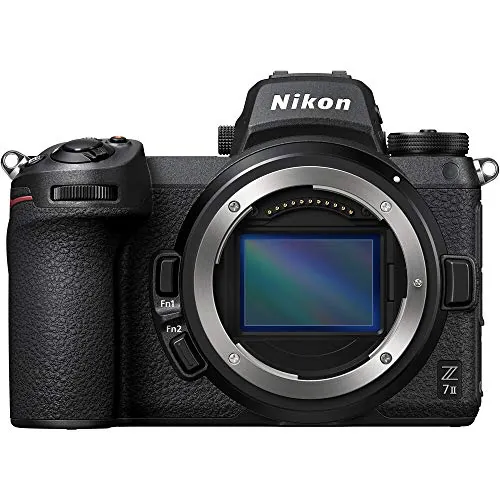
Nikon
Nikon Z 7II Full-Frame Mirrorless Camera
U.S. model 1653; compared selection is identified as body-only. Check the exact listing for its current package.
Model 1653
Amazon ASIN B08L614R6K
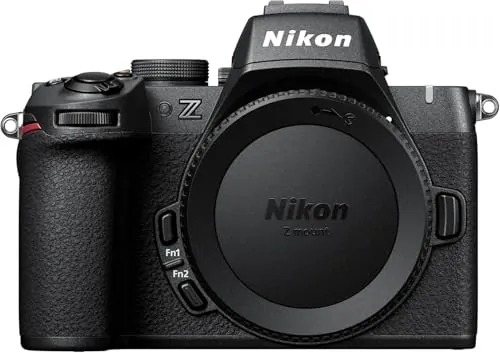
Nikon
Nikon Z50II DX-Format Mirrorless Camera
U.S. model 1784; compared selection is identified as body-only. Check the exact listing for its current package.
Model 1784
Amazon ASIN B0DMJBLQGP
Differences that matter
What matters most to you?
Choose a priority to see what it changes.
Sources for Large still dimensions depend on image area and lens coverage
Sources for Rear-screen framing versus seeing yourself from in front
Sources for Viewfinder specifications
Sources for Card formats and backup workflow
Start with the lens you will use
The most important Z 7II vs Z50II question is not simply FX against DX. It is whether the specific lens you own covers FX and whether your deliverable needs the Z 7II's FX Large dimensions. Nikon lists 8256 × 5504 for Z 7II FX Large and 5568 × 3712 for the Z50II's DX Large setting.
The decision changes if you keep a DX lens. Nikon says a DX lens fixes the Z 7II image area to DX, where Large is 5408 × 3600. That is smaller in both dimensions than the Z50II DX Large setting. If your lens is an F-mount model, both camera manuals say an adapter is required and restrictions may apply; confirm the exact lens before assigning a compatibility or coverage benefit.
Match the camera to your shooting position
The Z50II has a vari-angle monitor that can face the front of the camera, which directly fits solo framing when you need to see the screen from in front. There is a practical mode caveat: in self-portrait mode, the camera disables many controls and the viewfinder cannot be used. Nikon also documents a setup option that leaves the display facing forward without switching into self-portrait mode.
The Z 7II uses a 3.2-inch tilting rear touchscreen. If you normally stand behind the camera, choose from the screen arrangement and the output/lens requirement together. The sources describe the mechanical layouts; they do not measure which display is easier to see or use.
Plan for the cards in your existing kit
Both cameras accept SD cards, including UHS-II SDHC and SDXC cards. The Z50II has one slot. Z 7II adds a second slot for CFexpress Type B or XQD, alongside its SD slot.
If the second card matters, check whether you already own an appropriate CFexpress Type B or XQD card and decide how you will configure recording. Two slots are a hardware option, not proof that a particular backup or overflow setting is active or that a recording will be duplicated as you expect.
A short pre-purchase check
1. Write the exact model name of each lens you intend to keep and confirm FX or DX coverage in Nikon's documentation. 2. Write the minimum pixel dimensions required by your final delivery. 3. Decide whether the monitor must face you during recording. 4. Check whether your card kit supports the Z 7II's second slot. These checks usually settle the choice more usefully than comparing headline sensor numbers.
The source comparison identifies both selected bodies as U.S. body-only models. Listings and package selections can vary, so confirm the exact model and included box contents for the ASIN you select. This guide does not promise an included lens, adapter or memory card.
Product details
Nikon Z 7II Full-Frame Mirrorless Camera
- Large still dimensions
- FX (36 × 24): 8256 × 5504; DX (24 × 16): 5408 × 3600. These are separate image-area settings. Source
- Lens mount
- Nikon Z mount; Nikon lists Z-mount NIKKOR lenses and F-mount NIKKOR lenses with an adapter, subject to restrictions. Source
- Viewfinder
- 0.5-inch, approximately 3.69-million-dot OLED electronic viewfinder; manufacturer-listed specification. Source
- Card slots
- One CFexpress Type B or XQD card slot plus one SD slot; UHS-II SDHC/SDXC cards are supported. Source
Nikon Z50II DX-Format Mirrorless Camera
- Large still dimensions
- DX (24 × 16): 5568 × 3712 pixels. Source
- Lens mount
- Nikon Z mount; Nikon lists Z-mount NIKKOR lenses and F-mount NIKKOR lenses with an adapter, subject to restrictions. Source
- Viewfinder
- 0.39-inch, approximately 2.36-million-dot OLED electronic viewfinder; manufacturer-listed specification. Source
- Card slot
- One SD card slot; UHS-II-compliant SDHC and SDXC cards are supported. Source
Before you buy
Community discussions
Choosing a Z50 II kit for plane spotting and motorcycles
Nikon Z50II DX-Format Mirrorless Camera
A D5200 owner chose a Z50 II dual-lens kit for plane spotting and motorcycles after trying the camera in a shop.
What to check
Pick the lenses you would use for your own subjects and check which of them come with the kit you are considering.
Weighing a smaller camera kit for hiking
Nikon Z50II DX-Format Mirrorless Camera
A photographer considering a Z50 II for hiking was weighing a smaller kit against keeping their D800 and existing F-mount lenses.
What to check
List which lenses you would keep and which would need an adapter, then compare what both setups would weigh in your bag.
Common questions
Does the Z 7II always record larger images than the Z50II?
No. The Z 7II records 8256 × 5504 Large stills when FX is selected, but Nikon fixes its image area to DX when a DX lens is attached; that DX Large size is 5408 × 3600. The Z50II's DX Large size is 5568 × 3712. Compare the lens you will use and the selected image area, not just the camera family name.Z 7II/Z 6II Online Manual: Choose Image AreaZ 7II/Z 6II Online Manual: Image Size (Z 7II table)Nikon Z50II Online Manual: Specifications
Can the Z50II screen face me while I record?
Yes. Nikon documents a front-facing monitor position. When the screen reaches that position, self-portrait mode is enabled by default; in that mode several controls are disabled and the viewfinder cannot be used. Nikon's setup setting can disable the automatic self-portrait-mode switch while the monitor remains forward.Nikon Z50II Online Manual: The monitor and self-portrait mode
Do both cameras accept my Nikon lenses?
Both have a Nikon Z mount. Nikon lists Z-mount NIKKOR lenses and adapted F-mount NIKKOR lenses for both bodies, with an adapter required for F-mount and restrictions that may apply. The Z 7II's image area is fixed to DX with a DX lens. Verify a specific lens and adapter combination in Nikon's compatibility documentation.Z 7II/Z 6II Online Manual: Specifications (Z 7II table)Z 7II/Z 6II Online Manual: Choose Image AreaNikon Z50II Online Manual: Specifications
Can I use the same memory cards with both bodies?
Both support SD cards, including UHS-II-compliant SDHC and SDXC cards. The Z 7II also has a second slot that takes CFexpress Type B or XQD; the Z50II has one SD slot. Check your exact card labels and planned recording configuration.Z 7II/Z 6II Online Manual: Inserting Memory CardsZ 7II/Z 6II Online Manual: Specifications (Z 7II table)Nikon Z50II Online Manual: Specifications
Does a higher listed pixel dimension prove better image quality?
No. These values describe specified Large still dimensions in named image areas. They do not compare sharpness, image processing, noise, autofocus, lens performance or print quality.Z 7II/Z 6II Online Manual: Image Size (Z 7II table)Nikon Z50II Online Manual: Specifications
Sources and scope
This guide compares manufacturer-published specifications and operating instructions for U.S. Nikon Z 7II model 1653 and Z50II model 1784. The compared upstream selections are identified as body-only; verify the exact seller, model number and current box contents on the selected listing. Pixel dimensions are recorded image dimensions, not evidence of sharpness, image quality, autofocus, print quality or file size. No hands-on camera testing or lens compatibility review of a specific lens has been performed.
- Nikon Z 7II Camera — U.S. model 1653
- Nikon Z50II Mirrorless Camera — U.S. model 1784
- Z 7II/Z 6II Online Manual: Specifications (Z 7II table)
- Z 7II/Z 6II Online Manual: Choose Image Area
- Z 7II/Z 6II Online Manual: Image Size (Z 7II table)
- Nikon Z50II Online Manual: Specifications
- Nikon Z50II Online Manual: The monitor and self-portrait mode
- Z 7II/Z 6II Online Manual: Inserting Memory Cards
- Z 7II/Z 6II Online Manual: Camera Controls and tilting monitor
Related comparisons
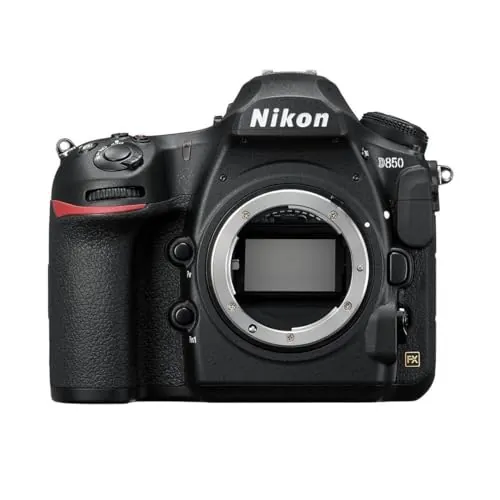
Nikon D850 vs Z 7II: Check Lenses, Finder and Cards First
For these Nikon US body listings, the buying decision starts with your exact lenses and viewing routine. The D850 mounts compatible F lenses directly and has an optical pentaprism finder. The Z 7II uses native Z lenses, or selected F lenses through a separately purchased FTZ adapter whose supported functions vary by lens. Its electronic finder can show configured exposure and color-setting effects. Both have two card slots, but D850 CFexpress Type B use depends on firmware and Nikon's specific card guidance.
Read comparison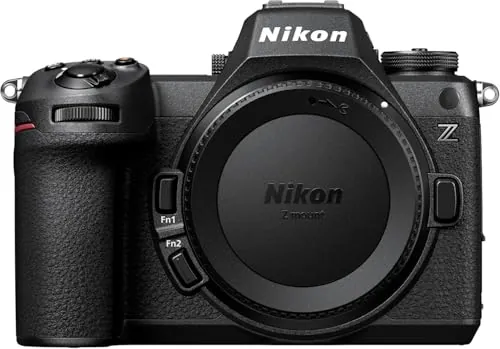
Nikon Z6III vs Z50II: FX, DX, and Internal Video Formats
Both are Nikon Z-mount bodies, but the Z6III uses a 24.5 MP FX sensor and adds internal N-RAW and ProRes options with two different card slots. The 20.9 MP DX Z50II records internal H.265 10-bit, uses one SD slot, and weighs about 175 g less as a body alone. If you already own DX lenses, check the crop: the Z6III fixes still-photo image area to DX with a DX lens. These assigned US selections are body-only, so verify the exact seller package before ordering.
Read comparison