
Products compared
Nikon
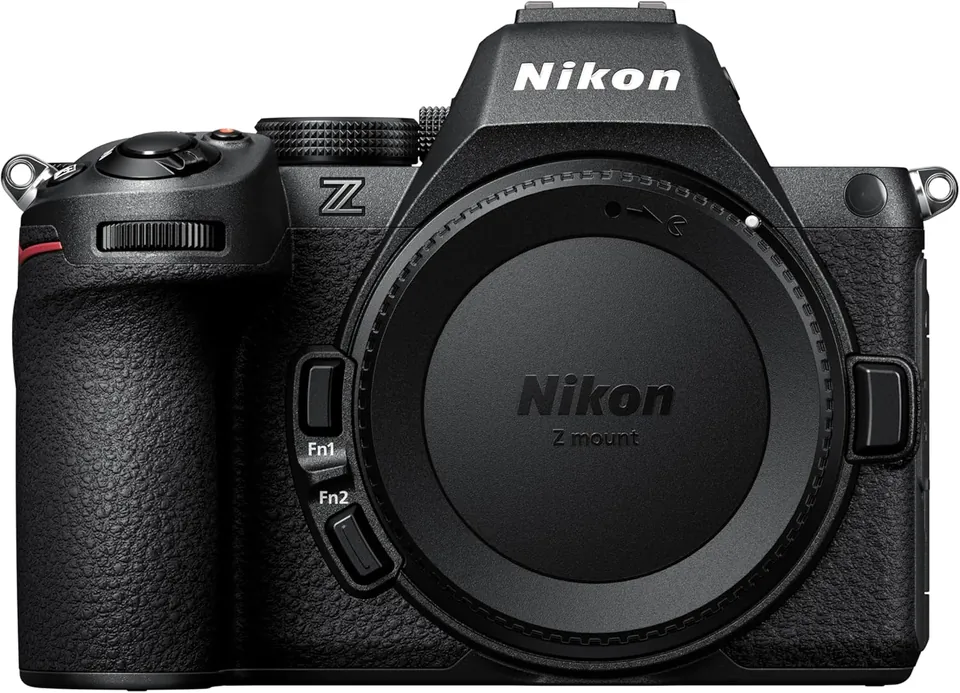
Nikon Z5II Full-Frame Mirrorless Camera, U.S. Body
Black U.S. Nikon Z5II body, model 1680; the selected listing article identifies the body configuration, not a lens kit.
Model 1680
Amazon ASIN B0F3HJD64Y
Nikon
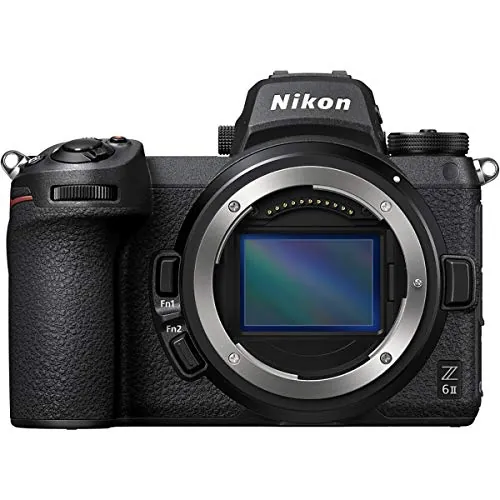
Nikon Z 6II Full-Frame Mirrorless Camera, U.S. Body
Black U.S. Nikon Z 6II body, model 1659; not the original Z 6 or a lens kit.
Model 1659
Amazon ASIN B08L5Z4355
Differences that matter
What matters most to you?
Choose a priority to see what it changes.
Sources for HDMI recorder and control path
Sources for USB transfer and live-control setup
Start with the cards already in your bag
The fastest first filter is physical media. Nikon specifies two SD slots for the Z5II; the Z 6II splits its slots between CFexpress Type B/XQD and SD. That makes Z5II the straightforward choice when you want both slots to take SD, while Z 6II can keep an existing CFexpress/XQD workflow without dropping SD entirely.
Neither slot layout answers the speed question on its own. Nikon’s Z5II guide recommends V90 for 12-bit N-RAW and gives a 250 MB/s recommendation for high frame-size/rate video. The Z 6II manual also lists a qualifying SD option for 4K60/50. Confirm your specific card and the exact mode rather than buying media based on slot type alone.
Decide where the video file should be recorded
The Z5II documents internal 12-bit N-RAW and 10-bit H.265 alongside H.264. Its published 4K UHD/60p option is cropped, and N-RAW frame rates vary by FX or DX image area. Match the file type and crop you need to your edit workflow before choosing a card.
The Z 6II is more recorder-dependent for its 10-bit N-Log/HLG route: Nikon says that footage is sent to a compatible HDMI recorder, not its internal card. Its upgraded RAW output also uses an external device, requires Nikon’s paid upgrade, and excludes 4K UHD 60p/50p. This distinction is about where and how the footage is captured, not a tested image-quality ranking.
Plan the connections and controls you will actually use
For Z5II computer transfer, Nikon documents the supplied USB cable and NX Studio; its USB menu also lists MTP/PTP, iPhone/NX MobileAir and USB UVC/UAC streaming. Nikon separately describes remote camera control with NX Tether. For Z 6II, the cited manual documents USB transfer to NX Studio and describes HDMI recorder control for supported Atomos models. The evidence here does not establish that a workflow absent from one particular page is unsupported by that camera.
Make a small pre-buy checklist: host ports, USB cable ends, card reader, recorder model, HDMI cable and software version. If a workflow depends on a menu mode or remote start/stop, confirm it in the exact model’s latest online guide and recorder documentation.
One point that changes the recommendation
If you require 4K UHD/60p from the full FX area, neither body’s documented 4K60 mode meets that requirement: Nikon identifies crop/DX for both. If you require a card-only workflow with internal N-RAW or H.265, the Z5II’s published formats are the more directly aligned description. If you already own CFexpress/XQD and plan external 10-bit log/HDR recording, the Z 6II’s slot and HDMI workflow may fit better.
Product details
Nikon Z5II Full-Frame Mirrorless Camera, U.S. Body
- Card slots
- Two SD card slots; supports SD, SDHC and SDXC, including UHS-I and UHS-II media. Source
- Internal video formats
- The guide lists internal 12-bit N-RAW (NEV), 8/10-bit H.265/HEVC and 8-bit H.264/AVC; 4K UHD/60p is a crop mode. Source
- USB workflow
- The USB menu lists MTP/PTP, iPhone/NX MobileAir and USB streaming (UVC/UAC); the manual also documents USB transfer with NX Studio and camera control with NX Tether. Source
Nikon Z 6II Full-Frame Mirrorless Camera, U.S. Body
- Card slots
- One CFexpress Type B/XQD slot plus one SD slot; Nikon lists SD UHS-I and UHS-II support. Source
- Internal and external video paths
- Nikon lists internal 4K UHD up to 30p; its 4K UHD/60p mode is 8-bit and DX crop. 10-bit N-Log/HLG uses a compatible external HDMI recorder; RAW output requires a paid firmware upgrade and compatible recorder. Source
- USB workflow
- The Z 6II manual documents connecting by the supplied USB cable for NX Studio transfer; Nikon also documents a separate HDMI recorder setup. Source
Before you buy
Community discussions
Planning a second copy on a separate card
Nikon Z5II Full-Frame Mirrorless Camera, U.S. Body
A photographer who moved from a Z50II to a Z5 II reported a card read error on their computer and was glad they had set up a second card.
What to check
List the cards and readers you own. Check what each body needs for the dual-card setup you plan to use and how you will import both copies.
Common questions
Does the Z 6II require CFexpress to record 4K UHD at 60p?
Nikon’s approved-card guidance lists both qualifying CFexpress/XQD and SD media for the Z 6II 4K UHD 60p/50p mode. Follow the stated speed recommendation and check the exact card; the presence of a CFexpress slot does not by itself make that card mandatory for the mode.Nikon Z 7II/Z 6II Online Manual — approved memory cardsNikon Z 6II U.S. body (model 1659) — official overview and specifications
Which camera has two SD slots?
The Z5II has two SD slots. The Z 6II has one CFexpress Type B/XQD slot and one SD slot. Both still require the card type and speed to match the selected recording mode.Nikon Z5II U.S. body (model 1680) — official overview and specificationsNikon Z 6II U.S. body (model 1659) — official overview and specificationsNikon Z5II Reference Guide — approved memory cardsNikon Z 7II/Z 6II Online Manual — approved memory cards
Can the Z 6II save 10-bit N-Log or HLG to its internal card?
Nikon’s Z 6II HDMI manual says N-Log/HLG footage is recorded directly to the connected external device and cannot be saved to the camera card. RAW output has additional upgrade and frame-rate limits.Nikon Z 7II/Z 6II Online Manual — connecting to HDMI devicesNikon Z 6II Firmware — official Nikon Download Center
Does the Z5II support USB streaming?
Its Reference Guide lists USB streaming (UVC/UAC) as a USB setting for connecting to a computer or smart device. Check Nikon’s current OS and connection requirements for your exact host setup. The cited Z 6II USB transfer page does not establish whether an equivalent mode is absent from that camera.Nikon Z5II Reference Guide — USB settingsNikon Z 7II/Z 6II Online Manual — connecting to computers via USB
Are these camera bodies lens kits?
The selected listing records and published comparison identify U.S. body listings, but marketplace offers can change or bundle differently. Verify model 1680 or 1659 and the exact seller’s included items before purchase.Nikon Z5II U.S. body (model 1680) — official overview and specificationsNikon Z 6II U.S. body (model 1659) — official overview and specifications
Sources and scope
This is a manufacturer-document comparison for the assigned U.S. bodies, not a camera test. It does not compare image quality, autofocus, heat, reliability, recording stability or measured transfer speed. The Z5II manual describes USB settings for MTP/PTP, iPhone/NX MobileAir and UVC/UAC streaming, while the cited Z 6II manual documents USB transfer to NX Studio; the cited Z 6II source does not establish whether every Z5II USB mode is absent. For either body, confirm the exact card’s compatibility and required speed for the recording mode, plus the cables and recorder you already own.
- Nikon Z5II U.S. body (model 1680) — official overview and specifications
- Nikon Z5II — official model overview and specifications
- Nikon Z5II Reference Guide — specifications
- Nikon Z5II Reference Guide — approved memory cards
- Nikon Z5II Reference Guide — USB settings
- Nikon Z5II Reference Guide — making the connection
- Nikon Z5II Reference Guide — connecting to computers via USB
- Nikon Z5II Reference Guide — HDMI recorders
- Nikon Z 6II U.S. body (model 1659) — official overview and specifications
- Nikon Z 7II/Z 6II Online Manual — approved memory cards
- Nikon Z 7II/Z 6II Online Manual — connecting to computers via USB
- Nikon Z 7II/Z 6II Online Manual — connecting to HDMI devices
- Nikon Z 6II Firmware — official Nikon Download Center
- Nikon Z 6II — official model overview and specifications
Related comparisons
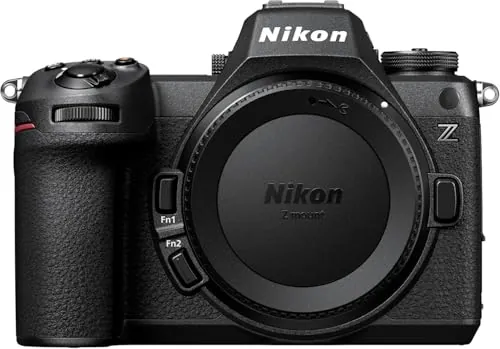
Nikon Z6 III vs Z 6II: Video Modes, Cards and Recorder Setup
This body-only US comparison is about recording workflow, not image quality. Nikon documents 6K/60p internal RAW and 4K/120p on the Z6 III. The Z 6II can record internal 4K/60p after firmware 1.10, but Nikon specifies DX image area and 8-bit; its separate external 10-bit N-Log workflow is documented at 4K/30p, 25p and 24p. Both bodies use CFexpress Type B/XQD plus SD card slots, but their HDMI ports differ: Type A on Z6 III and Type C on Z 6II. Check your exact delivery format, card/reader and recorder cable before changing bodies.
Read comparisonNikon Z6 III vs Z5 II: Choose by Video Format, Crop and Cards
This US body-only comparison is for buyers planning a video workflow. The Nikon Z6 III body (model 1890) records FX 6K/60p N-RAW and FX 4K/60p; its 4K/120p option is fixed to DX area. The Z5 II body (model 1680) offers FX 4K/30p and N-RAW, while its 4K/60p option is also fixed to DX area. The Z6 III pairs SD with CFexpress Type B/XQD; the Z5 II has two SD slots. Choose by the deliverable’s frame rate and framing, then verify cards, slot roles and your preferred on-body controls. This is a specification-based fit guide, not a footage test.
Read comparison