
Products compared
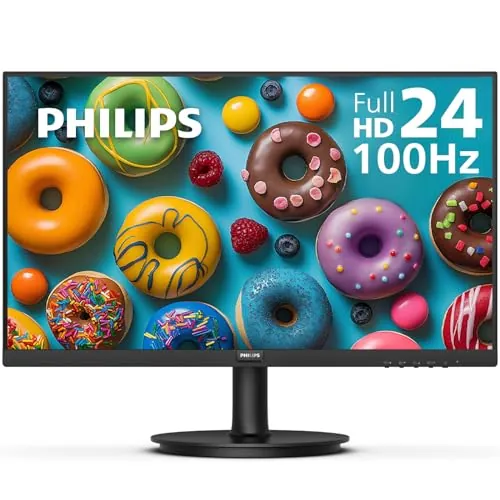
Philips
Philips 241V8LB/27 23.8-inch Full HD Monitor
Check that the Philips offer or unit is marked 241V8LB/27; the /27 suffix identifies the regional model used for this comparison.
Model 241V8LB/27
Amazon ASIN B0C8ZKV5R9
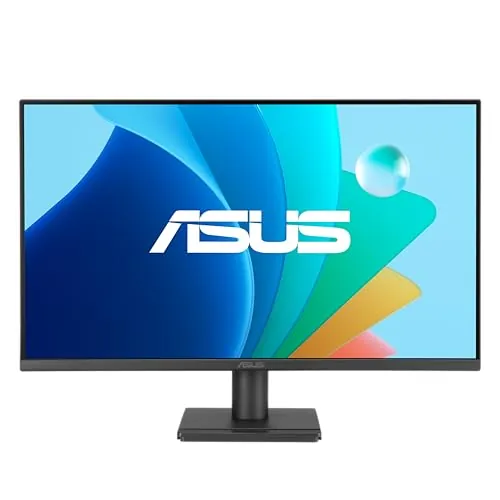
ASUS
ASUS VA249QG 23.8-inch Full HD IPS Monitor
ASUS’s U.S. product page identifies VA249QG and lists IPS, Full HD, 120Hz and its ports. ASUS says specifications and accessories can vary by market, so confirm the exact U.S. model and included cables on the offer.
Model VA249QG
Amazon ASIN B0DM6R51KT
Differences that matter
What matters most to you?
Choose a priority to see what it changes.
Sources for Refresh specifications by connection
Sources for Panel type and physical placement
Start with the output on your computer
The clearest practical difference is the input set. Philips 241V8LB/27 lists HDMI 1.4 and VGA; ASUS VA249QG lists those plus DisplayPort 1.2. If your dock or desktop only has a specific output free, match it to a monitor input before comparing other features. A monitor port alone does not establish that an adapter, source, or cable will carry a particular mode.
The published refresh qualifications also differ. Philips lists 1920×1080 at up to 100Hz, with a note that the listed 1920 × 1080 at 100 Hz mode uses HDMI. ASUS's U.S. page identifies a 120Hz maximum; the exact-model technical table lists 48–120Hz vertical frequency for HDMI and DisplayPort and 50–75Hz for VGA. ASUS warns that specifications and features vary by market, so verify the U.S. offer and your host's mode support. These figures are maker specifications, not observed motion or gaming results.
Check the desk audio route and panel preference
Philips specifies audio out. ASUS specifies built-in 2W × 2 stereo speakers and a headphone jack, and its manual says the headphone jack is available when an HDMI or DisplayPort cable is connected. If you want sound to come from the monitor without adding separate speakers, the ASUS feature is positively documented. The Philips source does not establish its speaker configuration, so do not treat an unlisted item as confirmed absent.
Both makers identify 23.8-inch Full HD panels. Philips calls its exact /27 model VA; ASUS identifies VA249QG as IPS. Treat these labels as panel specifications and a possible buyer preference, not a conclusion about comparative image quality, contrast, color, or comfort.
Measure the stand or confirm a VESA mount
With their stands, Philips lists 540×416×220mm and ASUS lists 541.1×406.5×188.2mm (width×height×depth). Measure the desk depth and the usable vertical space at the screen location; those dimensions describe the product with its stand, not an extra cable bend or a two-monitor arrangement. Both list a 100×100mm VESA pattern if you plan to use a compatible mount.
The stand ranges differ slightly: Philips lists −5° to +20° tilt; ASUS lists −5° to +23° tilt and no height adjustment. Neither listing supports the assumption that the stock stand raises the display. If exact cable contents or regional dimensions matter, check the current U.S. offer and the VA249QG / 241V8LB/27 markings rather than relying only on a broad family name.
Use the exact model name when checking the package
Philips identifies this regional monitor as 241V8LB/27. Confirm the full suffix on the exact offer or unit before relying on regional specifications. ASUS VA249QG is a distinct model; its manual also covers VA279QG and VA279HG, so use only the VA249QG-specific specifications here.
ASUS specifications can vary by model and market. Before checkout, confirm the exact VA249QG version, stand or mounting option, included cable, and which display modes your source device can output.
Product details
Philips 241V8LB/27 23.8-inch Full HD Monitor
- Screen and panel
- 23.8-inch, 1920×1080 Full HD, VA LCD Source
- Inputs and audio
- HDMI 1.4 and analog VGA inputs; audio out Source
- Listed maximum mode
- 1920×1080 at up to 100Hz; Philips footnote says the listed 1920 × 1080 at 100 Hz mode uses HDMI Source
- Stand and mounting
- Tilt −5° to +20°; 100×100mm VESA; with stand 540×416×220mm (W×H×D) Source
ASUS VA249QG 23.8-inch Full HD IPS Monitor
- Screen and panel
- 23.8-inch, 1920×1080 Full HD, IPS; 120Hz maximum listed Source
- Inputs and audio
- DisplayPort 1.2, HDMI 1.4 and VGA; built-in 2W × 2 stereo speakers and headphone jack Source
- Listed input ranges
- ASUS's VA249QG specification table lists 48–120Hz vertical frequency for HDMI and DisplayPort and 50–75Hz for VGA; check host output and the exact regional product documentation Source
- Stand and mounting
- Tilt −5° to +23°; no height adjustment; 100×100mm VESA; with stand 541.1×406.5×188.2mm (W×H×D) Source
Before you buy
Community discussions
Deciding whether to buy a monitor with speakers
ASUS VA249QG 23.8-inch Full HD IPS Monitor
A shopper weighing two displays wanted built-in speakers if they could get them. Their speaker option’s retailer URL says VA279QG, but its ASIN is the VA249QG listing covered here.
What to check
Decide whether sound will come from the monitor, a headset or external speakers. If you want monitor audio, check the exact model and which inputs carry sound.
Common questions
Do both monitors have HDMI and VGA?
Yes. Philips lists HDMI 1.4 and analog VGA. ASUS lists HDMI 1.4, VGA and an additional DisplayPort 1.2 input.Philips 241V8LB/27 LCD Monitor specifications leafletVA249QG/VA279QG/VA279HG User Guide — ASUS
Does the Philips support 100Hz over VGA?
Do not infer that from its 100Hz headline. The Philips leaflet lists 1920×1080 at up to 100Hz and footnotes that the listed 1920 × 1080 at 100 Hz mode uses HDMI. Use that qualification when planning the connection; check the full mode table if you need a particular VGA mode.Philips 241V8LB/27 LCD Monitor specifications leaflet
Which one has built-in speakers?
ASUS lists built-in 2W × 2 stereo speakers and a headphone jack. Philips lists audio out but does not say whether built-in speakers are included, so do not assume either way.Philips 241V8LB/27 LCD Monitor specifications leafletVA249QG/VA279QG/VA279HG User Guide — ASUS
Does IPS mean the ASUS will look better than the Philips VA panel?
Not from these specifications alone. Philips identifies its exact U.S. 241V8LB/27 as VA and ASUS identifies VA249QG as IPS, but no controlled comparison here establishes which image looks better to you.Philips 241V8LB/27 LCD Monitor specifications leafletVA249QG Eye Care Monitor — ASUS U.S.
Will the ASUS included cable reach 120Hz on my computer?
The monitor's published 120Hz maximum does not answer that by itself. ASUS's regional VA249QG table gives input frequency ranges, but the host output, cable, selected resolution and exact regional unit also matter. Check those details together; this article does not claim a tested result or an included cable.VA249QG Eye Care Monitor — ASUS U.S.VA249QG Tech Specs — ASUS Singapore, exact model designation
Sources and scope
This is a specifications-based fit guide, not a measured image, color, gaming, motion or audio test. Philips' exact U.S. leaflet says its listed 1920 × 1080 at 100 Hz mode uses HDMI. ASUS lists a 120Hz maximum and its exact-model regional technical table gives per-input frequency ranges; ASUS cautions that specifications and features vary by market. Confirm the offered VA249QG unit and its included cables locally. Neither panel label establishes which screen looks better to you.
Related comparisons
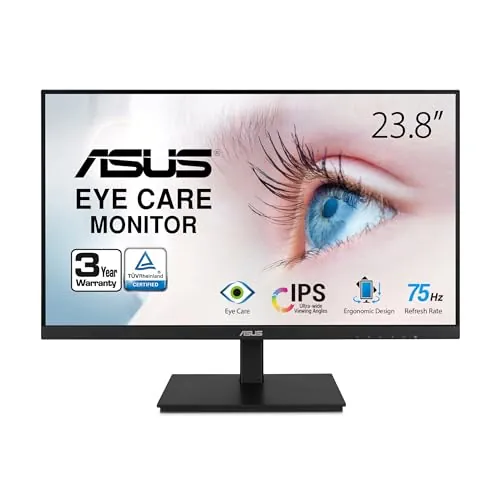
ASUS VA24DQSB vs VA249QG: Stand Movement, USB Hub or 120 Hz?
The ASUS VA24DQSB and VA249QG are both 23.8-inch, 1920 × 1080 monitors, so focus on desk setup and signal path. VA24DQSB's stand raises and pivots, and its two USB 2.0 downstream ports work when you connect the USB upstream cable. VA249QG's included stand only tilts, but its manual lists Full HD 100/120 Hz modes for HDMI and DisplayPort; VGA Full HD is listed at 60 Hz. Check your desk, host output, cable path and USB needs before choosing.
Read comparison
ASUS VA249QG vs ProArt PA278QV: Port-Specific Modes, QHD and Desk Fit
These ASUS monitors answer different desk needs: the 23.8-inch VA249QG is Full HD and its manual lists 1080p at 100/120Hz for HDMI and DisplayPort, but 60Hz for VGA; its stand tilts only. The 27-inch PA278QV is native 2560×1440 with a 75Hz maximum and an adjustable stand. ASUS gives the PA278QV an overall digital frequency range, not a separate 75Hz guarantee for every input, so check the computer, dock and cable against the exact port you plan to use.
Read comparison