
Products compared
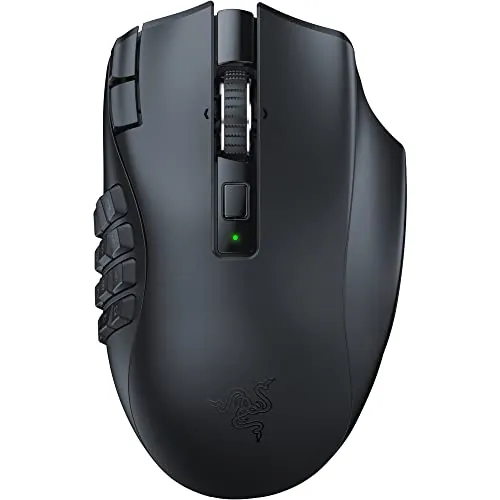
Razer
Razer Naga V2 HyperSpeed Wireless MMO Gaming Mouse
Razer's exact-model master guide lists Bluetooth and 2.4 GHz HyperSpeed wireless modes, one AA battery, a 12-button thumb grid and a four-way tilt wheel with Free-Spin Scrolling and Tactile Cycling. Its customization path uses Razer Synapse; the manual lists Windows 10 64-bit or higher and an internet connection for software installation.
Model RZ01-03600100-R3U1
Amazon ASIN B0BGJT87N2
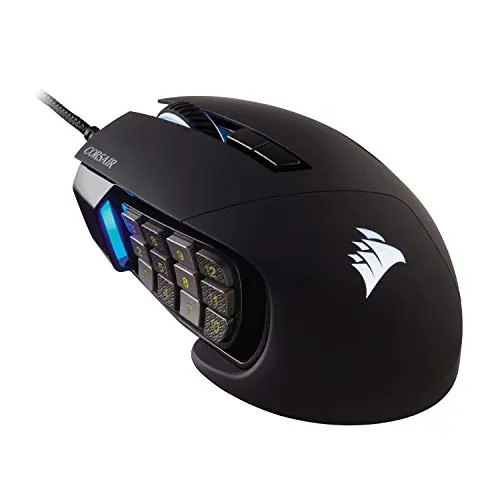
CORSAIR
CORSAIR SCIMITAR RGB ELITE Wired MOBA/MMO Gaming Mouse
The selected listing identifies a black Scimitar RGB Elite as CH-9304211-AS. Corsair's U.S. Scimitar RGB Elite page and support documentation describe the model family as wired, with 17 programmable buttons and 12 buttons on a repositionable side panel. The U.S. page consulted shows suffix CH-9304211-NA, so check the exact seller listing rather than assuming the suffixes or package contents match.
Model CH-9304211-AS
Amazon ASIN B0FWR3P1FT
Differences that matter
What matters most to you?
Choose a priority to see what it changes.
Sources for Connection and power routine
Sources for Scroll behavior
Sources for Mapping and configuration
Sources for Exact Corsair part suffix
Start with the connection you want at your desk
The Naga V2 HyperSpeed can pair by Bluetooth or use Razer's 2.4 GHz HyperSpeed receiver; its master guide shows one AA battery and states that the receiver plugs into USB Type-A. If your PC already has Bluetooth and you want to keep another USB port free, that gives you an option without the receiver. If you prefer the 2.4 GHz mode, count a free Type-A port and plan for the receiver and battery.
Corsair describes the Scimitar RGB Elite as wired, and its U.S. page lists a 1.8 m braided cable. That can be the more straightforward connection if you want a cable and do not want to manage AA power, but lay out the cable path and desk clearance before ordering. The documented cable length belongs to the -NA page, so confirm it for the assigned -AS offer.
Choose the thumb controls and scroll behavior you will actually use
Both are multi-button mice rather than a simple-button fallback: Razer's manual shows a 12-button thumb grid, while Corsair documents 12 side buttons on a panel that slides to a different position. If the panel position matters, Corsair gives you an adjustment to try; the documentation does not prove that either shape will feel better in your hand. Look at each maker's button diagram and sketch where your most-used commands would go.
Razer also documents a four-way tilt wheel and a scroll-mode button for Free-Spin Scrolling or Tactile Cycling. Choose that feature if those two selectable behaviors are part of your own workflow. The sources reviewed do not give a like-for-like test of either mouse's scrolling or in-game control results.
Check the mapping software and the exact Corsair suffix
For Razer customization, the manual names Razer Synapse and lists Windows 10 64-bit or higher plus internet for software installation. Corsair's support guide describes using iCUE for key remaps and macros, with basic settings storable in onboard profiles for use while iCUE is not running. If you need to configure the buttons, check that the computer you plan to use can run the relevant setup software before relying on a custom map.
One identity detail still needs a listing check: this listing is CH-9304211-AS, but Corsair's U.S. Scimitar RGB Elite product page reviewed here is CH-9304211-NA. The current documentation supports features for the Scimitar RGB Elite name, but does not confirm those suffixes share the same region, warranty or carton. Check the offer's displayed model code and included items.
Product details
Razer Naga V2 HyperSpeed Wireless MMO Gaming Mouse
- Connection and power
- HyperSpeed 2.4 GHz with USB-A receiver, or Bluetooth; one AA battery. Razer's listed battery estimates depend on AA alkaline power and are not used here as a runtime promise. Source
- Thumb and wheel controls
- 12-button thumb grid; four-way tilt wheel with Free-Spin Scrolling and Tactile Cycling modes. Source
- Customization setup
- Razer Synapse is the documented customization route; the manual lists Windows 10 64-bit or higher and internet for software installation. Source
CORSAIR SCIMITAR RGB ELITE Wired MOBA/MMO Gaming Mouse
- Connection and cable
- Corsair describes the Scimitar RGB Elite family as wired; its U.S. model page lists a 1.8 m braided cable. The cited U.S. page shows CH-9304211-NA, not the selected listing suffix CH-9304211-AS. Source
- Side-button adjustment
- Corsair lists 17 programmable buttons, including 12 on a side panel that can be repositioned with its Key Slider system. Source
- Button configuration
- Corsair's Scimitar RGB Elite support guide describes iCUE key remaps/macros and saving basic lighting, remaps and macros to onboard profiles for use when iCUE is not running. Source
Before you buy
Community discussions
Choosing a mouse with a replaceable battery
Razer Naga V2 HyperSpeed Wireless MMO Gaming Mouse
A shopper who bought the Razer Naga V2 HyperSpeed said the replaceable battery was one of the reasons they chose it.
What to check
Decide how you want to power the mouse at your desk and check the listed power and connection options for each model.
Reaching the upper buttons with your usual grip
Razer Naga V2 HyperSpeed Wireless MMO Gaming Mouse
A Naga V2 HyperSpeed shopper asked about the buttons near the left click, then said after buying it that the upper button was hard to reach with their normal grip.
What to check
Look at the top and side button layout and consider which buttons your fingers can comfortably reach.
Common questions
Can the Naga V2 HyperSpeed connect without its USB receiver?
Yes. Razer's manual documents Bluetooth pairing as well as HyperSpeed 2.4 GHz receiver setup. It specifies one AA battery for power; use Bluetooth only if your host supports it.Razer Naga V2 HyperSpeed Master Guide
Do both mice have 12 thumb-side buttons?
The Razer manual shows a 12-button thumb grid. Corsair documents 12 buttons on a Scimitar RGB Elite side panel that can be repositioned with its Key Slider. Both are dense multi-button layouts; neither is the simpler-button choice.Razer Naga V2 HyperSpeed Master GuideProduct information: Scimitar RGB Elite — CORSAIR Support
Can I save Scimitar button remaps for use without iCUE running?
Corsair says its Scimitar RGB Elite hardware profiles can store basic lighting, remaps and macros and use them while iCUE is not running. The guide does not establish behavior for every advanced setting or the assigned -AS regional package.Assign key remaps and macros for the Scimitar RGB Elite — CORSAIR Support
Is the listing data's CH-9304211-AS the same package as Corsair's U.S. CH-9304211-NA page?
That was not established. The selected listing says CH-9304211-AS; the U.S. manufacturer page consulted identifies Scimitar RGB Elite SKU CH-9304211-NA. Verify the exact suffix, region, warranty and included items on the offer before ordering.SCIMITAR RGB ELITE Optical MOBA/MMO Gaming Mouse — CORSAIR U.S.Product information: Scimitar RGB Elite — CORSAIR Support
Sources and scope
This is a feature-fit guide based on manufacturer manuals and support pages, not a hands-on comparison. It does not establish latency, tracking, comfort, durability or gaming-performance superiority. Corsair's current U.S. product page identifies the Scimitar RGB Elite as CH-9304211-NA, while the selected listing identifies CH-9304211-AS; the evidence supports Scimitar RGB Elite family-level features but does not establish suffix, region, warranty or box equivalence. Confirm the exact model code on the offer before ordering.
Related comparisons
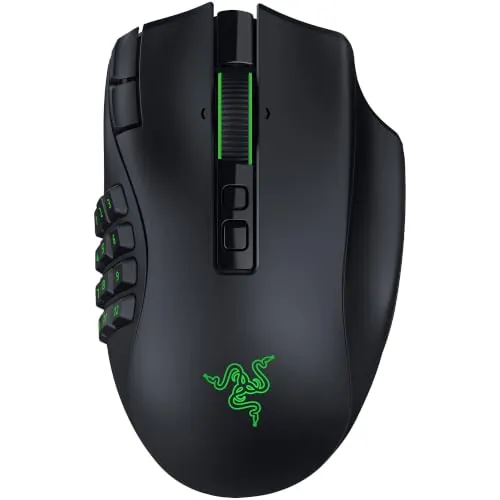
Razer Naga V2 HyperSpeed vs Naga V3 Pro: Side Buttons, Power and Setup
The Naga V2 HyperSpeed has a documented 12-button thumb grid and runs on one AA battery, with 2.4 GHz and Bluetooth wireless modes. The Naga V3 Pro lets you swap among 12-, 6-, and 2-button side plates and adds wired USB-C plus optional wireless-charging accessories. Map your regular commands and desk connections before choosing; these are feature differences, not a performance ranking.
Read comparison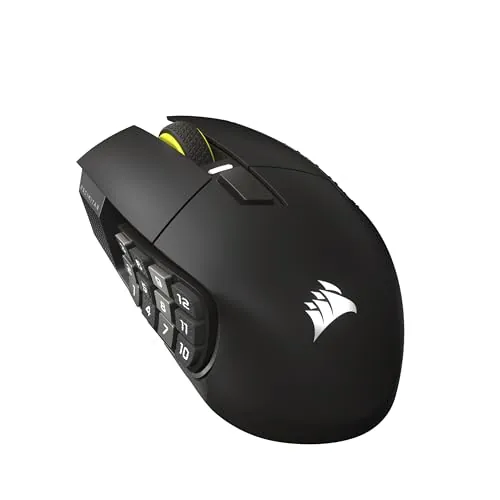
Razer Naga V2 HyperSpeed vs Corsair Scimitar Elite Wireless SE: Side Buttons, Setup and Power
Both are wireless MMO mice with a documented 12-button side layout, so the useful difference is how that panel fits your thumb and how you configure it. Razer documents a fixed thumb grid, Synapse 3 setup and a replaceable AA battery. Corsair's Scimitar Elite Wireless SE has a repositionable 12-button Key Slider, 16 programmable buttons, three onboard profiles and cable charging. Choose by the controls you can reach and whether you prefer replacing a battery or recharging; maker documents do not establish a comfort, speed, runtime or reliability winner.
Read comparison