
Products compared
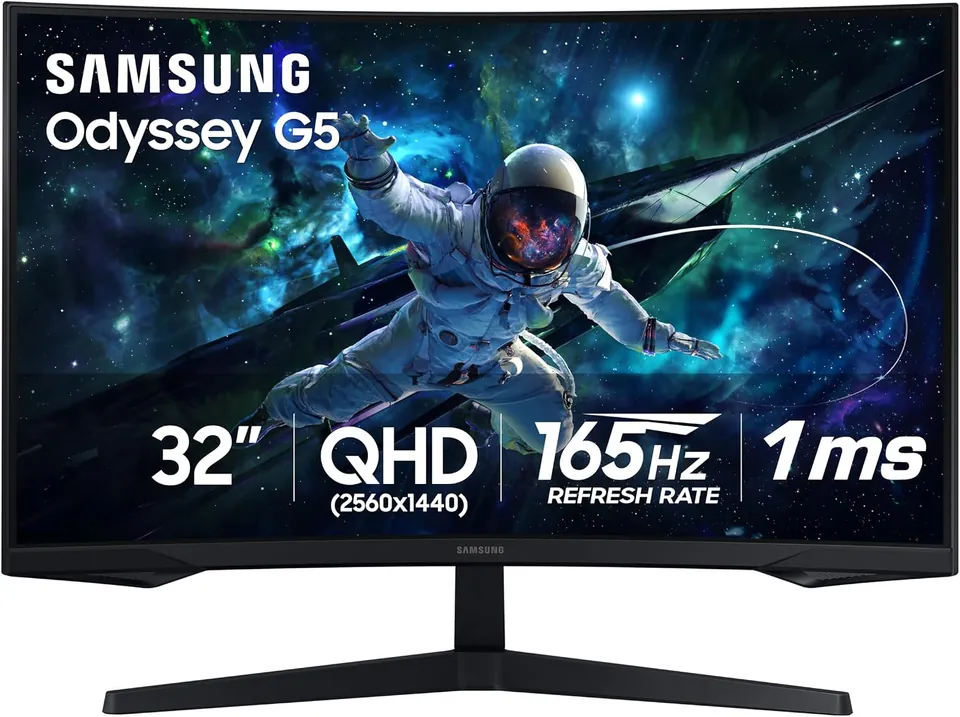
Samsung
Samsung 32-inch Odyssey G5 G55C
Black 32-inch-class curved QHD monitor; exact assigned model suffix 550.
Model LS32CG550ENXZA
Amazon ASIN B0CRGJC5ZD
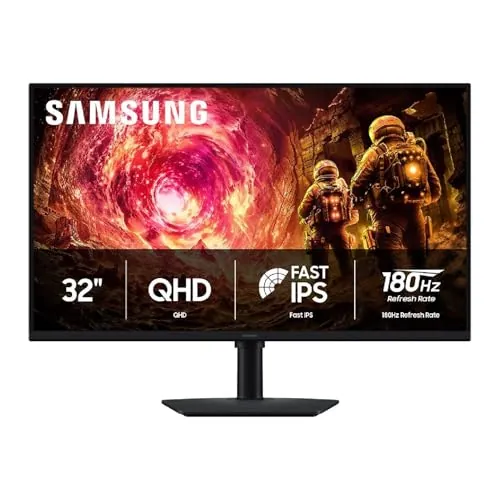
Samsung
Samsung 32-inch Odyssey G5 G50F
Black 32-inch-class flat QHD monitor; check the full S32FG502EN / LS32FG502ENXZA identifier on the offer.
Model S32FG502EN / LS32FG502ENXZA
Amazon ASIN B0G1DZM5QW
Differences that matter
What matters most to you?
Choose a priority to see what it changes.
Sources for Positioning on the included stand
Sources for Listed inputs and source switching
Start with shape and how you position the screen
The model suffixes matter: this is the G55C LS32CG550ENXZA against the G50F S32FG502EN / LS32FG502ENXZA. Samsung lists the G55C as a 1000R curved VA QHD screen and the G50F as a flat IPS QHD screen. Those specifications describe different setups, not an image-quality winner. If you can, compare the shapes at the viewing distance you expect to use.
The supplied stands are a more concrete desk difference. G55C lists tilt adjustment; G50F lists height, tilt, swivel and pivot adjustment. Sketch the screen center and desired eye line at your desk, then see whether the G55C's tilt-only stand reaches it. If you plan to use an arm, verify the exact VESA pattern and arm load separately: G55C lists 75 × 75 mm and G50F 100 × 100 mm. Neither pattern alone confirms the arm plate or clearance will fit.
Treat refresh rate as a setup check, not a test result
Samsung lists a 165 Hz maximum for G55C and 180 Hz for G50F. Both listings show one HDMI input and one DisplayPort 1.2 input; the G50F page specifies HDMI 2.0, while the G55C page is a regional listing whose HDMI entry does not provide a directly comparable mode table. The higher listed ceiling can matter only if the source and chosen connection support the mode you want.
Before buying for a refresh target, identify your computer or console output, planned port and cable, QHD resolution, and operating-system display settings. Then check those against the exact model's manual or support documentation. The listings do not establish that your setup will reach either maximum, and the difference does not show measured motion clarity, responsiveness or latency.
Check the exact offer after choosing the feature fit
Use the complete model code when checking a retailer listing: LS32CG550ENXZA for this G55C and S32FG502EN / LS32FG502ENXZA for G50F. Similar family names or a different suffix should trigger another model check. The exact G55C manufacturer source available here is Samsung Canada; it supports the listed hardware facts but not U.S. warranty, current offer terms or box contents.
No current price comparison is included. Review the exact seller's current offer, return terms, warranty region and included items at checkout. If one offer costs more, decide whether its curve or stand adjustments actually solve a need in your setup; the feature list alone does not establish a fair premium.
Product details
Samsung 32-inch Odyssey G5 G55C
- Panel and resolution
- 32-inch class, 1000R curved VA, QHD 2560 × 1440 Source
- Listed refresh ceiling
- Maximum 165 Hz Source
- Stand and mount interface
- Simple tilt stand; VESA 75 × 75 mm Source
Samsung 32-inch Odyssey G5 G50F
- Panel and resolution
- 32-inch class, flat IPS, QHD 2560 × 1440 Source
- Listed refresh ceiling
- Maximum 180 Hz; achievable mode depends on the connected source, selected port, cable, resolution and settings Source
- Stand and mount interface
- Height adjustment plus tilt, swivel and pivot; VESA 100 × 100 mm Source
Before you buy
Community discussions
A 32-inch G55C owner is checking desk and arm fit
Samsung 32-inch Odyssey G5 G55C
The author uses a 32-inch Odyssey G55C and says its stock stand crowds the desk during gaming and leaves the screen hard to position. They are considering an arm; no footprint measurement or confirmed arm fit is provided.
What to check
Before choosing between these exact 32-inch models, measure the G55C stand area and the screen position you need. This owner is considering an arm because the supplied stand crowds their desk, but the post gives no dimensions and says nothing about the G50F; check the exact stand or arm requirements for either model.
Common questions
Is the G50F automatically better because it lists 180 Hz?
No. Samsung lists 180 Hz maximum for G50F and 165 Hz for G55C, but those are not matched motion tests and do not guarantee an achievable mode on your computer. Confirm the exact source, port, cable, resolution and settings first.32 Inch Odyssey G5 G55C 165Hz Gaming Monitor — exact part LS32CG550ENXZA32 Inch Odyssey G5 G50F 180Hz Gaming Monitor — exact model S32FG502EN / part LS32FG502ENXZA
Which stand can I reposition more?
The G50F listing specifies height, tilt, swivel and pivot adjustment. The G55C lists a simple tilt stand. Check the published adjustment range and your desk or arm setup if you need a particular screen position.32 Inch Odyssey G5 G55C 165Hz Gaming Monitor — exact part LS32CG550ENXZA32 Inch Odyssey G5 G50F 180Hz Gaming Monitor — exact model S32FG502EN / part LS32FG502ENXZA
Do these monitors use the same VESA plate pattern?
No. Samsung lists 75 × 75 mm for the exact G55C part and 100 × 100 mm for G50F. Check the arm plate, supported load, screw requirements and clearance for the exact model; the pattern by itself does not guarantee a fit.32 Inch Odyssey G5 G55C 165Hz Gaming Monitor — exact part LS32CG550ENXZA32 Inch Odyssey G5 G50F 180Hz Gaming Monitor — exact model S32FG502EN / part LS32FG502ENXZA
Sources and scope
Specifications are manufacturer listings, not a controlled display test. The exact G55C part-number source is Samsung Canada, so it does not establish U.S. warranty, offer or box contents. Samsung's G50F page lists 180 Hz maximum and the G55C source lists 165 Hz maximum; neither figure guarantees a mode on a particular computer, port, cable, resolution or setting. No current price comparison or measured image, motion or latency result is represented.
Related comparisons
Samsung Odyssey G55C 32 vs LG UltraGear 32GS60QC-B: Inputs, Refresh and Desk Fit
Both exact models are 32-inch-class, QHD, 1000R curved displays. Samsung's LS32CG550ENXZA is listed up to 165Hz and has one HDMI 2.0 plus one DisplayPort 1.2; LG's 32GS60QC-B.AUSQ is listed up to 180Hz with two HDMI 2.0 inputs and one DisplayPort 1.4. Their HDMI and DisplayPort timing ceilings differ, and their 1ms labels use different methods. Both bundled stands tilt but do not provide height adjustment; compare the listed depth, tilt range and VESA pattern against your desk or arm.
Read comparison
Samsung Odyssey G5 G51F 27-inch vs G50F 32-inch: Desk and Input Fit
Choose the 27-inch Odyssey G5 G51F if you need the smaller stand footprint. Choose the 32-inch G50F if its wider panel fits your desk. Samsung lists QHD resolution, up to 180Hz and 100 × 100 mm VESA mounting for both. Compare the 618 mm and 715 mm case widths and confirm the exact source and input mode.
Read comparison