
Products compared
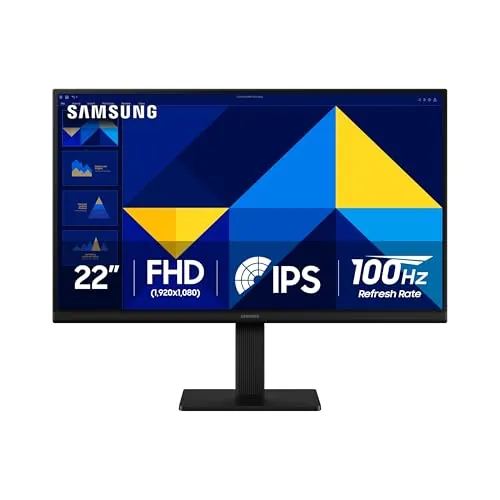
Samsung
Samsung 27-inch S30GD Business Essential Monitor
This comparison covers Samsung’s exact U.S. model LS27D304GANXZA. Samsung identifies this 27-inch S30GD as an FHD monitor with a tilt-only stand.
Model LS27D304GANXZA
Amazon ASIN B0DK44759Y
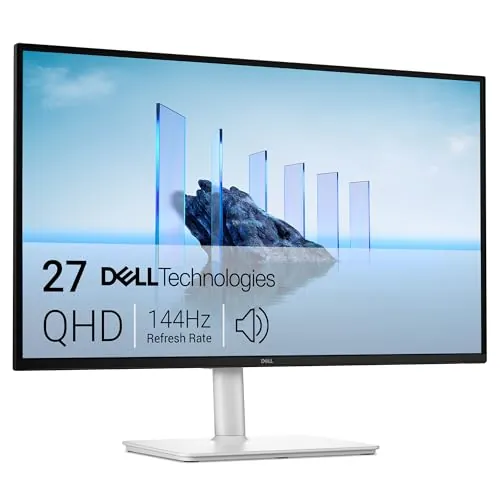
Dell
Dell 27 Plus QHD Monitor
This comparison covers Dell’s exact S2725DSM, manufacturer part GTT45, in Ash White. Dell describes this 27-inch monitor as QHD and lists HDMI plus DisplayPort 1.4.
Model S2725DSM
Amazon ASIN B0GD1LMWH3
Differences that matter
What matters most to you?
Choose a priority to see what it changes.
Sources for Native resolution at 27 inches
Sources for Inputs and documented mode detail
Sources for Included stand movement
Sources for Desk footprint and mounting
Start with the resolution and the computer output
Both are 27-inch flat monitors, but their listed native resolutions differ. Samsung identifies LS27D304GANXZA as FHD (1920 × 1080); Dell identifies S2725DSM as QHD (2560 × 1440). That is the clearest screen-spec distinction. Choose the raster you want and check that the computer and connection can supply it.
The connectors also split differently: Samsung lists HDMI 1.4 and D-Sub; Dell lists HDMI and DisplayPort 1.4. Samsung lists a 100Hz maximum overall but does not break out supported modes by port. Dell explicitly lists QHD at 144Hz for HDMI; its page does not separately name the DisplayPort maximum. Match the desired mode to the exact source, port and manual rather than relying on a headline maximum.
Check the included stand against the desk
The Samsung’s included stand is tilt-only; Samsung lists its tilt range at about −2° to 21°. With the stand, its published dimensions are about 24.1 inches wide, 18.5 inches high and 7.9 inches deep. The Dell stand adds height adjustment over 110 mm, pivot, tilt and swivel; Dell lists a base footprint about 24.07 inches wide by 7.95 inches deep.
If you need to set the screen higher, turn it to portrait or rotate it side to side using the included stand, those listed movements point to the Dell. If you already use a monitor arm, both list a 100 × 100 mm VESA pattern, so check load rating and clearance before assuming your existing mount fits. These are adjustment and fit facts, not an ergonomic benefit claim.
Pre-buy checklist: port, mode and base space
Before checkout, write down the computer’s actual video output and the resolution/refresh combination you intend to use. For the Samsung, verify the exact HDMI or D-Sub mode in its manual; the datasheet does not map the 100Hz maximum to a connector. For Dell, the product page spells out the HDMI QHD/144Hz mode, but leaves the DisplayPort maximum unstated.
Then measure the available desk area for the base, not only the screen width. Samsung lists a with-stand height and depth for the fixed stand; Dell’s stand can change height and turn the display, while the base dimensions are similar in width and depth. A separate VESA arm changes the placement check, but requires a separate compatibility and load check.
Product details
Samsung 27-inch S30GD Business Essential Monitor
A fit to consider when FHD is sufficient, D-Sub is needed, or tilt-only adjustment and the published base footprint suit the desk.
- Native resolution and listed maximum refresh
- The exact 27-inch LS27D304GANXZA is listed as FHD (1920 × 1080) with a maximum 100Hz frame rate; the datasheet does not break the mode down by input. Source
- Video inputs
- The U.S. datasheet lists one D-Sub input and one HDMI input, with HDMI 1.4. It does not state the maximum supported mode separately for each input. Source
- Included stand and mount
- Samsung lists a SIMPLE tilt stand, approximately −2° to 21°, and a 100 × 100 mm VESA pattern. With the stand, the listed dimensions are 612.7 × 470.0 × 200.4 mm (W × H × D). Source
Dell 27 Plus QHD Monitor
A fit to consider when the computer can output QHD and the desk needs the listed height, pivot, tilt or swivel adjustments.
- Native resolution and listed mode
- Dell lists 2560 × 1440 at 144Hz overall for the exact S2725DSM and states that its HDMI input supports up to 2560 × 1440 at 144Hz with VRR. Source
- Video inputs
- Dell lists one HDMI input and one DisplayPort 1.4 input. The product page states a maximum mode for HDMI but does not separately specify the DisplayPort maximum mode. Source
- Included stand and mount
- The included stand supports height adjustment (110 mm), pivot, tilt and swivel. Dell lists a 100 × 100 mm VESA pattern and stand dimensions of approximately 24.07 in wide by 7.95 in deep. Source
Before you buy
Community discussions
S30GD shopper wants 27 inches, 120Hz or more and VESA mounting
Samsung 27-inch S30GD Business Essential Monitor
A shopper considering the Samsung LS27D304GANXZA asks for a 27-inch screen with at least 120 Hz refresh and a VESA mount.
What to check
Compare those requirements with the S30GD’s documented maximum refresh and tilt-only stand, and check the exact input mode and mounting needs for your computer and arm before choosing between it and the Dell.
Common questions
Is the Samsung LS27D304GANXZA a 100Hz monitor?
Samsung’s U.S. datasheet lists a 100Hz maximum frame rate for this model and FHD resolution, but does not show an input-by-input mode table. Check the exact connection and computer output in the current manual before expecting 100Hz over a particular port.S30GD U.S. Datasheet, model LS27D304GANXZA — Samsung Electronics AmericaLS27D304GANXZA Product Support and Manual Index — Samsung Support
Does the Dell S2725DSM support QHD at 144Hz over HDMI?
Dell’s exact S2725DSM page states that its HDMI input supports up to 2560 × 1440 at 144Hz with VRR. The same page lists DisplayPort 1.4, but does not separately state that port’s maximum mode; confirm the required mode against the exact manual and computer output.Dell 27 Plus QHD Monitor S2725DSM — Dell U.S.
Can either monitor be mounted on a VESA arm?
Both cited manufacturer specification sets list a 100 × 100 mm VESA pattern. Check the arm’s weight rating, screw requirements and clearance against the exact model before mounting.S30GD U.S. Datasheet, model LS27D304GANXZA — Samsung Electronics AmericaDell 27 Plus QHD Monitor S2725DSM — Dell U.S.
Sources and scope
This guide uses manufacturer-published specifications, not image-quality, gaming, ergonomic or performance testing. Samsung lists FHD and a maximum 100Hz refresh rate for LS27D304GANXZA but does not provide a per-input mode table in its datasheet; check the current manual for the mode available through your connection. Dell lists 2560 × 1440 at 144Hz overall and explicitly states that its HDMI input supports up to that mode, but does not separately specify the maximum DisplayPort mode on the product page. Confirm the selected computer output, cable and exact mode before purchase.
Related comparisons
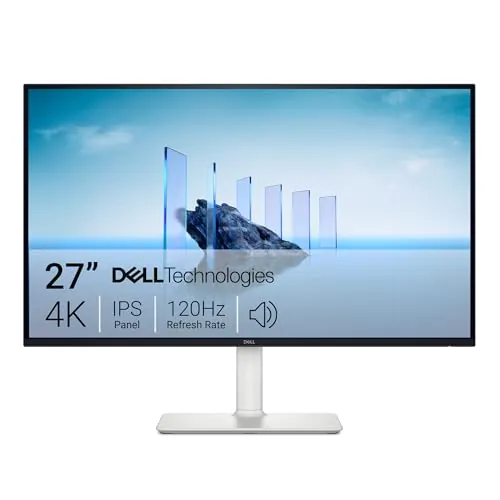
Dell S2725QS vs S2725DSM: 4K 120Hz or QHD 144Hz?
Both are 27-inch Dell monitors with an adjustable stand and integrated speakers, but their documented modes and connections differ. The S2725QS lists 3840 × 2160 at up to 120Hz, two HDMI inputs plus DisplayPort, 2 × 5W speakers and 130mm of height travel. The S2725DSM lists 2560 × 1440 at up to 144Hz, one HDMI input plus DisplayPort, 2 × 3W speakers and 110mm of height travel. Choose after checking the output modes your computer or console supports, the number of sources you want connected, and your desk setup. These are manufacturer specifications, not a comparison of image quality or gaming performance.
Read comparison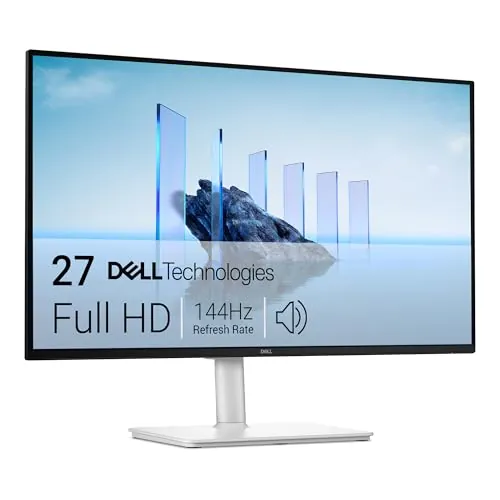
Dell S2725HSM vs S2725DSM: FHD, QHD and the Inputs on Your Desk
Both are 27-inch Dell monitors with height, pivot, swivel and tilt adjustment. The S2725HSM is 1920 × 1080 at up to 144 Hz over its two HDMI inputs. The S2725DSM is 2560 × 1440 at up to 144 Hz and adds DisplayPort 1.4, but has one HDMI input. Choose by the resolution your apps and source can use and the ports you need to keep connected; the monitor's listed maximum does not guarantee your computer, dock or cable can produce that mode.
Read comparison