
Products compared
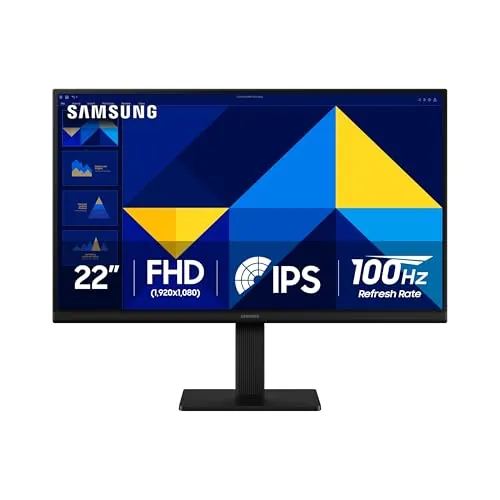
Samsung
Samsung 27-inch S30GD Business Essential Monitor
Compared U.S. model LS27D304GANXZA: 27-inch Full HD IPS display with one VGA and one HDMI input, a tilt-only stand and a 100Hz listed maximum.
Model LS27D304GANXZA
Amazon ASIN B0DK44759Y
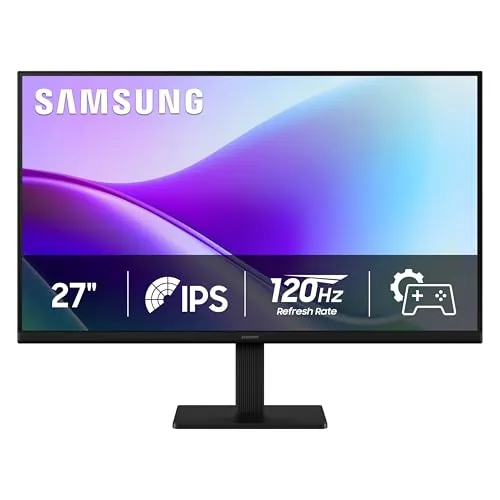
Samsung
Samsung 27-inch Essential Monitor S3 S32GF
The S32GF compared here is model LS27F320GANXZA. Samsung Canada documents a 27-inch Full HD IPS model with two HDMI inputs and a 120Hz listed maximum. Check the U.S. offer and box contents; do not assume the Canadian package list applies.
Model LS27F320GANXZA
Amazon ASIN B0F8DY4QKQ
Differences that matter
What matters most to you?
Choose a priority to see what it changes.
Sources for Video inputs on the cited model pages
Sources for Listed maximum refresh rate
Sources for Stand adjustment and mount
Sources for Stand footprint
The real choice is the connection plan
These are both 27-inch Full HD IPS displays, so start with the devices you need to connect. Samsung’s U.S. S30GD specification lists one HDMI 1.4 socket and one D-Sub/VGA socket. That mix can matter if you still use an older VGA source. Samsung’s exact-code S32GF page instead lists two HDMI 1.4 sockets, which suits two HDMI sources that you want connected without swapping cables. The cited S32GF page does not list VGA, USB or USB-C.
If a device only has a different output, do not assume an adapter will preserve the refresh mode you want. Check its output settings, the adapter or dock’s limits, and the monitor’s exact input before ordering.
Treat 100Hz and 120Hz as ceilings, then verify the host
Samsung lists up to 100Hz for the exact U.S. S30GD. For the exact S32GF model code, Samsung Canada lists up to 120Hz and says its default is 60Hz, adjustable in the monitor settings; the same page notes that the input source can affect the available rate. Neither source is a head-to-head test or a promise that every port and computer reaches the maximum.
Before paying for the higher ceiling, check the graphics output and its supported Full HD refresh mode, then identify which S32GF HDMI input and settings you will use. If the computer is capped at 60Hz or 100Hz, the advertised 120Hz maximum may not change your setup.
Measure the stand before rearranging the desk
Samsung lists the same S30GD and S32GF stand dimensions: about 61.3 cm wide and 20.0 cm deep. Both are tilt-only and list a 100 × 100 mm VESA mounting pattern. That means the cited data do not support choosing one as the space-saving model or as the one with better stand adjustment.
If you plan to mount it, make sure the mount supports the monitor’s VESA pattern and leaves enough room for the rear connectors and cables. If you use the included base, measure usable desk depth from the front edge to the wall, then add cable bend room.
Product details
Samsung 27-inch S30GD Business Essential Monitor
- Display and listed maximum
- 27-inch, Full HD (1,920 × 1,080), IPS; maximum frame rate 100Hz. Source
- Inputs
- One D-Sub/VGA and one HDMI 1.4; no USB or USB-C ports listed. Source
- Stand and mounting
- Simple tilt stand (-2° to 21°, with stated tolerance); 100 × 100 mm wall-mount pattern. With stand: 612.7 × 470.0 × 200.4 mm (W × H × D). Source
- Listed cable
- Samsung’s U.S. datasheet lists an HDMI cable and a 1.5 m power cable; verify the marketplace package and condition. Source
Samsung 27-inch Essential Monitor S3 S32GF
- Display and listed maximum
- 27-inch, Full HD (1,920 × 1,080), IPS; maximum frame rate 120Hz. The Samsung page says 60Hz is the default and may be adjusted to 120Hz; rate depends on the input source. Source
- Inputs
- Two HDMI 1.4 inputs. The cited exact-code Samsung page does not list VGA, USB or USB-C. Source
- Stand and mounting
- Simple tilt stand (-2° to 21°, with stated tolerance); 100 × 100 mm wall-mount pattern. With stand: 612.7 × 470.0 × 200.4 mm (W × H × D). Source
- Listed cable
- Samsung Canada lists an HDMI cable and a 1.5 m power cable for exact model LS27F320GANXZA. This does not confirm what is in the U.S. seller’s package. Source
Before you buy
Community discussions
S30GD shopper sets a 120Hz-plus and VESA requirement
Samsung 27-inch S30GD Business Essential Monitor
A shopper considering the Samsung LS27D304GANXZA asks for a 27-inch screen with at least 120 Hz refresh and a VESA mount.
What to check
Start with the shopper’s refresh and mounting requirements, then compare the exact S30GD and S32GF codes, listed inputs and refresh details. Confirm the computer output, cable and mode for the model and region you plan to buy.
Common questions
Which one has a VGA input?
Samsung’s U.S. S30GD datasheet lists one D-Sub/VGA and one HDMI input. Samsung Canada lists two HDMI inputs for exact code LS27F320GANXZA and does not list VGA on that page. Confirm the actual U.S. unit label and ports if VGA is essential.Samsung S30GD U.S. datasheet, LS27D304GANXZASamsung Canada S32GF product specifications, LS27F320GANXZA
Does the S32GF automatically run at 120Hz?
Samsung’s exact-code page says 60Hz is the default and may be adjusted to 120Hz in the monitor settings; it also notes that refresh rate may vary with the input source. Check the source-device output and settings rather than treating the maximum as guaranteed on every connection.Samsung Canada S32GF product specifications, LS27F320GANXZA
Will either stand adjust for height, and will it fit a small desk?
Both cited specs describe tilt-only stands and list the same with-stand dimensions: 612.7 × 470.0 × 200.4 mm. Both list 100 × 100 mm VESA. Measure your desktop and check a separate mount if height adjustment is required.Samsung S30GD U.S. datasheet, LS27D304GANXZASamsung Canada S32GF product specifications, LS27F320GANXZA
Does the exact S32GF U.S. box include an HDMI cable?
Samsung Canada’s page says an HDMI cable is included for LS27F320GANXZA. Because the comparison concerns a U.S. offer, check the seller’s package details to confirm what will arrive.Samsung Canada S32GF product specifications, LS27F320GANXZA
Sources and scope
Samsung Canada lists the S32GF under the same model code. Confirm the U.S. package contents and the mode for your own input, graphics source and cable.
Related comparisons
Samsung S36GD vs S30GD: Curved VA or Flat IPS?
Both exact 27-inch Samsung S3 models list FHD and up to 100 Hz. The curved S36GD lists VA and a headphone output. The S30GD lists a flat IPS panel and a different stand depth and VESA pattern. Check the ports and mount on the model you plan to buy.
Read comparison
Samsung S30GD LS27D304GANXZA vs Dell S2725DSM: 27-Inch Resolution and Stand Fit
The exact Samsung S30GD LS27D304GANXZA is a 27-inch FHD monitor with HDMI and D-Sub plus a tilt-only stand. The exact Dell S2725DSM is a 27-inch QHD monitor with HDMI and DisplayPort and a stand that adjusts in height, tilt, swivel and pivot. Pick the Samsung if FHD and a D-Sub connection are the relevant fit; pick the Dell if your computer can drive QHD and you need its listed stand movement. Check the exact input mode against your computer and the model manual: the Samsung datasheet does not give a separate refresh table for each input, and Dell’s page does not separately state the DisplayPort maximum mode.
Read comparison