
Products compared
Samsung
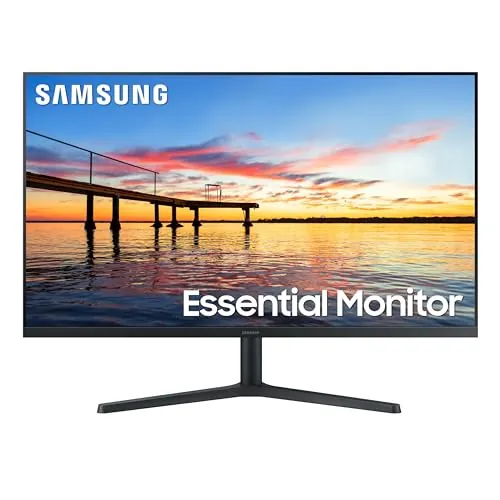
Samsung S32B304NWN 32-inch FHD Flat Monitor
Samsung S32B304NWN, U.S. model LS32B304NWNXGO, in black. Samsung’s U.S. listing describes a flat 32-inch FHD monitor with a maximum listed frame rate of 75Hz, one HDMI 1.4 input and one DisplayPort 1.2 input.
Model S32B304NWN / LS32B304NWNXGO
Amazon ASIN B0D6CKL4HV
LG
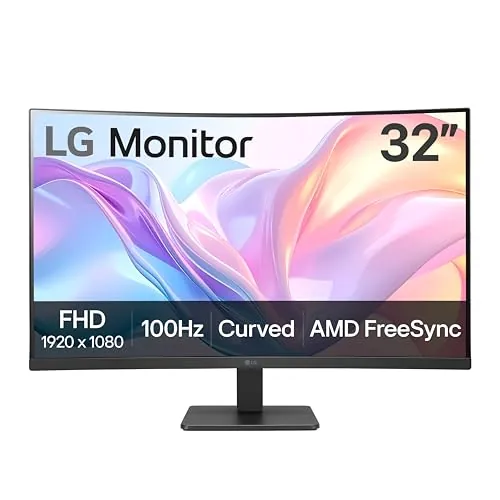
LG 32MR50C-B 32-inch FHD Curved Monitor
LG 32MR50C-B.AUSQ, U.S. model in black. LG identifies it as a 32-inch FHD curved monitor with a listed 100Hz refresh rate. LG’s detailed port and physical-specification table reviewed here is for the Canadian 32MR50C-B page, not the U.S. package; verify the exact item’s ports and included cables before ordering.
Model 32MR50C-B.AUSQ
Amazon ASIN B0CMC2FZFD
Differences that matter
Sources for Listed refresh ceiling and host mode
Start with screen shape and viewing layout
Both are 32-inch-class FHD monitors, so the first distinction is shape: Samsung identifies the exact S32B304NWN as flat; LG identifies the U.S. 32MR50C-B.AUSQ as curved. LG Canada specifies 1500R for its 32MR50C-B page. Treat curvature as a layout preference. The specifications do not prove a comfort or eye-health advantage for either shape.
Before ordering, compare the screen shape with your seating distance and desk setup. If you use a monitor arm or wall mount, check the exact U.S. model manual for the mounting pattern and supported weight; the LG dimensions and mount details cited below are from its Canadian product page and need a U.S. SKU check.
Use refresh rate as a host-mode check, not a performance winner
Samsung lists 75Hz maximum for LS32B304NWNXGO. LG’s U.S. support page names the exact .AUSQ model and a 100Hz ceiling. That makes the LG the option with the higher published ceiling, but it does not establish what a particular computer, console, cable or input mode will output.
If you are choosing LG specifically for 100Hz, check the U.S. manual for input-specific timing at your selected resolution and verify that the source can send that mode. LG Canada’s family page lists HDMI 48–100Hz and D-Sub 56–75Hz; use that as regional context only, not a guaranteed U.S. timing table. No motion, latency or image-quality measurements were performed.
Match the source ports and cable
Samsung’s U.S. table is specific: one HDMI 1.4 and one DisplayPort 1.2 input, with no USB-C listed. LG’s U.S. support page confirms the exact .AUSQ model but does not display a complete port table in the page reviewed. LG Canada lists two HDMI inputs, one D-Sub input and headphone output for 32MR50C-B. Confirm the U.S. monitor’s actual port diagram and included cable before planning a multi-device hookup or buying a cable for a target refresh mode.
The practical check is to write down the output ports on your host and the one cable you intend to use. If the host offers DisplayPort and you need that connection, Samsung’s listed input is clear. If you want analog VGA or two HDMI inputs on the LG, verify those details in the exact U.S. manual/listing before ordering.
Measure the desk, stand and mount
Samsung lists its S32B304NWNXGO at 713.5 × 532.7 × 221.3mm with stand and 713.5 × 420.6 × 40.9mm without stand; it lists tilt adjustment and a 100 × 100mm wall-mount pattern. LG Canada gives 708.2 × 512.4 × 233.4mm with stand and 708.2 × 421.4 × 92.2mm without stand for 32MR50C-B, with tilt and 100 × 100mm wall mount. Those LG figures are regional and should be checked against the U.S. .AUSQ manual.
Use the with-stand depth when checking a desktop, then leave room for your preferred viewing position and the cable bend behind the screen. Before mounting either display, confirm its exact weight, the mount’s load rating, screw requirements and rear clearance in the applicable manual.
Product details
Samsung S32B304NWN 32-inch FHD Flat Monitor
LG 32MR50C-B 32-inch FHD Curved Monitor
- U.S. model and listed refresh ceiling
- 32MR50C-B.AUSQ; LG U.S. support labels it 32-inch FHD Curved 100Hz Source
- Curvature and regional port table
- LG Canada’s 32MR50C-B page lists 1500R curvature, two HDMI inputs, one D-Sub input and a headphone output; confirm the U.S. package/manual because regional listings may differ Source
- Regional stand and mounting dimensions
- LG Canada lists tilt adjustment, 100 × 100mm wall mount and 708.2 × 512.4 × 233.4mm with stand; treat as regional reference and verify the U.S. unit/manual Source
Before you buy
Common questions
Does the LG’s 100Hz listing mean my computer will run it at 100Hz?
Not necessarily. LG’s U.S. support page lists the .AUSQ monitor as 100Hz, but the output also depends on the source, connection and selected display mode. Check the exact U.S. manual and your computer’s display settings before buying for a specific mode.LG 32MR50C-B.AUSQ Support, Manuals and Warranty (U.S.)
Which one has DisplayPort?
Samsung’s U.S. S32B304NWN page lists one DisplayPort 1.2 and one HDMI 1.4 input. LG’s detailed port table reviewed is from its Canadian 32MR50C-B page; the U.S. support page does not expose a full port list, so confirm the exact LG .AUSQ manual/listing before relying on port count.Samsung 32-inch S30B Flat Monitor LS32B304NWNXGO (U.S. product page)LG 32MR50C-B.AUSQ Support, Manuals and Warranty (U.S.)LG 31.5-inch FHD Curved Monitor 32MR50C-B (Canada specifications)
Can I use the same wall mount for either monitor?
Samsung’s U.S. listing and LG Canada’s 32MR50C-B table list 100 × 100mm wall-mount patterns. The LG U.S. source reviewed confirms the .AUSQ model but not its mount detail; verify the exact manual and mount load/clearance before purchase.Samsung 32-inch S30B Flat Monitor LS32B304NWNXGO (U.S. product page)LG 32MR50C-B.AUSQ Support, Manuals and Warranty (U.S.)LG 31.5-inch FHD Curved Monitor 32MR50C-B (Canada specifications)
Sources and scope
This is a source-based feature and setup comparison, not a test. The Samsung U.S. page documents its model-specific ports and geometry. LG U.S. support identifies the assigned 32MR50C-B.AUSQ and calls it a 32-inch FHD Curved 100Hz monitor, but its page does not expose a full port/dimension table. The detailed LG port and geometry values cited here come from LG Canada's 32MR50C-B family page and are explicitly regional references, not a verified U.S. package guarantee. LG's U.S. input-specific 100Hz capability remains to be checked in the exact manual. No image-quality, comfort, eye-health, motion, latency, reliability or value winner is claimed.
Related comparisons
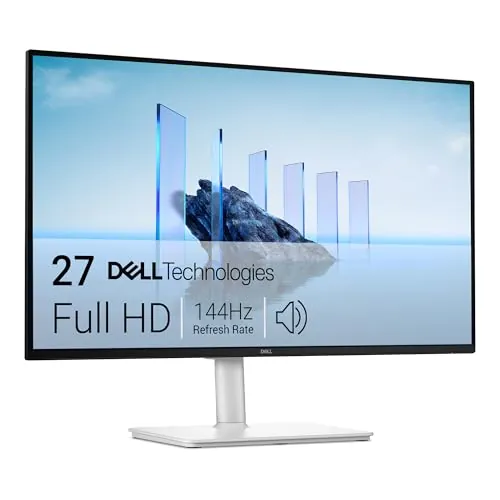
Dell S2725HSM vs LG 32MR50C-B: Desk Space, Stand and Source Fit
Both monitors are Full HD. Dell is the 27-inch flat option with an adjustable stand; LG is a larger curved screen with D-Sub and VESA support. Compare input needs and measure stand depth before choosing.
Read comparison

ASUS ProArt PA279CRV vs PA278QV: 4K USB-C or QHD Legacy Inputs?
Both are 27-inch ASUS ProArt IPS monitors, but they solve different desk problems. PA279CRV is 3840×2160 (4K) and its USB-C input supports DisplayPort Alt Mode and up to 96 W Power Delivery; with a compatible laptop it can carry video and USB data through one cable while connecting the monitor's hub. PA278QV is 2560×1440 (QHD), lists HDMI, DisplayPort, Mini DisplayPort and dual-link DVI-D, and has a four-port USB-A hub that needs a separate USB-B upstream connection. Before buying, check the laptop's USB-C video support and power needs, or check which legacy video port your desktop uses. ASUS lists different color-space coverage on the two models; these manufacturer specifications do not predict a user's calibrated result.
Read comparison