
Products compared
LG
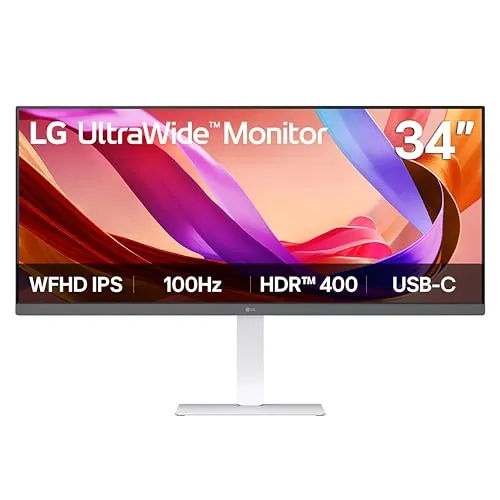
LG 34U530A-W 34-inch UltraWide Monitor
LG’s U.S. support page identifies the 34U530A-W.AUS. Its linked manual documents USB-C video over DisplayPort Alt Mode, HDMI and DisplayPort inputs, and a separate monitor power adapter.
Model 34U530A-W.AUS
Amazon ASIN B0FLLSJ5PC
Samsung
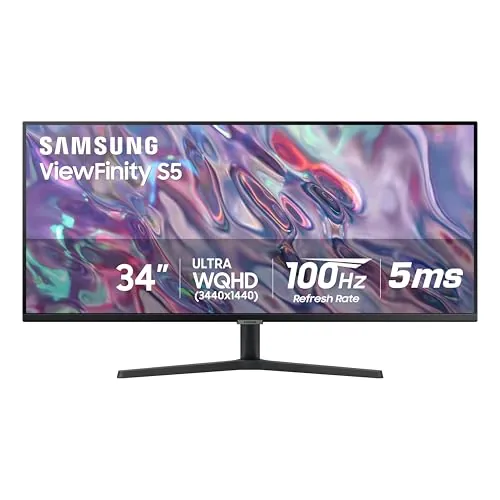
Samsung ViewFinity S5 S50GC 34-inch Monitor
Samsung U.S. identifies this exact part as the 34-inch ViewFinity S5 S50GC. Its detailed Samsung specification for the same part number lists a 3440 × 1440 display and the port and stand details summarized below.
Model LS34C502GANXZA
Amazon ASIN B0C1KPXPM9
Differences that matter
What matters most to you?
Choose a priority to see what it changes.
Sources for Native resolution at the listed screen format
Sources for Host connection and listed inputs
Sources for Supplied stand and mounting choices
Sources for Listed stand envelope (W × H × D)
Start with the resolution your computer will drive
Both manufacturers describe a 34-inch 21:9 monitor and list up to 100Hz. LG specifies 2560 × 1080 for the 34U530A-W family; Samsung identifies LS34C502GANXZA as Ultra-WQHD in the U.S. and lists 3440 × 1440 in its same-part technical specifications. If you work across several windows or need more native desktop pixels, the Samsung's published resolution is the relevant distinction. It is not evidence that one screen will look sharper or more accurate.
Before deciding on resolution, check your computer's supported output at the input and refresh you intend to use. The listed 100Hz ceiling describes the monitors, not a guarantee for a specific GPU, dock, cable or operating-system configuration.
Map the actual connection from host to monitor
The U.S. owner’s manual linked for 34U530A-W.AUS documents digital video and audio over USB-C when the host supports DisplayPort Alt Mode. It directs you to power the monitor with its adapter. LG Malaysia’s 34U530A-W product page separately specifies no USB-C Power Delivery. Check your host’s port and budget an outlet for its charger.
For the Samsung LS34C502GANXZA, Samsung's same-part technical table lists two HDMI 2.0 inputs and one DisplayPort 1.2 and lists USB-C as absent. Both monitors list HDMI and DisplayPort. Match the host output, cable and monitor input to the signal you intend to use; the port names alone do not guarantee a particular mode.
Choose by stand movement, then measure your desk
LG lists height, tilt and swivel adjustment on the 34U530A-W page. Samsung's exact-part technical table describes a simple stand, tilt from approximately -2° to +22°, and a 100 × 100mm VESA mounting pattern. It does not establish whether that stand adjusts in height or swivels, so treat those movements as unconfirmed and verify them if your layout depends on them.
LG lists its body and stand at 816.5 × 534.2 × 230.0 mm (W × H × D). Samsung lists 815.3 × 457.7 × 221.3 mm with its stand. The total widths are close and the LG’s listed envelope is 8.7 mm deeper. Measure the available depth with cables connected and the height you’ll use. For a monitor arm, verify mount pattern, supported weight and desk attachment.
Product details
LG 34U530A-W 34-inch UltraWide Monitor
Choose this if a height-adjustable stand or direct USB-C video matters. Check that your host supports DisplayPort Alt Mode and plan to charge your laptop separately.
- Display and listed refresh
- 34-inch, 21:9, 2560 × 1080 Full HD; up to 100Hz listed Source
- Listed inputs
- USB-C with DisplayPort Alt Mode, DisplayPort and HDMI. The monitor uses its own power adapter. Source
- Supplied stand adjustment
- LG lists height, tilt and swivel adjustment Source
- Listed size with stand
- 816.5 × 534.2 × 230.0 mm (W × H × D) Source
Samsung ViewFinity S5 S50GC 34-inch Monitor
Shortlist the Samsung if its listed 3440 × 1440 canvas is the better match for the work your computer will display and the HDMI/DisplayPort path and simple stand suit your desk. Its same-part specification lists VESA mounting if you plan to assess a separate mount.
- Display and listed refresh
- 34-inch class, 21:9, 3440 × 1440 Ultra-WQHD; maximum 100Hz listed Source
- Inputs on same-part specification
- Two HDMI 2.0 inputs and one DisplayPort 1.2; USB-C listed as absent Source
- Stand and mount on same-part specification
- Simple stand, tilt listed from approximately -2° to +22°, VESA 100 × 100mm; height/swivel movement is not established by this table Source
Before you buy
Community discussions
Connecting a work laptop and a second computer
Samsung ViewFinity S5 S50GC 34-inch Monitor
A Samsung LS34C502GANXZA owner used it for work and kept a separate display for gaming. In shopping for a replacement, they wanted USB-C video and a way to share peripherals.
What to check
List the video connection each computer can supply and decide how you will switch your keyboard and mouse before choosing a monitor.
Common questions
Which one lists the higher resolution?
Samsung's exact-part specification lists 3440 × 1440; LG lists 2560 × 1080 for the 34U530A-W family. Both are listed as 34-inch 21:9 monitors, and both reviewed manufacturer pages list up to 100Hz. Resolution alone does not establish perceived sharpness or color quality.34 Inch IPS FHD Monitor - 34U530A-W | LG USAViewFinity S5 | 34 inch S50GC Ultra-WQHD Monitor | Samsung US34-inch ViewFinity S5 S50GC | LS34C502GANXZA | Samsung Latin America Business
Can the LG's USB-C port charge a laptop or carry video?
The LG can carry video and audio over USB-C from a device with DisplayPort Alt Mode, according to its U.S. manual. Use the monitor’s adapter to power the display and plan to use your laptop’s own charger. LG’s Malaysia page for 34U530A-W specifies no USB-C Power Delivery.34 Inch IPS FHD Monitor - 34U530A-W | LG USALG 34U530A-W.AUS Product Support: Manuals, Warranty & More | LG USALG U.S. Owner’s Manual linked for 34U530A-W.AUS (pp. 10, 27–28, 33)LG Malaysia 34U530A-W connectivity and technical specifications
Which monitor has a height-adjustable stand?
LG lists height, tilt and swivel adjustment. Samsung's specification for exact part LS34C502GANXZA lists a simple stand, tilt and VESA 100 × 100mm, but it does not establish height or swivel movement. Verify Samsung's exact stand if you need either movement.34 Inch IPS FHD Monitor - 34U530A-W | LG USA34-inch ViewFinity S5 S50GC | LS34C502GANXZA | Samsung Latin America Business
What should I verify on the Samsung U.S. listing?
Samsung’s detailed specification for the same LS34C502GANXZA part lists two HDMI 2.0 inputs and one DisplayPort 1.2. Check that port list against your computer and cable. Confirm the exact U.S. offer’s package contents and warranty on its listing; the regional specification does not establish those terms.ViewFinity S5 | 34 inch S50GC Ultra-WQHD Monitor | Samsung US34-inch ViewFinity S5 S50GC | LS34C502GANXZA | Samsung Latin America Business
Sources and scope
Samsung's detailed port and stand specification names the same LS34C502GANXZA part on its Latin America page. Check the exact U.S. offer for package contents and warranty terms. LG's U.S. manual confirms USB-C video with the monitor's own adapter; LG Malaysia separately says the 34U530A-W family does not provide USB-C Power Delivery. Check your host output, cable and settings for the resolution and refresh rate you plan to use.
- 34 Inch IPS FHD Monitor - 34U530A-W | LG USA
- LG 34U530A-W.AUS Product Support: Manuals, Warranty & More | LG USA
- ViewFinity S5 | 34 inch S50GC Ultra-WQHD Monitor | Samsung US
- 34-inch ViewFinity S5 S50GC | LS34C502GANXZA | Samsung Latin America Business
- LG U.S. Owner’s Manual linked for 34U530A-W.AUS (pp. 10, 27–28, 33)
- LG Malaysia 34U530A-W connectivity and technical specifications
Related comparisons
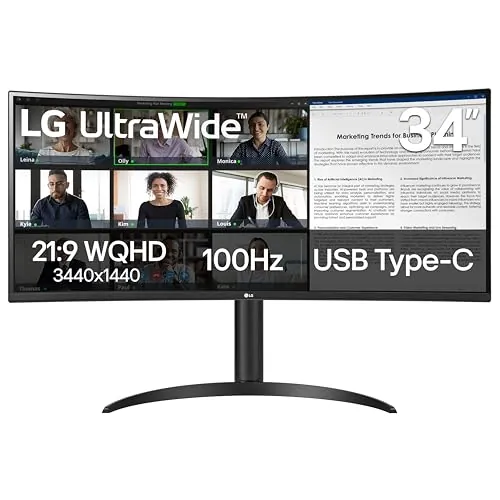
Samsung ViewFinity S50GC vs LG 34WR55QK-B: Desk Fit and USB-C Setup
Both are 34-inch, 3440 × 1440 ultrawides. The exact Samsung LS34C502GANXZA is listed as flat, with HDMI and DisplayPort inputs, PIP/PBP, and a tilt stand. LG's U.S. 34WR55QK-B.AUS is curved and adds USB-C video with up to 65W power delivery plus height-and-tilt adjustment. Check your laptop ports and measure desk depth before choosing.
Read comparisonLG 34U530A-W vs 34WR55QK-B: Choose Resolution or Stand Swivel
The white LG 34U530A-W is listed at 2560 × 1080 and its U.S. product page specifies height, tilt, and swivel. The black LG 34WR55QK-B is 3440 × 1440 and its supplied stand adjusts for height and tilt; LG also specifies USB-C power delivery up to 65W. Choose by your required desktop resolution, stand movement, and laptop charging setup rather than assuming one monitor is a universal upgrade.
Read comparison