
Products compared
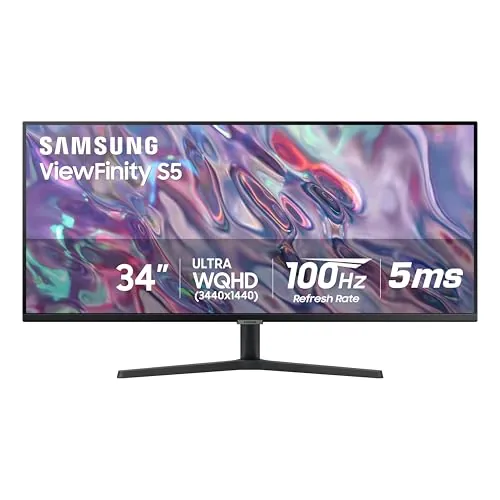
Samsung
Samsung ViewFinity S5 S50GC 34-inch Monitor
Samsung's U.S. page identifies the S50GC monitor as part number LS34C502GANXZA. The retailer offer may use another model string, so match the part number on the seller's page before applying these exact-part specifications.
Model LS34C502GANXZA
Amazon ASIN B0C1KPXPM9
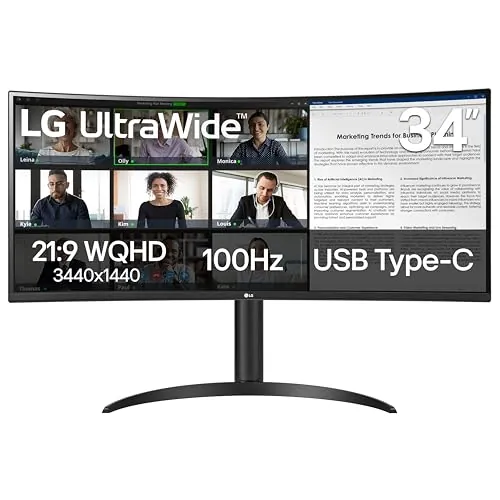
LG
LG 34-inch UltraWide WQHD Monitor
U.S. black variant identified by LG support as 34WR55QK-B.AUS. The U.S. product page lists curved display, USB-C and stand features.
Model 34WR55QK-B.AUS
Amazon ASIN B0DQF8LRGZ
Differences that matter
What matters most to you?
Choose a priority to see what it changes.
Sources for Panel shape and positioning
Sources for Laptop cable and power path
Sources for Viewing two connected sources
Sources for Footprint with stand
Start with your laptop and the desk
These are both 34-inch, 3440 × 1440, 21:9 monitors, so the practical split is not basic screen size. It is how the panel sits on your desk and how your computer connects. The Samsung part LS34C502GANXZA is listed as flat and has HDMI/DisplayPort inputs; LG's U.S. 34WR55QK-B.AUS is curved and adds USB-C display input with up to 65W power delivery.
If you want the LG as a laptop dock-like connection, first check the laptop's USB-C video support and charging requirement. 'Up to 65W' is a monitor limit, not a promise that every laptop will display or charge through that port. If your device uses HDMI or DisplayPort and its own power adapter, Samsung's listed connection set may be sufficient.
What changes when you use two sources
Samsung lists both picture-by-picture and picture-in-picture. LG lists picture-by-picture on its U.S. page. Both therefore document a split view for two connected sources; only Samsung's cited documentation establishes an inset picture mode here. Check the exact manual if that mode is a must-have.
Measure the stand footprint before ordering
With the stand, Samsung lists 815.3 mm width and 221.3 mm depth. LG lists 31.9 inches width and 10.2 inches depth. Their listed widths are close, while LG's footprint reaches farther forward/back on paper. Measure the available surface and allow for the direction your cables exit; use the no-stand dimensions only if you already have a suitable VESA mount and have checked its fit.
For positioning, Samsung lists a simple tilt stand; LG lists height and tilt adjustment. This matters if you need to set screen height without adding a monitor arm. The listed adjustment types do not prove that one setup will be more comfortable for every user.
Product details
Samsung ViewFinity S5 S50GC 34-inch Monitor
- Panel and resolution
- 34-inch class; flat; 3440 × 1440; 21:9 Source
- Video inputs
- 2 × HDMI 2.0 and 1 × DisplayPort 1.2; USB-C is listed as No Source
- Multi-source features
- Picture-by-picture and picture-in-picture are listed Source
- Stand and VESA
- Simple stand with tilt listed from approximately -2° to +22°; 100 × 100 mm wall mount Source
- Dimensions with stand
- 815.3 mm wide × 457.7 mm high × 221.3 mm deep Source
LG 34-inch UltraWide WQHD Monitor
- Panel and resolution
- 34-inch class; curved; 3440 × 1440; 21:9 Source
- Video and power
- USB-C video input with up to 65W power delivery; 2 × HDMI and 1 × DisplayPort are listed Source
- Multi-source feature
- Picture-by-picture is listed Source
- Stand
- One-click stand with height and tilt adjustment Source
- Dimensions with stand
- 31.9 in wide × 22.4 in high × 10.2 in deep (up); 31.9 × 18.0 × 10.2 in (down) Source
Before you buy
Community discussions
A remote worker looks for more room for two side-by-side apps
LG 34-inch UltraWide WQHD Monitor
A buyer looking at the LG 34WR55QK-B found their 27-inch screen cramped when using Teams and Chrome side by side.
What to check
See how much room your two most-used apps need side by side. Compare the published resolution and your preferred scaling before choosing a screen size.
Connecting a work computer and a second device
Samsung ViewFinity S5 S50GC 34-inch Monitor
A Samsung LS34C502GANXZA owner used it for work and kept a separate display for gaming. In shopping for a replacement, they wanted USB-C video and a way to share peripherals.
What to check
Check the video outputs from both computers. Decide how you will switch the keyboard and mouse, then compare which connections each display supplies.
Common questions
Can either monitor connect a laptop with one USB-C cable?
LG lists USB-C display input with up to 65W power delivery for the 34WR55QK-B.AUS. Confirm that your laptop supports display output over USB-C and that 65W is enough for its charging needs. Samsung's exact LS34C502GANXZA specifications list USB-C as No, with HDMI and DisplayPort inputs instead.34-inch UltraWide Monitor 34WR55QK-B.AUS | LG USA34-inch ViewFinity S5 S50GC | LS34C502GANXZA | Samsung Business
Which monitor supports two inputs on screen at once?
Both manufacturers list picture-by-picture. Samsung also lists picture-in-picture for LS34C502GANXZA. The cited LG U.S. product page does not establish PIP, so check LG's exact manual if inset picture is a requirement.34-inch ViewFinity S5 S50GC | Samsung Business U.S.34-inch UltraWide Monitor 34WR55QK-B.AUS | LG USA
Will the LG fit on a shallow desk better than the Samsung?
The listed stand depth is 10.2 inches for LG and 221.3 mm (about 8.7 inches) for Samsung, so the Samsung footprint is shallower on paper. Measure your usable desk depth and cable clearance; actual placement depends on your desk and connection routing.34-inch UltraWide Monitor 34WR55QK-B.AUS | LG USA34-inch ViewFinity S5 S50GC | LS34C502GANXZA | Samsung Business
Sources and scope
This is a feature-fit comparison based on manufacturer specifications, not a hands-on display or gaming test. Samsung's detailed technical page is for the exact LS34C502GANXZA part in a non-U.S. regional locale; its U.S. product and business pages confirm that part number for the U.S. S50GC. The regional page is not used for U.S. package, warranty, seller, or price claims. LG dimensions and technical details are from LG's U.S. page for 34WR55QK-B.AUS. Confirm the exact model shown by the seller and your host-device requirements.
Related comparisons
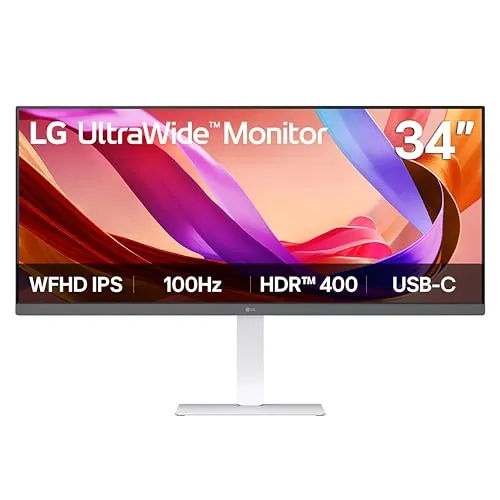
LG 34U530A-W vs 34WR55QK-B: Choose Resolution or Stand Swivel
The white LG 34U530A-W is listed at 2560 × 1080 and its U.S. product page specifies height, tilt, and swivel. The black LG 34WR55QK-B is 3440 × 1440 and its supplied stand adjusts for height and tilt; LG also specifies USB-C power delivery up to 65W. Choose by your required desktop resolution, stand movement, and laptop charging setup rather than assuming one monitor is a universal upgrade.
Read comparison
ASUS PA278QV vs LG 34WR55QK-B: Choose by Desktop Layout and Ports
Both monitors have 1440 native rows in landscape, but their layouts and desk connections differ. The 27-inch ASUS PA278QV has a narrower footprint, a stand that pivots to portrait, one HDMI input and four USB-A downstream ports that need a separate upstream cable. The 34-inch LG 34WR55QK-B.AUS adds horizontal pixels, two HDMI inputs and USB-C with up to 65W power delivery, while taking more desk width and providing two downstream USB ports. Check your desk and host ports before choosing.
Read comparison