
Products compared
TP-Link
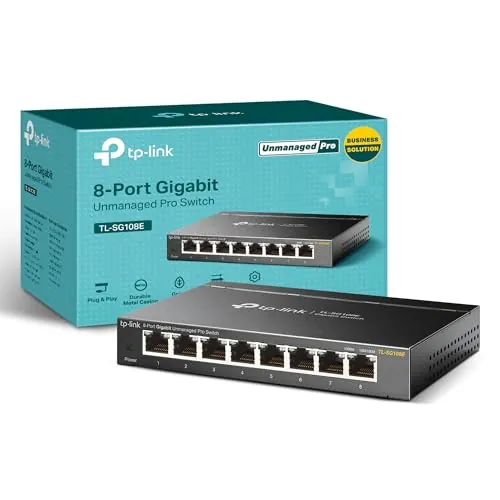
TP-Link TL-SG108E 8-Port Gigabit Easy Smart Switch
Eight 10/100/1000 Mbps RJ45 ports and Easy Smart controls. TP-Link documents plug-and-play use as well as optional VLAN, port-mirroring and cable-diagnostic functions. It is a non-PoE switch; endpoints need another power source.
Model TL-SG108E
Amazon ASIN B00K4DS5KU
TP-Link
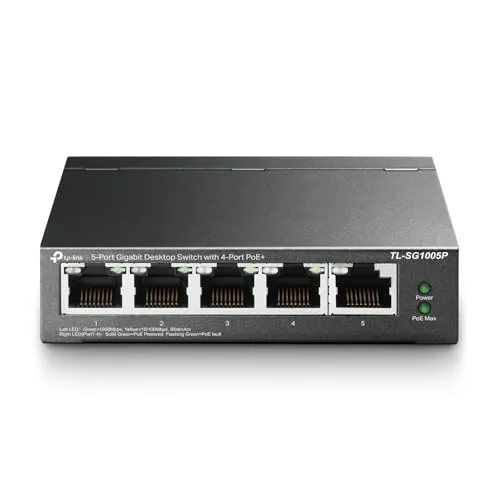
TP-Link TL-SG1005P 5-Port Gigabit Desktop Switch with 4-Port PoE+
Five Gigabit RJ45 ports, four of which are PoE ports on the current U.S. product page. The model is classified as unmanaged. The current page lists 802.3af/at, up to 30 W per PoE port and 65 W total, but an older V1 guide documents lower limits; the retail revision is not established by the model name or ASIN here.
Model TL-SG1005P
Amazon ASIN B076HZFY3F
Differences that matter
What matters most to you?
Choose a priority to see what it changes.
Sources for Wired port count and placement
Sources for Switch configuration
Sources for Endpoint PoE requirement and revision
Sources for Desk footprint and power connection
Start with the wiring plan, not the model name
Count every Ethernet cable you intend to land at the switch, including the connection back to your router. If that uplink uses one port, the TL-SG108E leaves seven other positions; the TL-SG1005P leaves four. Note which devices need PoE beside their cable names. This simple map often resolves the choice before you compare any secondary feature.
This count is about physical ports only. It does not assess traffic load, internet speed, VLAN topology or whether a particular endpoint is compatible. Check those separately against the device manuals and the network design you intend to use.
TL-SG108E: more connection room and optional controls
The TL-SG108E V6 combines eight Gigabit RJ45 ports with Easy Smart functions such as VLAN configuration, port mirroring and cable diagnostics. TP-Link also documents basic plug-and-play use, so the configuration functions do not have to be part of an ordinary expansion setup. Choose it when those controls are a planned task, not simply because a title says “managed.”
The V6 listing identifies a web interface and downloadable management utility. It also requires its own external power adapter and does not provide PoE output. An access point, camera or phone that normally receives power over Ethernet therefore needs another supported power arrangement if connected to this switch.
TL-SG1005P: endpoint power with a revision check
The TL-SG1005P is a five-port unmanaged model. Its current U.S. product page identifies four PoE ports and one remaining Gigabit port, and lists 802.3af/at, up to 30 W per port and a 65 W total budget. The V1 installation guide instead specifies 802.3af, up to 15.4 W per port and 56 W total. These are not two ways to describe one guaranteed retail configuration: TP-Link's support page lists multiple TL-SG1005P hardware revisions.
Before choosing it for a set of endpoints, verify the revision printed on the unit or confirmed for the offer. For each device, compare its required PoE standard and maximum draw with that revision's per-port rating, then add the planned loads and check the total budget. A total under the headline wattage is not enough if one endpoint exceeds its port limit.
The switch itself still uses an external power adapter. Its endpoint PoE budget is not power supplied to the switch through its uplink.
A quick pre-purchase checklist
1. Draw the router/uplink and all device cables; confirm that the five-port layout leaves enough positions on the TL-SG1005P or that the TL-SG108E's eight ports are useful. 2. Mark endpoints that require PoE and write their exact standard and watt requirement from their own documentation. 3. If considering the TL-SG1005P, confirm the exact hardware revision and use only its matching TP-Link datasheet/manual to check each port and combined budget. 4. If VLANs or cable diagnostics are part of the plan, verify the TL-SG108E revision's manual and management workflow. 5. Measure the shelf and check for outlet access: both switches require their own external power connection.
Product details
TP-Link TL-SG108E 8-Port Gigabit Easy Smart Switch
- Ethernet ports
- 8 Gigabit RJ45 ports; reserve one for the router/uplink when planning downstream connections. Source
- Configuration options
- The V6 documentation lists up to 32 simultaneous VLANs, port mirroring and cable diagnostics. The page also documents plug-and-play use; features are optional, not a setup requirement for basic switching. Source
- Listed dimensions and own power
- 158 × 101 × 25 mm; V6 page specifies an external 5 VDC / 0.6 A power adapter. Source
TP-Link TL-SG1005P 5-Port Gigabit Desktop Switch with 4-Port PoE+
- Ethernet and PoE ports
- 5 Gigabit RJ45 total; the current U.S. product page identifies ports 1–4 as 802.3af/at PoE and lists up to 30 W per port and 65 W total. Confirm the actual hardware revision before applying those limits. Source
- Configuration and power budget
- TP-Link classifies the TL-SG1005P as unmanaged. V1 installation documentation specifies 802.3af, up to 15.4 W per port and 56 W total; these figures apply to V1, not automatically to every retail unit. Source
- Listed dimensions and switch power
- 100 × 98 × 25 mm. TP-Link specifies an external power adapter for the switch itself; PoE output to endpoint devices does not mean the switch is powered by that Ethernet connection. Source
Before you buy
Community discussions
A home has one switch in each of two rooms
TP-Link TL-SG108E 8-Port Gigabit Easy Smart Switch
A TL-SG108E owner described an eight-port switch by the router and another in a separate room, joined by one long Ethernet run.
What to check
Map the endpoints and cable runs first. Count a port for each uplink, then mark which endpoints need power over Ethernet and which have their own power.
Common questions
Does every TL-SG1005P have a 65 W PoE budget?
Do not assume that from the model name alone. TP-Link's current U.S. product page lists up to 30 W per port and 65 W total, while the V1 installation guide lists up to 15.4 W per port and 56 W total. The support page lists multiple hardware revisions. Identify the revision of the unit being sold and use its matching documentation.TL-SG1005P: 5-Port Gigabit Desktop Switch with 4-Port PoE+TL-SG1005P V1 Installation GuideDownload for TL-SG1005P: hardware revision selector and documents
Can the TL-SG108E be used without setting up VLANs?
Yes. TP-Link documents plug-and-play use with no configuration required, along with optional management features. If your devices are separately powered and you do not need the extra controls, this comparison does not establish that the TL-SG108E is necessary.TL-SG108E V6: 8-Port Gigabit Easy Smart Switch
Does PoE mean the TL-SG1005P itself can run without a power adapter?
No such conclusion follows from its PoE outputs. TP-Link's product specification lists an external power adapter for the switch itself; PoE is power delivered outward to connected devices.TL-SG1005P: 5-Port Gigabit Desktop Switch with 4-Port PoE+
Which one should I get if I need both VLAN controls and PoE?
Neither exact model is documented here as providing both. Compare another model whose exact hardware revision explicitly supports the required VLAN controls and PoE standard, port count and combined load.TL-SG108E V6: 8-Port Gigabit Easy Smart SwitchTL-SG1005P: 5-Port Gigabit Desktop Switch with 4-Port PoE+
Sources and scope
This is a document-based feature and wiring comparison, not a throughput, reliability, security or compatibility test. Neither selected retail ASIN establishes the hardware revision that will ship. TL-SG1005P's current U.S. product page lists up to 30 W per PoE port and 65 W total, while its V1 installation guide lists 15.4 W per port and 56 W total; verify the physical revision and corresponding TP-Link document before matching a load. TL-SG108E control details are verified on V6; older revisions may differ in interface or firmware.
Related comparisons
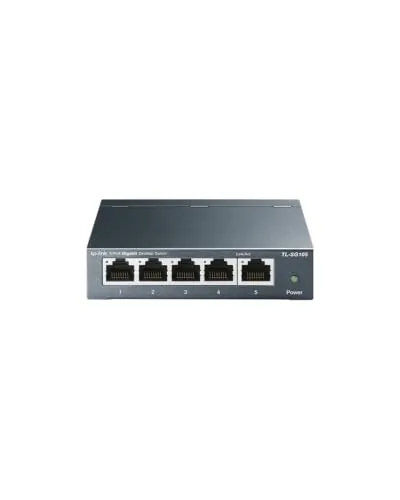
TP-Link TL-SG108E vs TL-SG105: Port Count, Easy Smart Controls and Hardware Revisions
Both plain TP-Link switches provide 10/100/1000 Mbps RJ45 ports, a metal enclosure, and plug-and-play setup. With one port used for the uplink, the eight-port TL-SG108E leaves seven direct device ports; the five-port TL-SG105 leaves four. The SG108E adds optional web or utility management, while the unmanaged SG105 still lists automatic QoS and IGMP Snooping. Both are desktop or wall-mountable; their published footprints and package lists differ. TP-Link supports multiple hardware revisions for both models, so check the label on the exact unit before relying on revision-specific features or firmware status.
Read comparison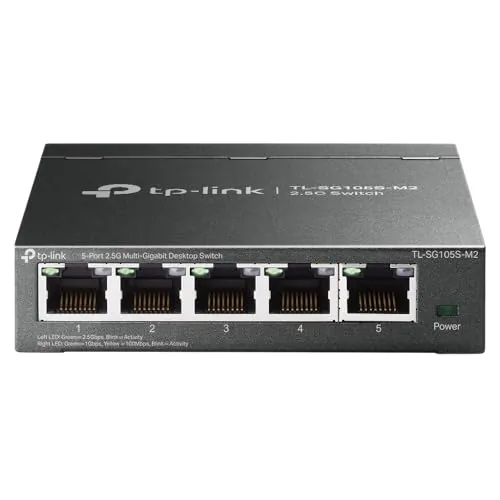
TP-Link TL-SG105S-M2 vs TL-SG108E: 2.5G links or configurable controls?
The five-port TL-SG105S-M2 supports 100 Mbps, 1 Gbps, and 2.5 Gbps links with plug-and-play, unmanaged setup. The eight-port TL-SG108E is a gigabit Easy Smart switch with configurable VLAN, monitoring, and diagnostic functions. Count the router connection and every wired device, then confirm the exact hardware revision before using model-specific setup instructions.
Read comparison