
Products compared
TP-Link
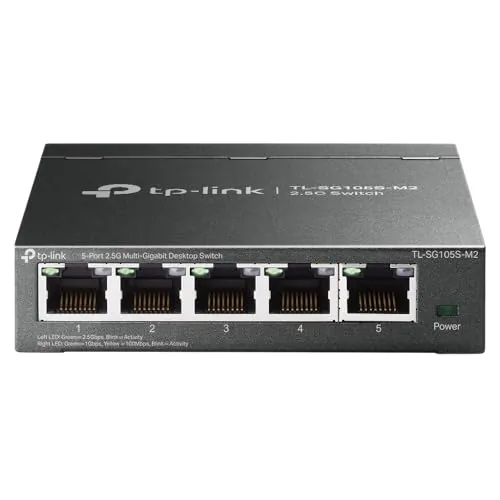
TP-Link TL-SG105S-M2 5-Port 2.5G Multi-Gigabit Desktop Switch
Five 2.5G-capable Ethernet ports; fanless, unmanaged plug-and-play switch.
Model TL-SG105S-M2
Amazon ASIN B0CMXXPTVH
TP-Link
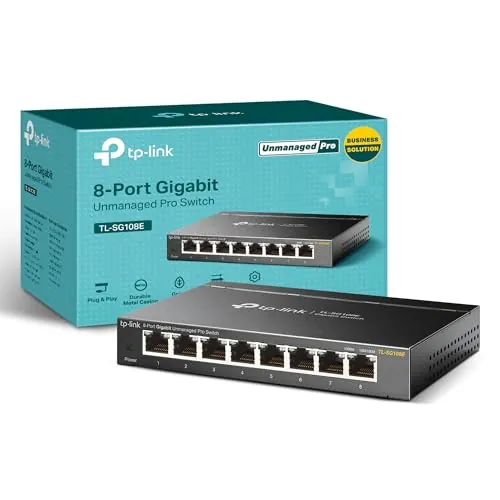
TP-Link TL-SG108E 8-Port Gigabit Easy Smart Switch
Eight 10/100/1000 Mbps Ethernet ports and Easy Smart configuration features; retail hardware revision not identified.
Model TL-SG108E
Amazon ASIN B00K4DS5KU
Differences that matter
What matters most to you?
Choose a priority to see what it changes.
Sources for Supported Ethernet link rates
Sources for Basic expansion setup
Start with your wired-device plan
These switches answer two different planning questions. The TL-SG105S-M2 puts a 2.5GbE-capable port on every one of its five sockets. The TL-SG108E offers eight gigabit sockets and configurable Easy Smart functions. Neither is a measured-throughput winner: the right fit depends on the rate and controls your network actually needs.
For ordinary gigabit expansion, the TL-SG108E's VLAN interface may be unnecessary. For a PC-to-NAS path intended to negotiate above 1 Gbps, the TL-SG105S-M2 is the one in this pair that supports 2.5Gbps at the switch ports. The router-facing link, endpoint interfaces, cable run, and any intermediate links still matter.
Count sockets, including the router connection
Write down every Ethernet cable that will plug into the switch. If one cable returns to the router, five total sockets leave four for other devices; eight leave seven. This simple count often settles the choice before comparing feature lists. Neither model's listed interfaces identify a dedicated uplink socket, so the budget assumes one of the regular ports is used for that connection.
Count active wired devices, not rooms or Wi-Fi clients. A wired access point or second switch also consumes a port. If the list exceeds the available sockets, look for a switch with more ports even when the speed or management choice otherwise fits.
Know when VLAN controls are part of the purchase
TP-Link labels the TL-SG105S-M2 unmanaged and documents plug-and-play operation plus built-in QoS and IGMP Snooping. The TL-SG108E is sold as Easy Smart; TP-Link documents configurable VLAN options and monitoring tools on its versioned product pages. Both can be used for basic port expansion, but only the latter has the cited configuration workflow.
Hardware revision matters for manuals and management instructions. TP-Link's U.S. support page lists multiple SG108E revisions, while its currently displayed product page is V6. The Amazon product identity here names the model but not the box revision. Check the label on the device and use the matching support material; do not assume the V1 and V6 menus or setup screens are interchangeable.
Product details
TP-Link TL-SG105S-M2 5-Port 2.5G Multi-Gigabit Desktop Switch
Best aligned with a small wired group where 2.5GbE links are useful and switch-side VLAN configuration is not required. Its listed QoS and IGMP functions do not make it a configurable Easy Smart switch.
TP-Link TL-SG108E 8-Port Gigabit Easy Smart Switch
Best aligned with a gigabit-only port plan that needs configurable VLAN or monitoring functions. The cited V1 page identifies that revision; the current U.S. model page is V6, so buyers should use the manual for the revision actually received.
Before you buy
Community discussions
A multi-gig upgrade question from a home switch layout
TP-Link TL-SG108E 8-Port Gigabit Easy Smart Switch
One home-network owner describes a TL-SG108E in a chain serving a desktop, Proxmox server and NAS, and is weighing a 2.5GbE or 10GbE upgrade. The post names a 2.5GbE desktop interface and possible faster NAS networking, but reports no matched throughput test.
What to check
List the link speeds of the endpoints and every connection between them before paying for a multi-gig switch. One faster endpoint only benefits if the other links in the path support the speed you want. This is one owner’s upgrade question, not a throughput result.
A VLAN-aware home Wi-Fi plan raised a management requirement
TP-Link TL-SG108E 8-Port Gigabit Easy Smart Switch
One home-network owner describes a TL-SG108E between a pfSense router and EAP225 access point, with separate Wi-Fi networks as the goal. The archived post documents a setup question, not a confirmed product defect or a tested configuration.
What to check
If you need separate network segments for Wi-Fi, check that your router, access point and switch all support the management features your plan requires. Do not assume an unmanaged switch offers the same controls; this post does not establish that any specific configuration will work.
Common questions
Does the TL-SG108E have to be configured to add ordinary wired devices?
No. TP-Link describes plug-and-play use without configuration. The management interface is relevant when you want its additional configurable features.TP-Link TL-SG108E V6 | 8-Port Gigabit Easy Smart Switch
Can the TL-SG105S-M2 give a 1GbE device a 2.5GbE link?
No. The switch supports auto-negotiation up to 2.5Gbps, but the connected interface and the other links in the route also need to support the higher rate. This is a link capability, not a speed-test result.TP-Link TL-SG105S-M2 | 5-Port 2.5G Multi-Gigabit Desktop Switch
Are all TL-SG108E units the same hardware revision?
TP-Link's U.S. support page lists multiple TL-SG108E hardware versions, and its U.S. product page currently presents V6. The cataloged Amazon offer does not establish which revision will ship, so check the product label and matching manual before configuring it.TP-Link U.S. Download and hardware-version options for TL-SG108ETP-Link TL-SG108E V6 | 8-Port Gigabit Easy Smart Switch
Sources and scope
The Amazon listing data identifies the exact model names and ASINs but does not identify the hardware revision in the retail box. TP-Link lists multiple revisions for both model families. The TL-SG108E control details below are documented on its U.S. V1 and V6 pages; check the revision label on the unit and follow its corresponding guide. No throughput, latency, reliability, or security testing was performed.
Related comparisons
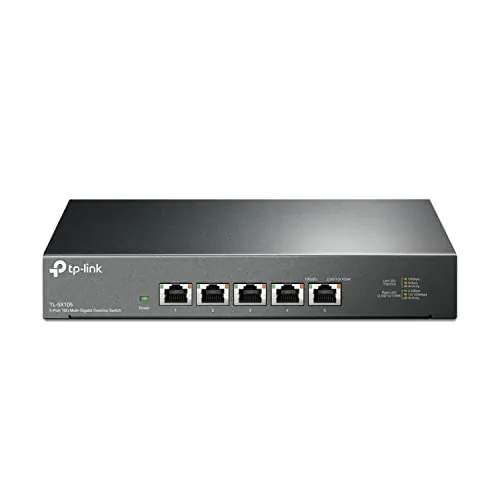
TP-Link TL-SG105S-M2 vs TL-SX105: Choose by Endpoint Speed and Setup
Both are five-port, fanless desktop/wall-mount switches, but their port ranges serve different links: TL-SG105S-M2 negotiates up to 2.5Gbps, while TL-SX105 also lists 5Gbps and 10Gbps. Before buying, check each endpoint's NIC, the cable run, the path to the router/NAS, and the switch's actual installation footprint. TP-Link's U.S. pages also list different dimensions and power-package wording; verify the hardware revision and box for the exact offer. Port ratings are not measured file-transfer or internet speeds.
Read comparison
TP-Link TL-SG108E vs TL-SG105: Port Count, Easy Smart Controls and Hardware Revisions
Both plain TP-Link switches provide 10/100/1000 Mbps RJ45 ports, a metal enclosure, and plug-and-play setup. With one port used for the uplink, the eight-port TL-SG108E leaves seven direct device ports; the five-port TL-SG105 leaves four. The SG108E adds optional web or utility management, while the unmanaged SG105 still lists automatic QoS and IGMP Snooping. Both are desktop or wall-mountable; their published footprints and package lists differ. TP-Link supports multiple hardware revisions for both models, so check the label on the exact unit before relying on revision-specific features or firmware status.
Read comparison