
Products compared
TP-Link
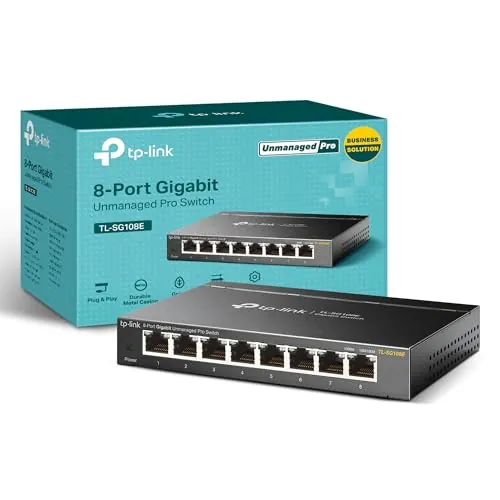
TP-Link TL-SG108E 8-Port Gigabit Easy Smart Switch
Selected U.S. eight-port Easy Smart switch; listing data does not identify the retail unit’s hardware revision. TP-Link describes the V6 reference model as metal-cased, plug-and-play, and optionally managed.
Model TL-SG108E
Amazon ASIN B00K4DS5KU
TP-Link
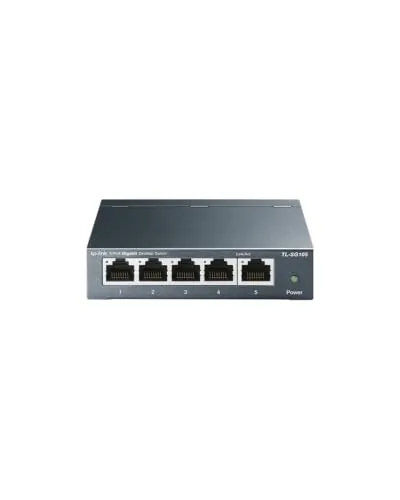
TP-Link TL-SG105 5-Port Gigabit Unmanaged Desktop Switch
Selected U.S. plain five-port TL-SG105, not TL-SG105E, TL-SG105-M2 or a PoE model. listing data does not identify the hardware revision.
Model TL-SG105
Amazon ASIN B00A128S24
Differences that matter
What matters most to you?
Choose a priority to see what it changes.
Sources for Direct device-port budget with one uplink
Sources for Desk footprint, mounting and reference package
Count ports after reserving the router connection
Start with the cable plan, not the device count alone. Both switches use Gigabit 10/100/1000 Mbps RJ45 ports. If one port connects the switch upstream to the router, the eight-port TL-SG108E leaves seven ports for devices; five-port TL-SG105 leaves four. If a second switch or another wired connection uses a port, subtract that too.
For example, one router uplink plus a computer, TV, printer, access point and game console uses six ports. That exceeds TL-SG105’s total of five, while fitting the eight-port model. The port budget describes capacity, not measured network speed.
Separate optional management from ordinary setup
TP-Link describes the TL-SG108E V6 as plug-and-play with no configuration required, with optional management through a web interface or downloadable utility. Its versioned documentation lists configurable features. This means an ordinary home setup can use it without configuring those features; settings matter only when the network plan calls for them.
Plain TL-SG105 is categorized as unmanaged and also described as plug-and-play. Its product page lists automatic QoS and IGMP Snooping, so “unmanaged” does not mean all traffic-handling behavior is absent. If you need a specific management feature, check the exact SG108E hardware revision and its matching documentation before buying.
Check the mounting area and box list
TP-Link lists the TL-SG108E V6 at 158 × 101 × 25 mm and describes metal casing, desktop or wall mounting, and fanless operation. Its V6 package list names the switch, power adapter, installation guide and rubber feet. The TL-SG105 reference page lists a 100 × 98 × 25 mm metal fanless enclosure, desktop/wall mounting, and a box containing switch, power adapter and installation guide.
Measure the surface and leave room for the power adapter and Ethernet plugs. These are manufacturer reference dimensions and lists; hardware revision or seller offer can affect the exact unit or carton, so verify it if space or a specific accessory is decisive.
Match the hardware version to support information
TP-Link’s download pages list multiple hardware branches: SG108E V1, V2, V3, V4, V5 and V6 (with subversions), and SG105 V1 through V9.60. TP-Link says the hardware version is printed on the bottom or back label, separate from firmware version, and that downloads must match the hardware version.
The revision differences are material to firmware support: TP-Link’s SG108E V1 product page is marked End of Life, while the support page shows a V6.60 firmware entry published November 2, 2026. The selected listing data ASINs do not say which hardware version ships, so do not generalize either fact across every listing. Ask for a photo of the version label or check the unit after arrival before relying on a version-specific feature or firmware.
Product details
TP-Link TL-SG108E 8-Port Gigabit Easy Smart Switch
More ports provide connection headroom; optional settings are a separate reason to choose it. The exact revision on the selected retail unit remains unverified.
- Ports and rate class
- Eight 10/100/1000 Mbps RJ45 ports. If one port connects upstream, seven remain for directly connected devices. Source
- Management mode
- The V6 product page documents plug-and-play with no configuration plus optional management through a web user interface or downloadable utility. Specific feature details should be matched to the unit revision. Source
- Housing and current reference box
- TP-Link’s V6 page describes a metal casing, desktop/wall-mounting, and lists the switch, power adapter, installation guide and rubber feet in the package. Source
TP-Link TL-SG105 5-Port Gigabit Unmanaged Desktop Switch
A compact unmanaged expansion choice when four direct device ports after the uplink are enough and you do not need to configure the switch.
- Ports and rate class
- Five 10/100/1000 Mbps RJ45 ports. If one port connects upstream, four remain for directly connected devices. Source
- Setup and automatic features
- TP-Link classifies plain TL-SG105 as unmanaged and plug-and-play; its page still lists automatic 802.1p/DSCP QoS and IGMP Snooping. Source
- Housing and reference box
- TP-Link describes a metal, fanless desktop/wall-mountable design and lists the switch, power adapter and installation guide in the package content. Source
Before you buy
Community discussions
A prospective buyer asked which TL-SG108E version label matters
TP-Link TL-SG108E 8-Port Gigabit Easy Smart Switch
A prospective buyer asks whether the TL-SG108E’s V0.1–V6.0 labels are firmware or hardware versions. The thread clarifies the question is about hardware revision; it does not establish that revisions share the same features or firmware.
What to check
Check the hardware revision printed on the exact unit and match it to TP-Link’s documentation before relying on revision-specific features or firmware status.
Two switches served devices in separate rooms
TP-Link TL-SG108E 8-Port Gigabit Easy Smart Switch
One home-network owner describes two TL-SG108E switches in different rooms, linked over a long cable, with a Deco access point and wired clients at each location. This is a physical layout example only; the post does not establish a cause for the reported network interruptions.
What to check
For each location, count the upstream link, access point and wired devices against the switch’s total ports. Keep this setup as one planning example, not a guarantee about performance or reliability.
Common questions
How many devices can connect if one port goes to the router?
With one port reserved for the upstream cable, TL-SG108E leaves seven ports for directly connected devices and TL-SG105 leaves four. Subtract any other cables that will occupy a switch port.TP-Link TL-SG108E V6: U.S. Product Specifications and Package ContentTP-Link TL-SG105: U.S. Product Specifications and Package Content
Does TL-SG108E have to be configured?
No. TP-Link says the V6 reference model is plug-and-play with no configuration required and separately provides optional web or utility management. Confirm the hardware revision and its guide if a specific setting matters.TP-Link TL-SG108E V6: U.S. Product Specifications and Package ContentTP-Link TL-SG108E Download Center: Hardware Versions and Firmware
Does unmanaged TL-SG105 lack every traffic feature?
No. The product is classified as unmanaged, but TP-Link’s page lists automatic 802.1p/DSCP QoS and IGMP Snooping. It does not provide the optional management interface described for TL-SG108E.TP-Link TL-SG105: U.S. Product Specifications and Package Content
How can I check the hardware revision before choosing a manual or firmware?
TP-Link says the hardware version is usually printed on the product label on the bottom or back as “Ver” or “V” plus a number. Match that version to the model’s Download Center; revisions have separate support branches.TP-Link TL-SG108E Download Center: Hardware Versions and FirmwareTP-Link TL-SG105 Download Center: Hardware VersionsTP-Link How to Find the Hardware Version on Your Device
What is included in the box?
TP-Link’s current TL-SG108E V6 page lists the switch, power adapter, installation guide and rubber feet. Its TL-SG105 product page lists the switch, power adapter and installation guide. Verify the exact revision and seller box contents for the selected offer.TP-Link TL-SG108E V6: U.S. Product Specifications and Package ContentTP-Link TL-SG105: U.S. Product Specifications and Package Content
Sources and scope
This is a specification-based fit guide, not a throughput, latency, reliability, energy-use, security-isolation or hands-on test. The exact hardware revisions included in ASIN B00K4DS5KU and B00A128S24 are not identified by the current listing data data. TP-Link’s current TL-SG108E page is for V6 and its product reference lists V1 as End of Life; that V1 status must not be applied to every SG108E. Confirm the version label and matching support page for the exact retail unit. Port budgeting assumes one switch port is occupied by the upstream cable; additional occupied ports reduce the device count.
- TP-Link TL-SG108E V6: U.S. Product Specifications and Package Content
- TP-Link TL-SG108E V1: U.S. Product Specifications and End-of-Life Notice
- TP-Link TL-SG108E Download Center: Hardware Versions and Firmware
- TP-Link TL-SG105: U.S. Product Specifications and Package Content
- TP-Link TL-SG105 Download Center: Hardware Versions
- TP-Link How to Find the Hardware Version on Your Device
Related comparisons
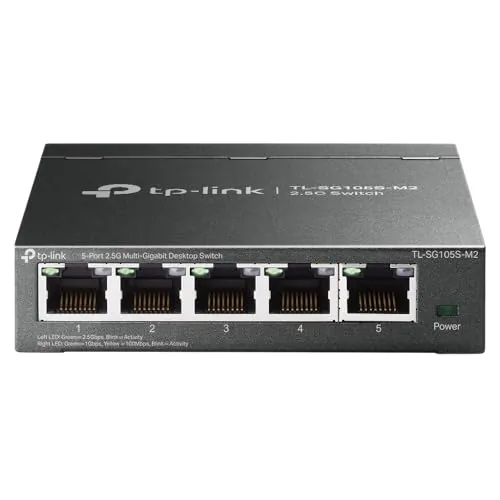
TP-Link TL-SG105S-M2 vs TL-SG108E: 2.5G links or configurable controls?
The five-port TL-SG105S-M2 supports 100 Mbps, 1 Gbps, and 2.5 Gbps links with plug-and-play, unmanaged setup. The eight-port TL-SG108E is a gigabit Easy Smart switch with configurable VLAN, monitoring, and diagnostic functions. Count the router connection and every wired device, then confirm the exact hardware revision before using model-specific setup instructions.
Read comparison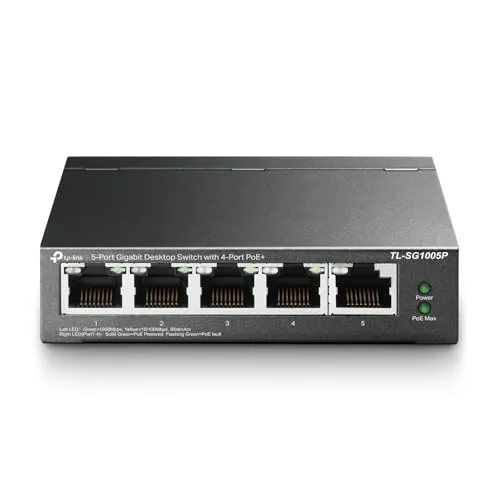
TP-Link TL-SG108E vs TL-SG1005P: Eight Configurable Ports or PoE Output?
These two TP-Link switches solve different wiring problems. The eight-port TL-SG108E adds Easy Smart configuration, including VLAN and port diagnostics, but does not provide PoE output. The five-port TL-SG1005P powers compatible endpoints on four ports, but is unmanaged; its per-port limit and total budget depend on hardware revision. Before buying, count the router uplink and all wired devices, then verify the TL-SG1005P revision against every endpoint's PoE requirement.
Read comparison