
Products compared
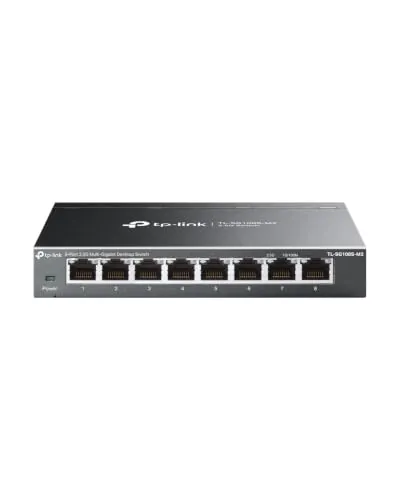
TP-Link
TP-Link TL-SG108S-M2 8-Port 2.5G Multi-Gigabit Desktop Switch
An unmanaged desktop switch with eight auto-negotiating RJ45 ports listed for 100 Mbps, 1 Gbps, or 2.5 Gbps. It is the port-capacity and multi-gig option when those links match your devices and upstream network.
Model TL-SG108S-M2
Amazon ASIN B0CMFX748Y
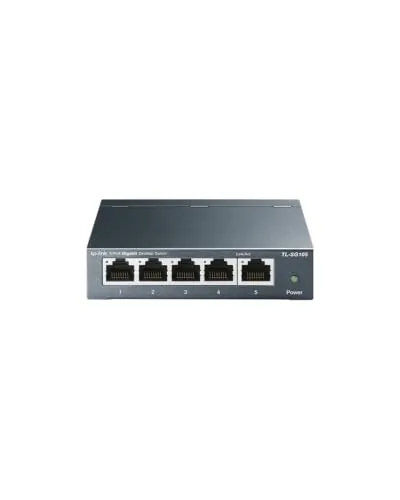
TP-Link
TP-Link TL-SG105 5-Port Gigabit Desktop Switch
An unmanaged switch with five auto-negotiating 10/100/1000 Mbps RJ45 ports. It fits a smaller wired layout when five ports are enough and none of the links you need to upgrade requires a switch port above 1 Gbps.
Model TL-SG105
Amazon ASIN B00A128S24
Differences that matter
What matters most to you?
Choose a priority to see what it changes.
Sources for Port count after reserving an uplink
Start with the wiring plan
Treat the number of ports as a wiring budget, not as a device-count headline. If a single cable connects this switch back to the router, that uplink uses a port. Add every computer, television, console, access point, NAS and other wired endpoint that will land here; five total cables and eight total cables lead to different choices.
Then mark which of those links actually need more than gigabit. The SG108S-M2's eight ports list 100 Mbps, 1 Gbps and 2.5 Gbps auto-negotiation. The TL-SG105's five ports list 10/100/1000 Mbps. Both are unmanaged switches, so this comparison is about available ports and link tiers rather than configurable VLAN or PoE capability.
Trace the link you expect to improve
A switch port advertises the maximum link tier it can negotiate; it does not upgrade the network interface at the other end. For internet traffic, include the router-side port and upstream connection in the check. For local transfers, check both endpoint adapters and the switch ports they use. A single 1 Gbps segment can remain the bottleneck even when another segment supports 2.5 Gbps.
That gives the SG108S-M2 a concrete use case: select it when the port map needs up to eight connections or when identified endpoints and their connecting path can use its 2.5 Gbps tier. If all planned devices and the relevant uplink are 1 Gbps or slower, the 2.5G label alone is not a reason to expect faster service. No controlled throughput result is available for this pair.
Check shelf dimensions and the exact revision
For the switch body, TP-Link lists 158 × 101 × 25.4 mm (W × D × H) for TL-SG108S-M2 and 100 × 98 × 25 mm for TL-SG105. The SG105 is the smaller published chassis, though the numbers do not include the working space needed for Ethernet plugs, cable bends or the power adapter.
TP-Link's support pages list multiple hardware versions and warn that model/version availability varies by region. The marketplace entries assigned here do not identify a hardware version. In addition, listing data dimension fields differ from the manufacturer's chassis figures; their measurement basis is not established. Use the model/version marking and measure the actual retail unit when a few millimeters matter.
Keep setup expectations simple
TP-Link describes both models as plug-and-play, fanless desktop switches with wall-mounting options and an external power adapter. Those shared setup traits do not resolve the important choice: the number of cables you need and whether any relevant path includes 2.5GbE-capable endpoints.
If the installation needs managed VLAN configuration, PoE power for access points or cameras, or a feature outside this exact unmanaged pair, stop and compare a product documented for that requirement instead of assuming it from the TP-Link brand or a nearby model name.
Product details
TP-Link TL-SG108S-M2 8-Port 2.5G Multi-Gigabit Desktop Switch
- RJ45 ports
- 8 auto-negotiating ports, each listed for 100 Mbps, 1 Gbps, or 2.5 Gbps Source
- Listed chassis dimensions
- 158 × 101 × 25.4 mm (W × D × H); hardware revision should be checked on the shipped unit Source
- Placement and setup
- Fanless, desktop/wall-mounting design; plug and play; external power adapter Source
TP-Link TL-SG105 5-Port Gigabit Desktop Switch
Before you buy
Community discussions
Counting ports for wired mesh nodes
TP-Link TL-SG108S-M2 8-Port 2.5G Multi-Gigabit Desktop Switch
A buyer planning wired connections to several Deco units was looking for an eight-port switch. A reply suggested the TL-SG108S-M2.
What to check
Draw the connections to the router and every wired mesh node, then count the ports you would use today and the spare ports you want.
Common questions
Does a 2.5G switch make my internet connection 2.5 Gbps?
Not by itself. TL-SG108S-M2 lists 2.5 Gbps as a port link tier, but your router or upstream link and the connected endpoint must also support the higher rate. If the path into the router is gigabit, the switch's higher port ceiling does not change that link. This guide contains no internet-speed test.TL-SG108S-M2 V2 8-Port 2.5G Multi-Gigabit Desktop Switch — U.S. product pageTL-SG105 5-Port Gigabit Desktop Switch — U.S. product page
How many devices can I plug in?
The TL-SG108S-M2 has eight Ethernet ports and the TL-SG105 has five. A direct cable to your router or another upstream switch takes one of those ports, leaving seven or four respectively for other cables in that simple layout. Check whether another switch or network topology changes your actual port plan.TL-SG108S-M2 V2 8-Port 2.5G Multi-Gigabit Desktop Switch — U.S. product pageTL-SG105 5-Port Gigabit Desktop Switch — U.S. product page
Which model takes less shelf space?
TP-Link's listed switch-body dimensions are 100 × 98 × 25 mm for TL-SG105 and 158 × 101 × 25.4 mm for TL-SG108S-M2. Measure the actual placement and allow for plugs, bend radius and power. The marketplace listing information different dimensions, and the assigned offers do not identify the hardware revision, so confirm the exact unit when fit is tight.TL-SG108S-M2 V2 8-Port 2.5G Multi-Gigabit Desktop Switch — U.S. product pageTL-SG108S-M2 V1 8-Port 2.5G Multi-Gigabit Desktop Switch — U.S. product pageTL-SG105 5-Port Gigabit Desktop Switch — U.S. product page
Do I need a specific cable to use the 2.5G switch?
TP-Link says Cat5e or better cable does not need to be replaced for the TL-SG108S-M2. The page does not establish the condition or quality of cable already installed in your walls, so verify the actual run if the link does not negotiate at the tier you expect.TL-SG108S-M2 V2 8-Port 2.5G Multi-Gigabit Desktop Switch — U.S. product page
Sources and scope
This is a feature and layout comparison, not a speed test. The maximum link tier printed for a switch port does not establish internet speed, application throughput, or the rate of a connection whose endpoint or upstream link is slower. Current manufacturer pages expose multiple hardware revisions, while the selected listing listings do not identify the revision shipped. listing data dimensions also differ from TP-Link's listed switch-body dimensions, so measure and verify the physical revision before relying on a tight fit.
- TL-SG108S-M2 V2 8-Port 2.5G Multi-Gigabit Desktop Switch — U.S. product page
- TL-SG108S-M2 V1 8-Port 2.5G Multi-Gigabit Desktop Switch — U.S. product page
- TL-SG105 5-Port Gigabit Desktop Switch — U.S. product page
- Download Center: TL-SG108S-M2 hardware revisions
- Download Center: TL-SG105 hardware revisions
Related comparisons
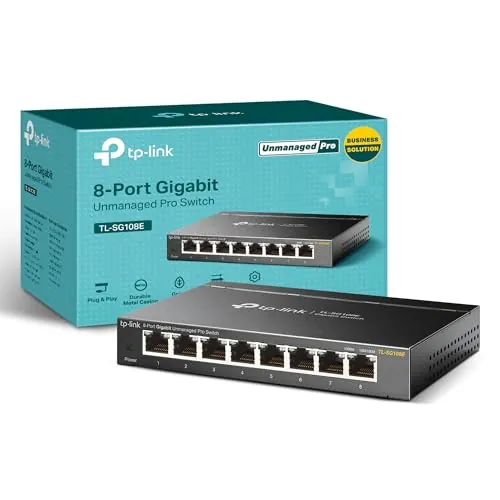
TP-Link TL-SG108E vs TL-SG105: Port Count, Easy Smart Controls and Hardware Revisions
Both plain TP-Link switches provide 10/100/1000 Mbps RJ45 ports, a metal enclosure, and plug-and-play setup. With one port used for the uplink, the eight-port TL-SG108E leaves seven direct device ports; the five-port TL-SG105 leaves four. The SG108E adds optional web or utility management, while the unmanaged SG105 still lists automatic QoS and IGMP Snooping. Both are desktop or wall-mountable; their published footprints and package lists differ. TP-Link supports multiple hardware revisions for both models, so check the label on the exact unit before relying on revision-specific features or firmware status.
Read comparison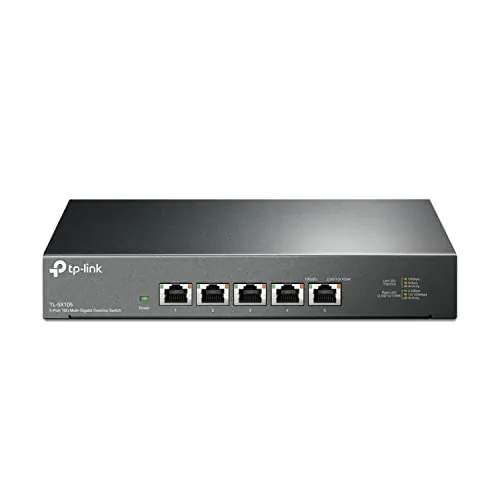
TP-Link TL-SX105 vs TL-SG108S-M2: Plan Ports Before Link Speed
Both are unmanaged desktop/wall-mount switches. TL-SX105 has five ports that negotiate up to 10 Gbps; TL-SG108S-M2 has eight ports that negotiate up to 2.5 Gbps. With one ordinary port connected to a router, that leaves four versus seven device connections. Count the whole wired setup and confirm hardware revision, endpoint ports and cable runs before deciding.
Read comparison