
Products compared
TP-Link
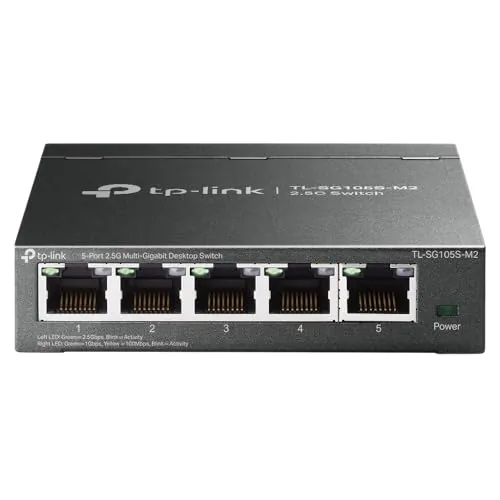
TP-Link TL-SG105S-M2 5-Port 2.5G Multi-Gigabit Desktop Switch
Five Ethernet ports with listed 100 Mbps, 1 Gbps and 2.5 Gbps auto-negotiation. The U.S. product page describes desktop or wall mounting; confirm the retail unit's hardware revision for revision-dependent details.
Model TL-SG105S-M2
Amazon ASIN B0CMXXPTVH
UGREEN
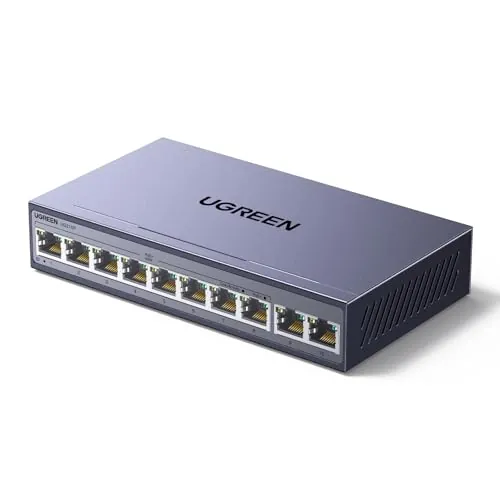
UGREEN 35372US 10-Port PoE+ Ethernet Switch
The UGREEN U.S. product page identifies SKU 35372US and lists eight PoE+ Gigabit ports plus two Gigabit uplink ports. It states up to 30W per PoE port and a 60W total power budget.
Model 35372US
Amazon ASIN B0FHK6N2H4
Differences that matter
Sources for Published Ethernet link rates
Sources for PoE standard and power budget
Start with your port map
List every cable that will land on the switch, including the connection back to your router or another switch. The TL-SG105S-M2 has five Ethernet ports. UGREEN 35372US has ten total, split into eight PoE+ Gigabit ports and two Gigabit uplink ports. That role split matters more than simply comparing five against ten: make sure the devices assigned to each UGREEN port group match your intended layout.
The cited TP-Link page describes a desktop/wall-mount design and names the exact TL-SG105S-M2. Its support page lists multiple hardware revisions and says regional availability varies. Confirm the revision on the offer you plan to buy before relying on revision-sensitive details.
Match the link rate across the path
TP-Link lists five ports that auto-negotiate at 100 Mbps, 1 Gbps, or 2.5 Gbps. UGREEN lists Gigabit Ethernet for its eight PoE+ ports and its two uplinks. If a workstation or NAS needs a 2.5 Gbps link option, verify that the switch port, the endpoint, and every upstream segment needed for that path support it. A 2.5G-capable port does not make a path faster than its slowest required link, and the published interface rate is not a throughput test.
If every planned link is Gigabit and the main requirement is a powered-device port group, the UGREEN layout may be the closer documented fit. If the plan needs a multi-gig interface and five ports are enough, the TP-Link page provides the matching published link-rate option.
Check the PoE budget before connecting powered devices
For UGREEN 35372US, the manufacturer lists PoE+ using 802.3at/af, up to 30W per PoE port, and 60W total. Treat those as two different checks: a single port's maximum and the switch-wide budget. A device within the port limit can still push the overall planned draw beyond the total if several devices are powered together.
Before buying, write down the PoE standard and maximum power draw published for each camera, access point, or other endpoint. Compare the individual requirements with the switch specification and add the planned draws against the total budget. This comparison has not verified any particular endpoint or tested power delivery under load.
Make the choice
Pick the TL-SG105S-M2 when the five-port count fits and your network map needs its listed 2.5 Gbps link option. Pick UGREEN 35372US when the documented eight-port PoE+ Gigabit group and two Gigabit uplinks match your device roles and the planned power draw fits its stated limits.
If the same installation requires both multi-gig links and a specific PoE arrangement, verify a switch whose exact model documentation covers both. The pages cited here do not establish PoE behavior for the selected TL-SG105S-M2 revision, while UGREEN's listed ports are Gigabit. Neither page is evidence of real-world throughput or an endpoint compatibility test.
Product details
TP-Link TL-SG105S-M2 5-Port 2.5G Multi-Gigabit Desktop Switch
- Ethernet ports
- 5 × 100 Mbps / 1 Gbps / 2.5 Gbps auto-negotiating ports Source
Before you buy
Community discussions
TP-Link 2.5G switches: TL-SG105S-M2 vs TL-SG105-M2
TP-Link TL-SG105S-M2 5-Port 2.5G Multi-Gigabit Desktop Switch
A home-office buyer comparing the TL-SG105S-M2 with a larger five-port TP-Link switch planned to connect a PC, NAS and printer. They raised the smaller model’s desk footprint as part of the choice; this is a port-count and placement example, not a direct comparison with UGREEN.
What to check
Count the router connection and wired devices, note which need multi-gig ports, and measure the intended desk spot. The post does not establish how either TP-Link switch compares in use with UGREEN 35372US.
Common questions
Are all ten UGREEN 35372US ports 2.5 Gbps?
No. The UGREEN U.S. page describes eight PoE+ Gigabit ports and two Gigabit uplink ports. It does not list a 2.5 Gbps port for this SKU.UGREEN Ethernet Switch, 10-Port PoE Switch, 8 PoE+@60W and 2 Gigabit Uplink
Can every PoE port deliver 30W at the same time?
Do not plan on that from the headline figures alone. UGREEN states up to 30W per PoE port and a 60W total power budget. Check each endpoint's required standard and draw, and keep the combined plan within the total budget.UGREEN Ethernet Switch, 10-Port PoE Switch, 8 PoE+@60W and 2 Gigabit Uplink
Will the TP-Link run a specific camera or access point over PoE?
This guide cannot confirm that for the exact retail unit. The cited TP-Link U.S. page establishes its five Ethernet port rates, while the support page shows several hardware revisions and regional variation. Check the unit's revision-specific documentation and the endpoint's power requirements before relying on PoE.TL-SG105S-M2 | 5-Port 2.5G Multi-Gigabit Desktop SwitchDownload for TL-SG105S-M2
Sources and scope
This guide compares manufacturer-listed port roles and link rates; it does not report network throughput, device compatibility tests, or PoE behavior under load. TP-Link lists several hardware revisions and the selected unit's revision is not known, so revision-dependent specifications are left out. Verify the exact PoE requirement and draw for every endpoint before selecting a powered-port layout.
Related comparisons
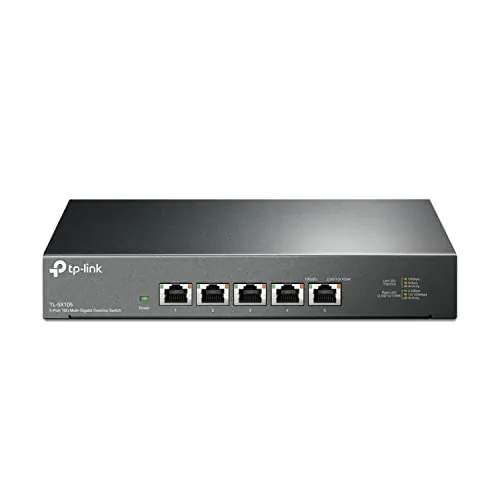
TP-Link TL-SG105S-M2 vs TL-SX105: Choose by Endpoint Speed and Setup
Both are five-port, fanless desktop/wall-mount switches, but their port ranges serve different links: TL-SG105S-M2 negotiates up to 2.5Gbps, while TL-SX105 also lists 5Gbps and 10Gbps. Before buying, check each endpoint's NIC, the cable run, the path to the router/NAS, and the switch's actual installation footprint. TP-Link's U.S. pages also list different dimensions and power-package wording; verify the hardware revision and box for the exact offer. Port ratings are not measured file-transfer or internet speeds.
Read comparison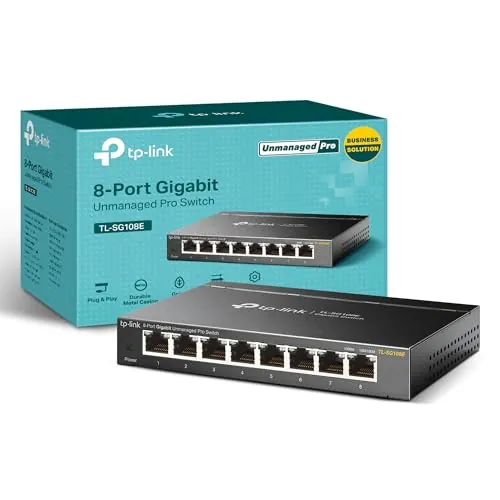
TP-Link TL-SG105S-M2 vs TL-SG108E: 2.5G links or configurable controls?
The five-port TL-SG105S-M2 supports 100 Mbps, 1 Gbps, and 2.5 Gbps links with plug-and-play, unmanaged setup. The eight-port TL-SG108E is a gigabit Easy Smart switch with configurable VLAN, monitoring, and diagnostic functions. Count the router connection and every wired device, then confirm the exact hardware revision before using model-specific setup instructions.
Read comparison