
Products compared
TP-Link
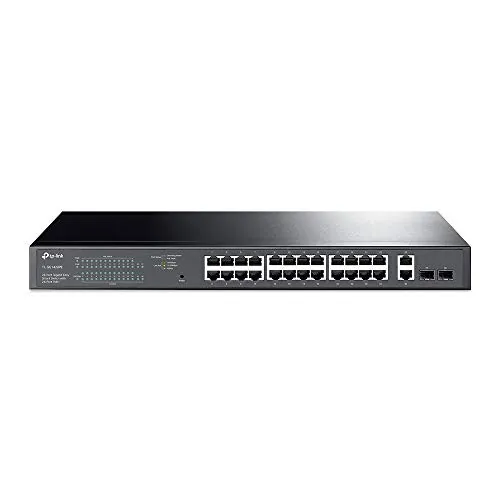
TP-Link TL-SG1428PE 28-Port Gigabit Easy Smart Switch with 24 PoE+ Ports
U.S. product page; exact hardware revision for this retail offer is not confirmed.
Model TL-SG1428PE
Amazon ASIN B08J9ZC6J5
UGREEN
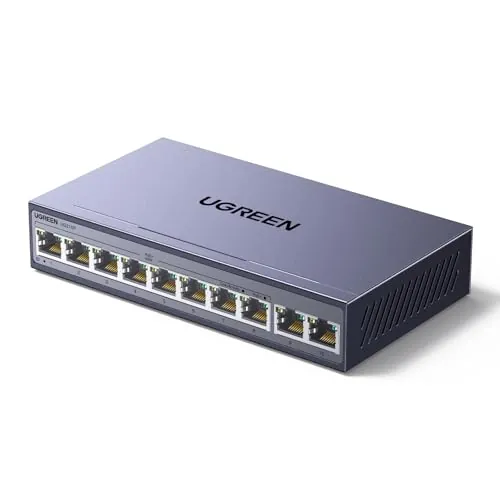
UGREEN 35372US 10-Port PoE Ethernet Switch
Exact U.S. SKU 35372US; 10-port switch with eight PoE+ ports and two Gigabit uplinks.
Model 35372US
Amazon ASIN B0FHK6N2H4
Differences that matter
What matters most to you?
Choose a priority to see what it changes.
Sources for Configuration controls documented by the maker
Sources for Uplink and mounting layout
Start with the endpoints and their combined power draw
The TL-SG1428PE lists 24 Gigabit PoE+ ports, each supporting up to 30 W, with a 250 W aggregate PoE budget. UGREEN's exact 35372US lists eight Gigabit PoE+ ports at up to 30 W each, but a 60 W aggregate budget. That means a per-port maximum is not a promise that every port can draw that amount at the same time.
Before choosing, write down how many PoE cameras, access points, phones or other endpoints you need and use each device maker's stated power requirement. Compare both the number of PoE ports and the combined draw with the switch's total budget. If you expect to grow beyond eight endpoints or 60 W, that points toward evaluating the TP-Link's larger stated layout; it does not establish that either switch will deliver a particular network result.
Match the controls to how you will configure the network
TP-Link documents a web-based user interface and Easy Smart Configuration Utility for the TL-SG1428PE, including monitoring and traffic-priority features. That is the clearer fit when you specifically need the interface and tools described on its model page.
UGREEN documents a physical selector for Standard, VLAN/port-isolation and Extend modes on SKU 35372US. Pick it when one of those named modes suits your intended setup. The page does not establish whether the switch has other controls, so this comparison does not label it as lacking a web interface or other management features.
Check uplinks, mounting and the exact hardware revision
The TP-Link model page lists two Ethernet copper and two SFP uplinks and a 19-inch 1U rack-mountable chassis. UGREEN's 35372US page lists two Gigabit uplinks and desktop or wall mounting. Match those stated connections and mounting options to the existing network and the available space; these are layout facts, not evidence of better speed or coverage.
TP-Link's support site lists several hardware versions and says availability can vary by region. The retail offer does not identify which revision it includes. If version-specific documentation matters for your setup, check the label on the switch and use the matching support information.
Product details
TP-Link TL-SG1428PE 28-Port Gigabit Easy Smart Switch with 24 PoE+ Ports
Before you buy
Community discussions
Is TL-SG1428PE switch compatible with Omada controller?
TP-Link TL-SG1428PE 28-Port Gigabit Easy Smart Switch with 24 PoE+ Ports
A buyer had purchased the TL-SG1428PE before checking whether it fit an Omada-controller setup, then asked what would be lost without that compatibility. The post captures a management-workflow question; it does not provide a verified answer.
What to check
If you expect to manage switches through an Omada controller, verify support for the exact TL-SG1428PE revision before buying. Do not assume controller integration from the brand name alone.
Common questions
Can every PoE port deliver 30 W at once?
Do not assume so. Each maker states up to 30 W per PoE+ port, while also setting an aggregate budget: 250 W for the TL-SG1428PE and 60 W for UGREEN 35372US. Plan against the connected endpoints' actual requirements and the total budget.TL-SG1428PE | 28-Port Gigabit Easy Smart Switch with 24-Port PoE+UGREEN Ethernet Switch, 10-Port PoE Switch, 8 PoE+@60W and 2 Gigabit Uplink
Which one documents a web interface?
TP-Link describes a web-based user interface and Easy Smart Configuration Utility for the TL-SG1428PE. UGREEN documents a physical selector for three modes on SKU 35372US; its page does not establish whether other controls are present.TL-SG1428PE | 28-Port Gigabit Easy Smart Switch with 24-Port PoE+UGREEN Ethernet Switch, 10-Port PoE Switch, 8 PoE+@60W and 2 Gigabit Uplink
Will either fit the space I have?
TP-Link lists the TL-SG1428PE as 19-inch 1U rack-mountable. UGREEN lists desktop or wall mounting. Measure the location and check cable and port access for the exact installation before choosing.TL-SG1428PE | 28-Port Gigabit Easy Smart Switch with 24-Port PoE+UGREEN Ethernet Switch, 10-Port PoE Switch, 8 PoE+@60W and 2 Gigabit Uplink
Does this TL-SG1428PE offer identify a hardware revision?
The exact revision for this retail offer is not established by the sources checked. TP-Link lists multiple TL-SG1428PE hardware versions on its U.S. support page, so match the device label to the support material before using revision-specific instructions or firmware.Download for TL-SG1428PE
Sources and scope
No network performance, reliability, security, uptime or simultaneous-device behavior was tested. Each manufacturer gives a per-port maximum and an aggregate PoE budget; use the aggregate budget and actual endpoint requirements when planning. TP-Link lists several hardware revisions, and the revision for this retail offer is not established by the sources checked. Match the unit label to the relevant support material before relying on revision-specific details.
Related comparisons
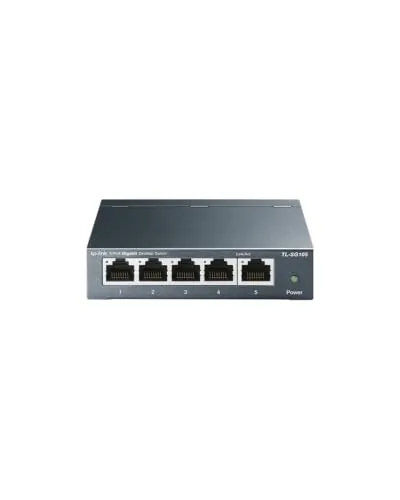
UGREEN 35372US vs TP-Link TL-SG105: Ports, PoE and Setup
Count the router connection as a port, then list which endpoints need power over Ethernet. UGREEN 35372US has eight PoE+ Gigabit device ports plus two labeled Gigabit uplinks and a 60W shared PoE budget. TP-Link TL-SG105 has five Gigabit ports, with any port usable as the upstream connection, leaving four client ports in that simple layout; TP-Link’s U.S. materials classify the model as non-PoE. One important listing gap: the assigned TP-Link offer does not state its hardware revision, so verify the unit label before relying on revision-specific dimensions, power adapter or support information.
Read comparison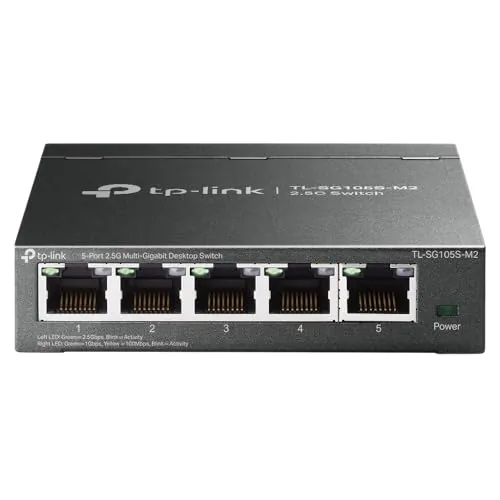
TP-Link TL-SG105S-M2 vs UGREEN 35372US: 2.5G Ports or PoE+ Ports?
The TP-Link TL-SG105S-M2 lists five ports that auto-negotiate at 100 Mbps, 1 Gbps, or 2.5 Gbps. UGREEN's exact 35372US page lists eight PoE+ Gigabit ports and two Gigabit uplinks, with up to 30W per PoE port and a 60W total power budget. Count your connections, match the link rate across the full path, and check every powered device's PoE standard and draw before choosing.
Read comparison