
Products compared
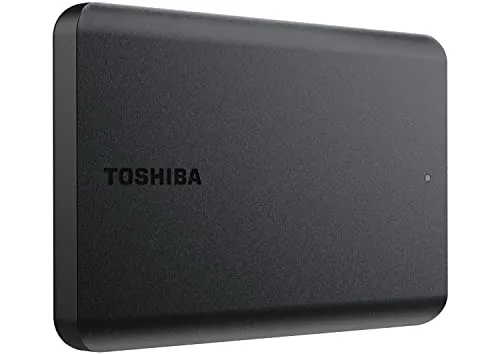
Toshiba
Toshiba Canvio Basics 2TB Portable External Hard Drive
Toshiba's U.S. datasheet identifies the Canvio Basics HDTB520XK3AA as the 2TB XK3AA model. It lists a USB-A-to-Micro-B cable, USB 3.2 Gen 1 interface with USB 2.0 compatibility, NTFS formatting for Windows, and says reformatting may be needed for Mac. Its listed 78 × 109 × 14 mm body is slightly larger than the WD drive listed here.
Model HDTB520XK3AA
Amazon ASIN B0BQX6NNVC
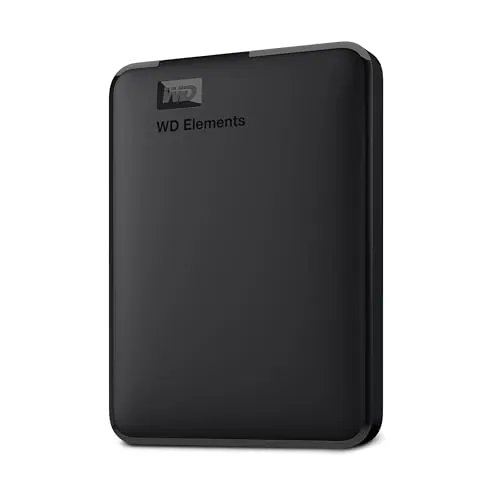
Western Digital
WD Elements Portable 2TB External Hard Drive
WD's exact 2TB product page identifies model WDBU6Y0020BBK-WESN and lists a Micro-B drive connector with a SuperSpeed USB-A cable. Its listed 110.5 × 82 × 15 mm body is close in size to Toshiba's. WD lists Windows 10 or later compatibility and says reformatting may be required for other operating systems.
Model WDBU6Y0020BBK-WESN
Amazon ASIN B06W55K9N6
Differences that matter
Sources for Body envelope for a tight compartment
Sources for Windows, Mac and file-system setup
Sources for Published limited-warranty duration
Check the host ports before comparing drives
These exact 2TB models both use a Micro-B connector on the drive and ship with a USB-A host cable according to their manufacturer specifications. The first buying check is therefore the laptop or desktop port, not an advertised USB generation. If your computer has USB-A, check that port is available and that the cable can reach your working location. If it has USB-C only, plan for a separate compatible adapter or cable; the reviewed box contents do not list a USB-C lead.
Both interfaces are listed as USB 3.2 Gen 1 / USB 3.0 and USB 2.0 compatible. Those are interface-standard labels. They do not tell you which drive will copy your files faster in your own setup, so this comparison makes no transfer-speed recommendation.
For a tight slot, compare the full enclosure
The listed body sizes are close. Toshiba gives its 1TB/2TB envelope as 78 mm wide, 109 mm long and 14 mm high. WD lists 110.5 × 82 × 15 mm for its 2TB model in length × width × height order. On those figures, the WD body is 4 mm wider, 1.5 mm longer and 1 mm thicker. That may matter in a rigid sleeve or bay with only a few millimeters to spare; it should not be presented as a meaningful difference for every bag or desk.
Before buying, measure the compartment's internal dimensions in all three axes, then reserve room for the plug, cable bend and handling. Manufacturer dimensions are not a check against your specific case, and this guide did not physically test either drive in a sleeve.
Treat OS format as part of setup
Toshiba's exact U.S. HDTB520XK3AA datasheet says the drive is NTFS-formatted for Windows 10/11 and requires reformatting for the macOS versions it lists. WD's exact WDBU6Y0020BBK-WESN product page lists Windows 10+ and says reformatting may be required for other operating systems. The WD statement is broader and less specific; it does not say that this exact drive is incompatible with Mac.
If the drive will move between different computers, decide on the file system from the host and backup software you actually plan to use. Follow current manufacturer instructions and copy any needed files elsewhere before reformatting. This is a setup distinction, not a claim that one model transfers data more reliably or quickly.
A longer stated warranty is not a reliability result
The Toshiba U.S. datasheet states a one-year standard limited warranty for the exact XK3AA model family. WD's product overview lists a two-year worldwide term and notes that terms depend on purchase country. If stated duration matters to you, WD lists one additional year in that document; compare the current regional conditions before purchase. The durations do not show failure rates or predict a claim outcome.
Product details
Toshiba Canvio Basics 2TB Portable External Hard Drive
- Body dimensions
- 1TB/2TB models: 78(W) × 109(L) × 14(H) mm; manufacturer-listed. Allow additional room for connector and cable routing. Source
- Included cable and interface
- USB-A-to-Micro-B cable; USB 3.2 Gen 1 interface, USB 2.0 compatible. The datasheet gives interface signaling limits, not measured file-transfer results. Source
- OS setup and listed warranty
- Toshiba says the drive is NTFS-formatted for Windows 10/11 and requires reformatting for the Mac versions listed in its datasheet. It lists a one-year standard limited warranty; check current regional terms. Source
WD Elements Portable 2TB External Hard Drive
- Body dimensions
- 2TB model: 110.5 × 82.0 × 15.0 mm (L × W × H), manufacturer-listed. Measure the actual compartment and include room for the plug and cable bend. Source
- Drive connector and included lead
- Micro-B connector; WD lists a SuperSpeed USB-A cable in the box. USB 3.2 Gen 1/USB 3.0 and USB 2.0 are listed. A host with USB-C only needs a separate compatible connection solution. Source
- OS setup and listed warranty
- WD lists Windows 10+ and says reformatting may be required for other operating systems. The product overview lists a two-year worldwide limited warranty and notes that country terms vary. Source
Before you buy
Community discussions
A buyer plans one 2TB portable drive for Mac and Windows laptops
Toshiba Canvio Basics 2TB Portable External Hard Drive
A Canvio Basics 2TB shopper wanted to store photos from both a MacBook and a Windows laptop and asked what drive format the two computers could share.
What to check
Check the operating-system versions and the file formats they can both read and write. Compare those needs with the drive’s factory format.
Common questions
Will either drive connect directly to a USB-C-only laptop using the included cable?
The manufacturer box lists reviewed here specify USB-A-to-Micro-B cables, not USB-C-to-Micro-B leads. If your laptop has only USB-C, check a separate compatible adapter or cable that supports data and the host's power requirements before ordering.Canvio Basics Portable Hard Drive — U.S. product datasheetWD Elements Portable HDD Storage — Product Overview
Are the listed body dimensions measured for this guide?
No. They are the manufacturers' published dimensions for the exact Toshiba 2TB row and WD 2TB model. Compare them with the inside of your own case and leave cable clearance; no physical fit test was performed.Canvio Basics Portable Hard Drive — U.S. product datasheetWD Elements Portable HDD Storage — Product Overview
Does the Toshiba or WD have a faster file-transfer result?
This guide does not establish that. The cited interface labels describe USB standards and rated signaling, not a matched measurement of these drives under the same computer, files and conditions.Canvio Basics Portable Hard Drive — U.S. product datasheetWD Elements Portable HDD Storage — Product Overview
Sources and scope
Manufacturer documentation supports a bounded comparison of listed dimensions, included cable/connector and operating-system setup notes. The Toshiba datasheet is for the exact XK3AA U.S. 2TB SKU; specifications on newer Canvio Basics suffixes are not applied. WD's page is for the exact WESN 2TB SKU, and its compatibility wording is not Mac-specific. Body measurements are manufacturer-listed, not independently measured; allow space for the plug and cable bend, and measure your own compartment. No drive-speed, reliability, durability, file-transfer or hands-on comparison was performed. WD's warranty source lists two years worldwide and notes regional terms vary; confirm the terms for the purchase country. Current prices and offers were not reviewed or included.
Related comparisons
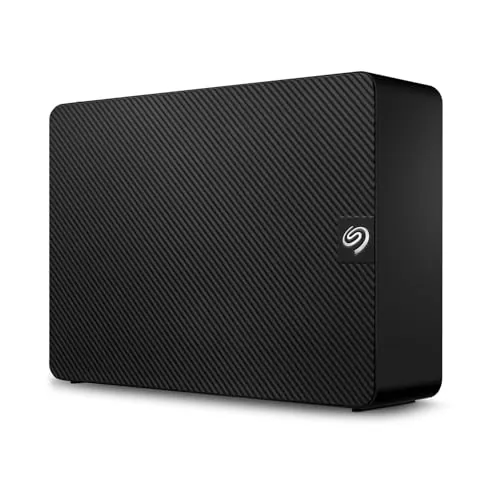
Toshiba Canvio Basics 2TB vs Seagate Expansion Desktop 6TB: Setup and Mac Format Checks
The Toshiba Canvio Basics HDTB520XK3AA is the portable 2TB option: Toshiba lists a small 78 × 109 × 14 mm body, 149 g weight, and power from a laptop USB port without a separate AC cord. The Seagate Expansion Desktop STKP6000400 is a 6TB drive whose datasheet setup uses its included 18W adapter and USB cable. For Mac use, check the format before copying: Toshiba lists NTFS for Windows and says reformatting is required for specified macOS versions; Seagate says it is automatically recognized by Mac but notes that Time Machine may require reformatting. Pick by capacity, placement, and file-system workflow; the sources do not establish a speed or reliability winner.
Read comparison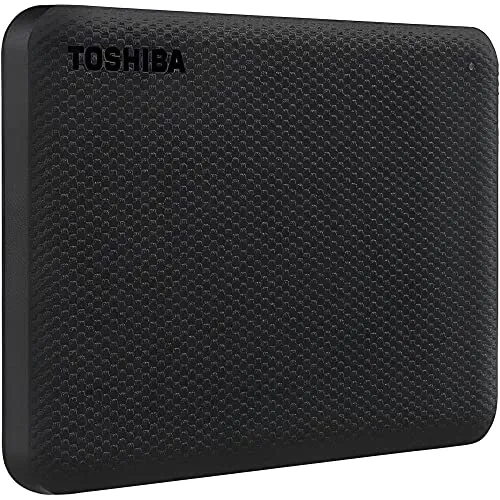
Toshiba Canvio Advance 1TB vs Samsung T7 1TB: Size, Cables and Computer Setup
The Toshiba Canvio Advance 1TB black (HDTCA10XK3AA) and Samsung T7 1TB blue (MU-PC1T0H/AM) use different setup paths. Toshiba lists a USB 3.0 cable and NTFS formatting for Windows 11/10, with reformatting required for the cited macOS releases. Samsung’s T7 is smaller by listed dimensions and includes USB-C-to-C and USB-C-to-A cables. Its manual says it starts as exFAT with Windows/Mac read-write support, but warns about a write-lock issue when moving the drive between operating systems. Choose by your host computer, available port and storage space—not an untested speed ranking.
Read comparison